Share via

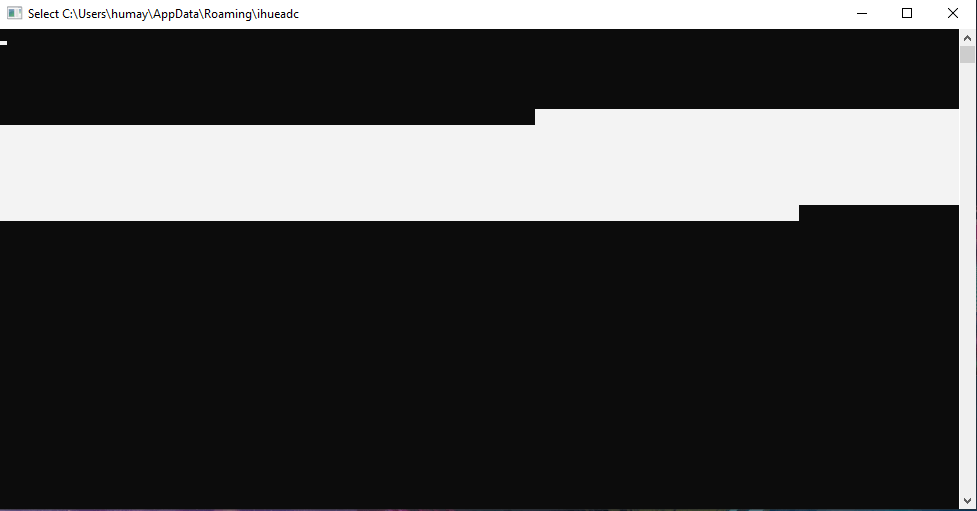
A black window (probably cmd prompt) pops up in the startup and also randomly in the middle of my work. Is this a ransomware or a malware?

Anonymous
2023-04-17T04:33:05+00:00

When I turn on my pc, 2-3 windows of command prompt pop up and they vanish immediately with some writings in it. Could never read them because it disappears so fast. But this window does not only pops in startup, but also in the middle of my work, randomly. When I'm gaming, it pops up and minimizes my screen. It is just so annoying, I can't express. But somehow, I was able to freeze the window tapping randomly and took a screenshot. But nothing was written in it. In my taskbar, it doesn't even show the icon of a command prompt. It shows the icon of an exe file. I attached the SS with my question. I have already disabled unnecessary startup apps from the list. I think this might be a ransomware or a malware. My OS is Windows 10 22H2. Please provide me with a solution.

Windows for home | Windows 10 | Security and privacy

Locked Question. This question was migrated from the Microsoft Support Community. You can vote on whether it's helpful, but you can't add comments or replies or follow the question.

0 comments No comments

32 answers

Sort by: Most helpful
  1. Ramesh 176.3K Reputation points Volunteer Moderator
    2023-04-27T07:59:31+00:00

    The definitions are still missing or outdated. Please run the following commands from admin Command Prompt.

    • cd "%ProgramFiles%\Windows Defender"
    • MpCmdRun.exe -removedefinitions -dynamicsignatures
    • MpCmdRun.exe -SignatureUpdate

    Post the output/screenshot here. Also, upload %temp%\MpCmdRun.log to your OneDrive.

    Was this answer helpful?

    1 person found this answer helpful.
    0 comments No comments
  2. Ramesh 176.3K Reputation points Volunteer Moderator
    2023-04-17T04:43:12+00:00

    Hi Abrar,

    I don't see any screenshots in your post See How to include a screenshot in your post - Microsoft Community.

    Download Malwarebytes Antimalware and run a full scan.

    If the problem persists, do the following:

    Download Farbar Recovery Scan Tool (FRST64.exe) from the following link:

    https://www.bleepingcomputer.com/download/farbar-recovery-scan-tool/ 

    • Run FRST64.exe and click "Scan".
    • Upload the two logs, namely, FRST.txt and Addition.txt, to your OneDrive and share the link here.

    Was this answer helpful?

    1 person found this answer helpful.
    0 comments No comments
  3. Anonymous
    2023-04-17T05:39:50+00:00

    But FRST has logged all of my PC's data! Is it safe to post in here? Rather u give me your email, I share the drive link? Is it good?

    Was this answer helpful?

    0 comments No comments
  4. Ramesh 176.3K Reputation points Volunteer Moderator
    2023-04-17T04:57:55+00:00

    Ok, it's malware. Pls follow the steps in my previous post and let me know how it goes.

    Was this answer helpful?

    0 comments No comments
  5. Anonymous
    2023-04-17T04:53:15+00:00

    I have added the SS, sir. Please have a look.

    Was this answer helpful?

    0 comments No comments
