Share via

Windows installing groove music instead of groove music

Anonymous
2023-03-22T10:22:28+00:00

recently i formatted both my hard drive and ssd because of messed up permissions

when i recover windows from my saved products key, only the groove music with blue background and white logo is seen on my pc instead of the black orange groove music we have, or the new media player which i had on my pc before the formatting

im assuming the update software is outdated but thats not the issue im having on hand now

when i proceed to update to the new media player, (theyre the same app right? i rmb updating groove music to media player bf)

only groove music is installed

i have tried this solution (https://answers.microsoft.com/en-us/windows/forum/all/installing-windows-media-player-on-windows-10-pro/0eea4052-eabd-4f57-a0c5-a108b58cf6e0?ocid=OO_Core_NEU_GetHelp_DG_GetHelp_Solutions)

which led me to this link (https://www.microsoft.com/en-us/software-download/mediafeaturepack) 

which corresponds to 1709 1803 1809 1903 but all of them return a "this update is not applicable to your computer"

and it make sense because its made for win 10 and win 10 with an N (idk what that is but that didnt appear in my PC)

oh ye my windows specifications are as follows:
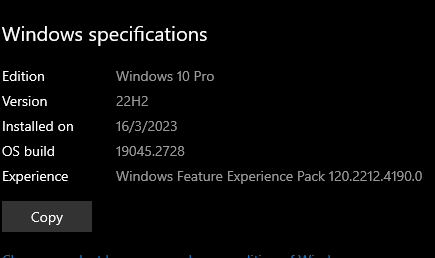
ive also tried 1703 from the solution above but its just blind trying and ofc, it doesnt works

for this link idk what it is but apparently its for surface device? https://www.microsoft.com/en-hk/download/details.aspx?id=48231

it kinda works in the beginning no error messages pops out but it took no effect and my groove music still looks the way it does

ive search "windows 10 version 22h2 media feature packs but none are what im finding
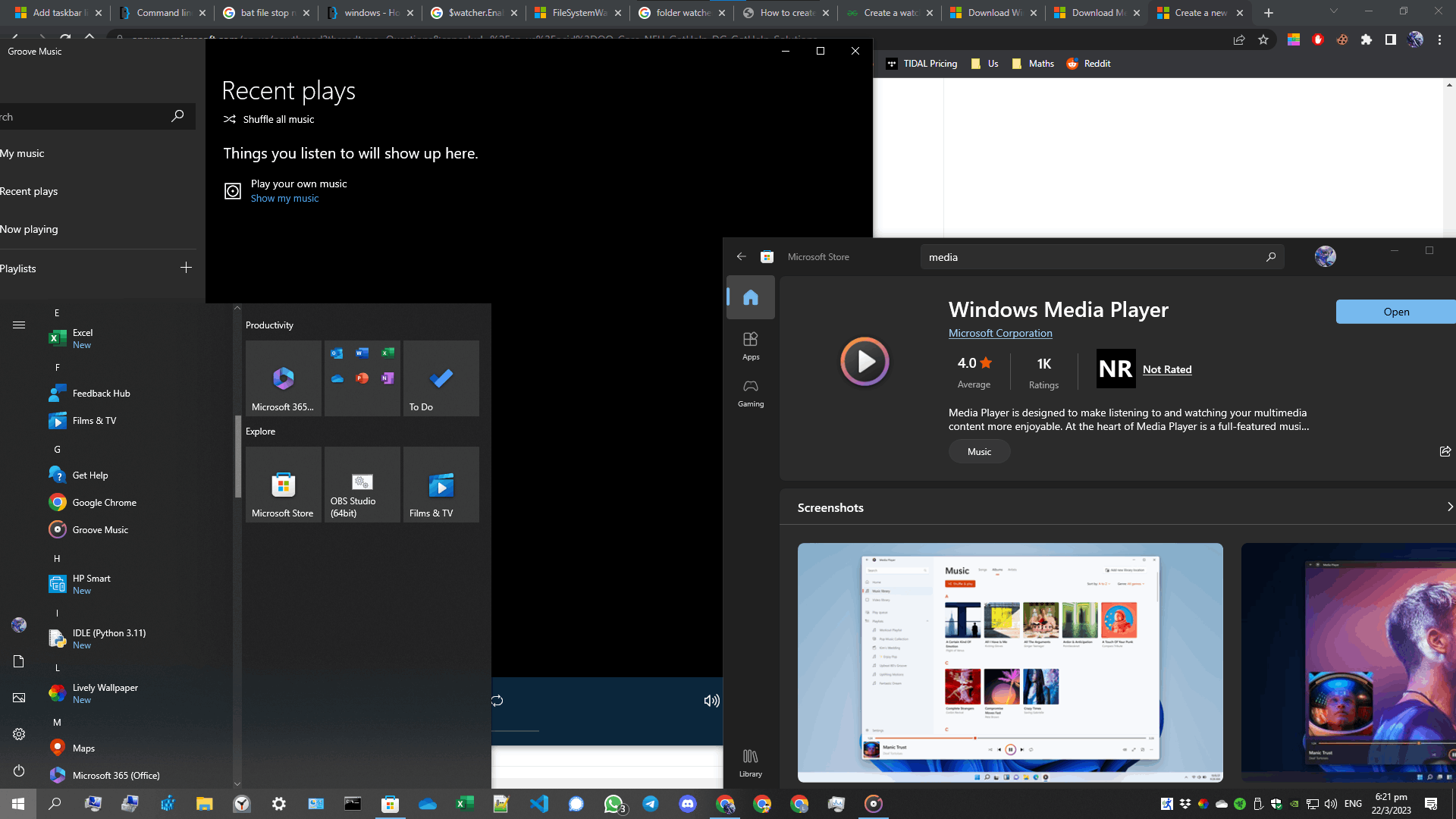
so... what can i do?

i really like the media player interface and i want it back

sorry for bad english also

my question might not be well organised

hope you can understand

Windows for home | Windows 10 | Install and upgrade

Locked Question. This question was migrated from the Microsoft Support Community. You can vote on whether it's helpful, but you can't add comments or replies or follow the question.

0 comments No comments

10 additional answers

Sort by: Most helpful
  1. Anonymous
    2023-03-25T01:14:25+00:00

    https://www.dropbox.com/s/qa995aq4hev3es7/2023-03-25_09-04-39.mkv?dl=0

    can u possibly view this video?

    the outcome turns out to be the same as clicking uninstall and reinstall in the windows media player

    no idea what went wrong

    btw, the groove music in apps library always turns out to be the this window media player

    it just doesnt give me the thing i wanted :(

    0 comments No comments
  2. Rodrigo Queiroz 77,250 Reputation points Independent Advisor
    2023-03-22T16:25:39+00:00

    The solution you tried was for the Legacy Windows Media Player. The Media Feature Pack does not apply to your Windows edition, it is already included.

    Now that is clear to me what you want, let's fix it.

    Right click the Start Menu icon and select Windows PowerShell (Admin), on the Powershell window paste the command below and press enter.

    get-appxpackage *Microsoft.ZuneMusic* | remove-appxpackage

    The command will uninstall Groove Music, now install Windows Media Player from the Microsoft Store.

    0 comments No comments
  3. Anonymous
    2023-03-22T14:16:56+00:00

    thanks but no
    im trying to download the media player from the microsoft store

    does this mean i was going to the wrong way all along?

    the file i found is actually for legacy window media player but not the one im searching?

    0 comments No comments
  4. Rodrigo Queiroz 77,250 Reputation points Independent Advisor
    2023-03-22T12:40:49+00:00

    Hi Subject_Forest,

    I'm Rodrigo and I will help you.

    I understand that you want to use the Legacy Windows Media Player.

    To install/activate it, open Settings > Apps > Optional features > Add a feature > Windows Media Player

    0 comments No comments

