This is how the problem arose:
- I reformatted my HDD
- I installed Windows 7
- I upgraded to and installed Windows 10 cleanly
- I was using Microsoft Edge to download drivers and programs and what not
- I wanted to change the destination of downloads to the Desktop
- I read a tutorial online that instructed me to use the function 'Find Target...' (Downloads > Properties > Location > Find Target...) to change the destination of downloads
- Unfortunately, instead of using 'Find Target...' to change the destination of downloads, I used the function 'Move...' (Downloads > Properties > Location > Move...) and selected 'C:\Users[username]\Desktop'
- After selecting 'Apply' and then 'OK' I noticed that there were now two folders named 'Desktop' within the folder 'This PC'; The folder that was initially named 'Downloads' still had the Downloads icon, though it was now also named 'Desktop'
- I tried using the function 'Move...' to remedy the issue by resetting the initial location of the 'Downloads' folder to its default location, to no avail.
- Just now, after deciding to check this forum to see if I had received any responses to my comments, I rechecked the folder 'This PC' to find out that both folders, which were named 'Desktop', are now named 'Downloads'
- I now have two 'Downloads' folders in 'This PC'
- One of the folders has a Downloads icon, whereas the other has a Desktop icon
- The location of both folders ('Downloads' with a Downloads icon and 'Downloads' with a desktop icon) is the same: 'C:\Users[username]\Desktop'
I would like to restore the name of the 'Downloads' folder with a Desktop icon, which was initially named 'Desktop', to its default name: Desktop. However, even though the location of the folder is 'C:\Users[username]\Desktop', the name of the folder remains fixed as 'Downloads' and I am unable to edit it.
To be clear, I've seen other posts about this and have followed instructions on going into registry edit/changing desktop .ini files, and I believe that the folders have been reset, but my Desktop folder is still named Downloads and I do not know how to fix it.
EDIT:
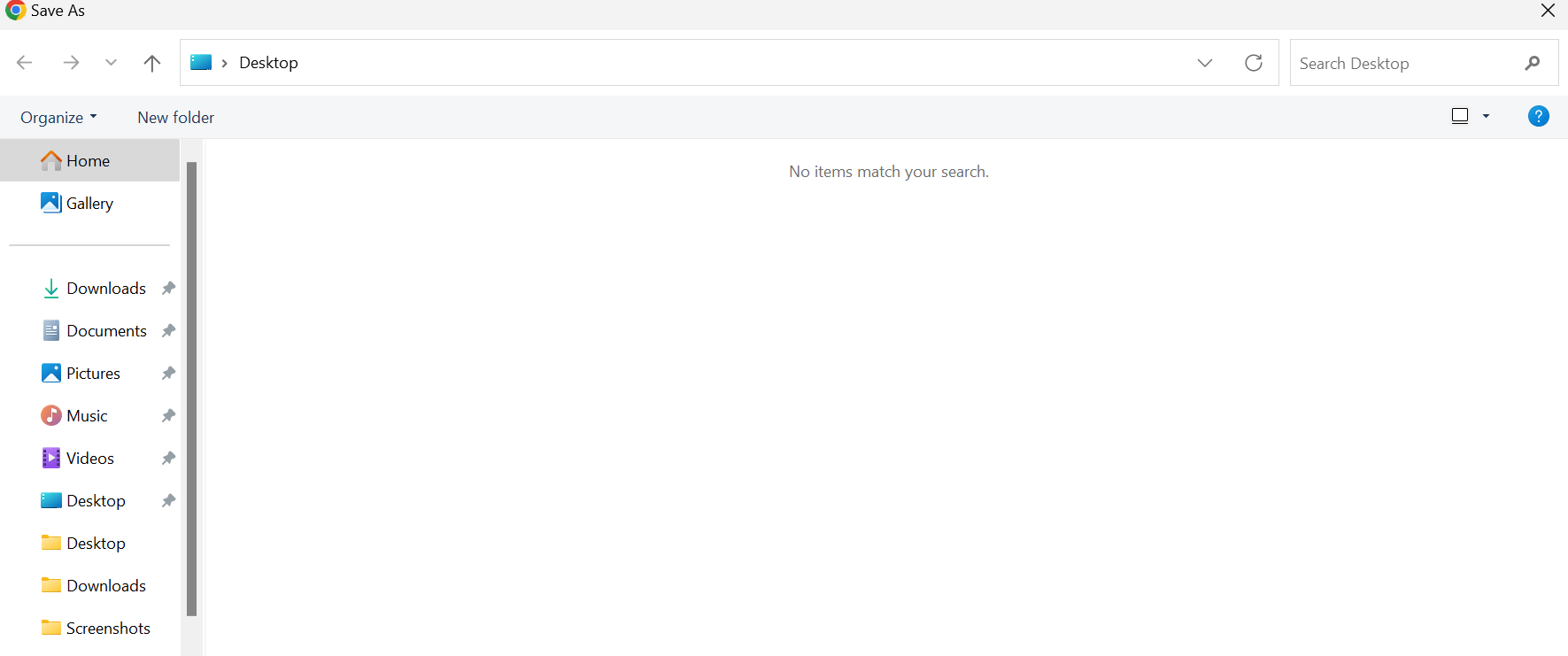
So after doing some tinkering, I seemed to have gotten the Desktop/Downloads folders unmerged. When I go to save an image, it'll come up as a separate Desktop/Downloads folder (as pictured below).
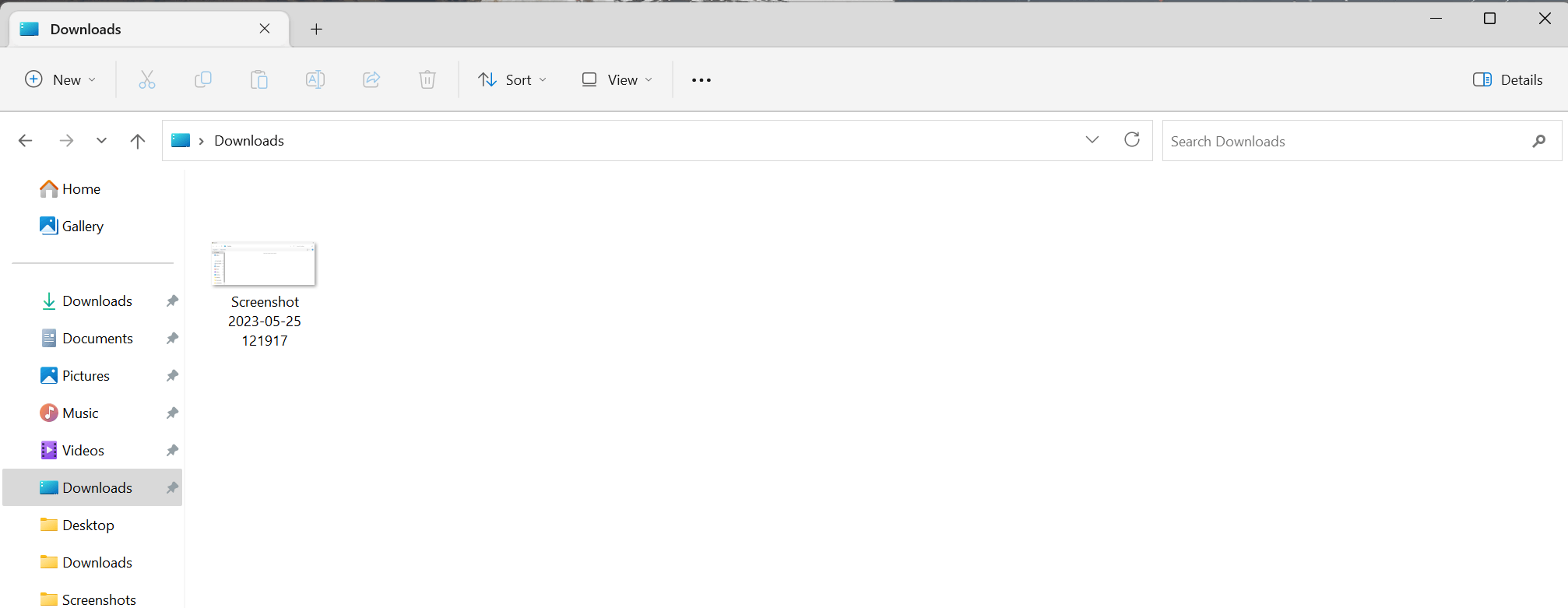
HOWEVER, when I go to my File Explorer, it still shows as two folders named "Downloads" (as pictured below)
Does anyone know how to change/fix this?
' cx='32' cy='32' r='32' /%3E%3Ctext x='50%25' y='55%25' dominant-baseline='middle' text-anchor='middle' fill='%23FFF' %3EA%3C/text%3E%3C/svg%3E)

