Hello!
I recently got a new laptop, which has Windows 11. I'm an artist, so once I got my art programs installed I went to check out the laptop with my art tablet.
I've discovered that the default pen sensitivity on this is... Too sensitive. My first and main art program (Paint Tool SAI) has its own pen sensitivity settings, which are set to zero, and yet it's still too sensitive and is causing there to be these hooks at the ends of my lines, which makes it a lot harder for me to do my art. It's harder to do clean lines, or to keep my sketches organized.
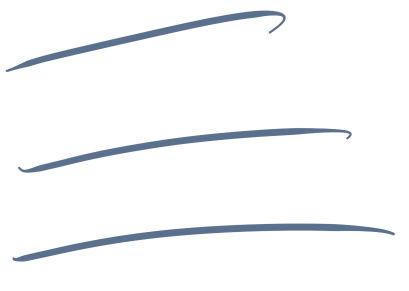
This is how the lines look, if that's of any help?
My other art program, Clip Studio Paint, also has the same issue, so I can assume it's not anything with the program itself and is something about the default sensitivity on this computer.
So of course, I went to go find the pen settings so I could do something about it, however the settings I did find didn't include any sensitivity settings.
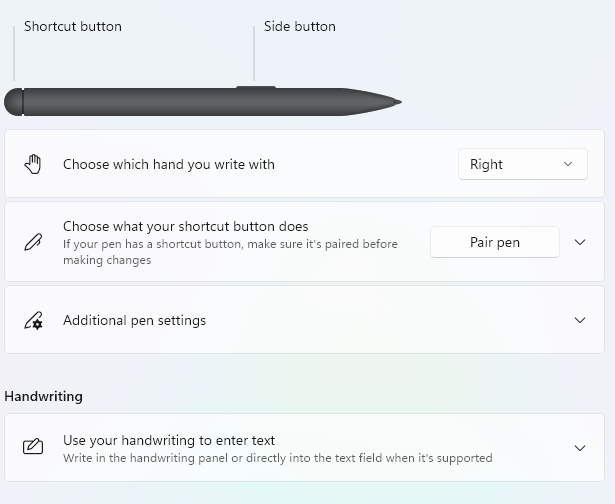
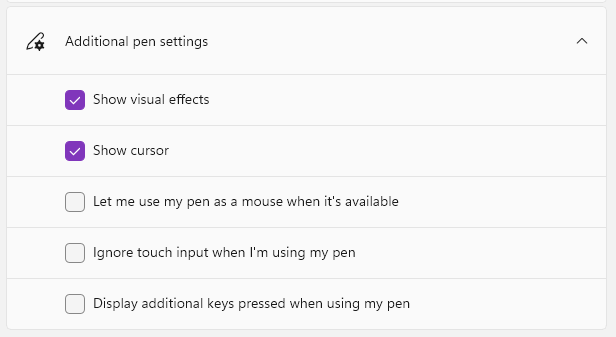
This is all it really has listed, nothing about pen sensitivity.
So, I was just wondering where I would be able to find something like that? Or how I would adjust that sort of thing? I really miss drawing, and this is making it extremely hard to get any art done, and I never had this issue before, either.
' cx='32' cy='32' r='32' /%3E%3Ctext x='50%25' y='55%25' dominant-baseline='middle' text-anchor='middle' fill='%23FFF' %3EA%3C/text%3E%3C/svg%3E)
