Share via

High Definition Audio Device is missing on my Windows 11

Anonymous
2023-06-09T20:52:03+00:00

Hello, I was hoping if anyone here knows how I can get the High Definition Audio Device on my computer. I've been dying to get my speakers to have the enhancements tab to be shown since it's missing. If it's some kind of driver that I have to download it, please help me. I'm all ears, thank you. I'm just dying to use my loudness equalizer again since I can't handle of how quiet it is a little..

Windows for home | Windows 11 | Devices and drivers

Locked Question. This question was migrated from the Microsoft Support Community. You can vote on whether it's helpful, but you can't add comments or replies or follow the question.

0 comments No comments
Answer accepted by question author
  1. JosephT71 9,210 Reputation points
    2023-06-09T22:11:40+00:00

    Once you understand this, you will immediately understand that why 99.9% of forum help about "missing" 10 band EQ in the realtek hd audio manager are WRONG. They always tell people to install some super old realtek driver or use "high definition audio device".

    The actual solution for these people have always been that they have premium audio and those functions moved to the premium audio app.

    1 person found this answer helpful.
    0 comments No comments

6 additional answers

Sort by: Most helpful
  1. Anonymous
    2023-06-09T21:57:33+00:00

    It would seems I don't have these apps. Welp... that's too bad for me...

    1 person found this answer helpful.
    0 comments No comments
  2. JosephT71 9,210 Reputation points
    2023-06-09T21:53:48+00:00

    Enhancements tab doesn't exist anymore in a properly installed DCH driver computer.

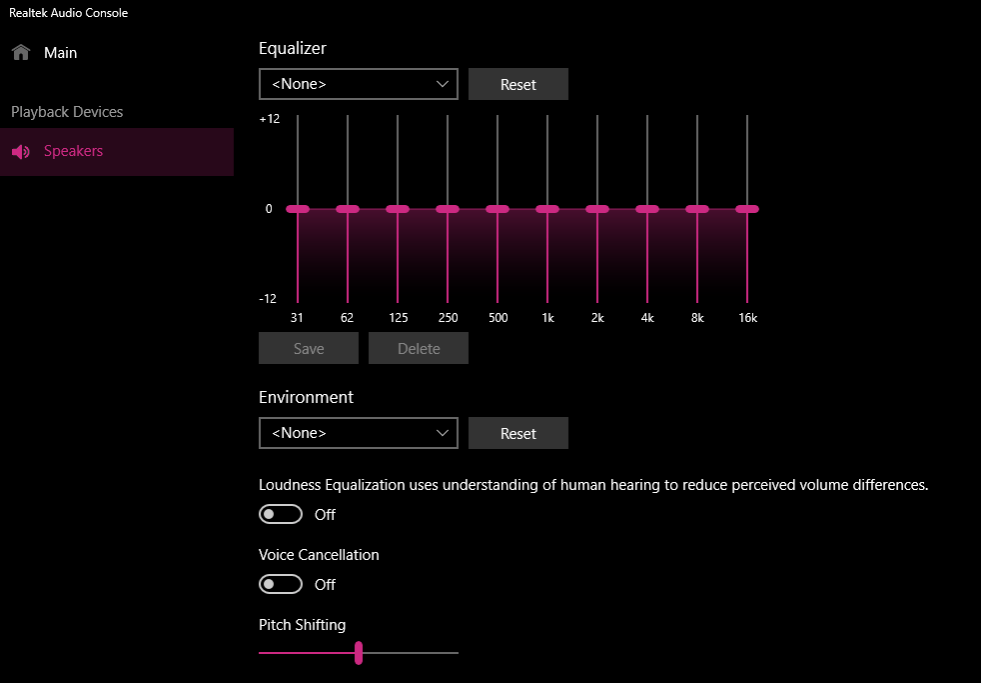
    All your configurations are done via the realtek audio console app. EVERY SINGLE item (EQ, environment, loudness equalization, voice cancellation, pitch shifting...) in the old enhancements tab are in the realtek audio console.
    Image

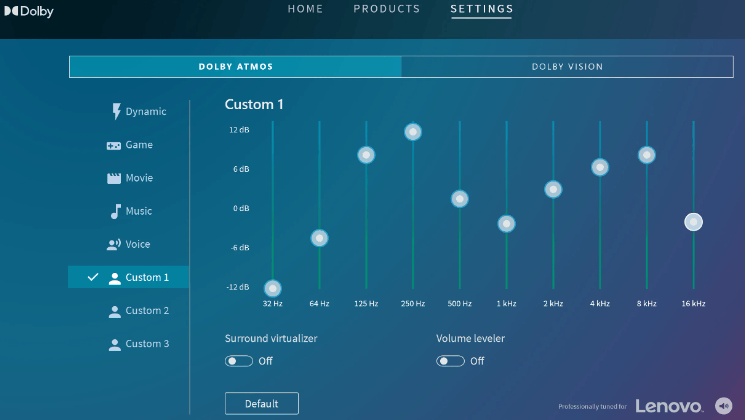
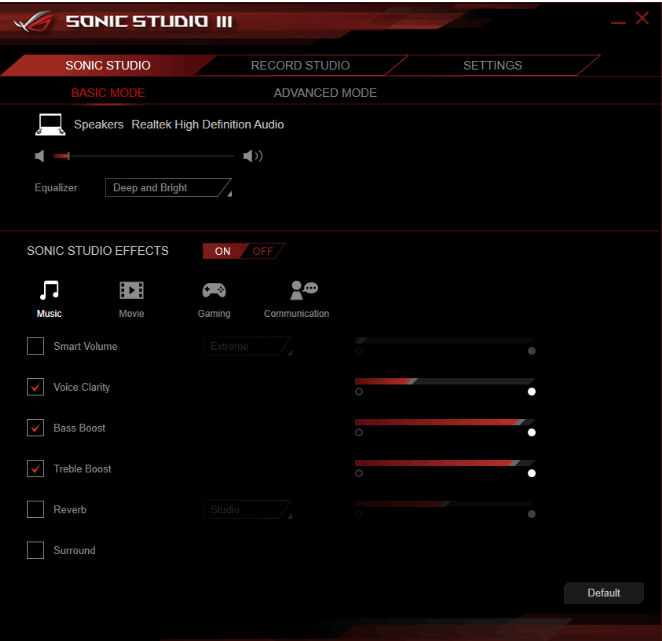
    If your realtek audio console app doesn't have certain functions. It means that you have a computer with premium audio and those functions are moved to the premium app --- such as dolby or dts or nahimic or creative soundblaster cinema or icepower or waves...

    Volume Leveler is the exact same function as loudness equalization in Dolby app. Smart Volume is the exact same function in Sonic Studio 3.
    Image

    Image

    Your computer comes with Omen audio with DTS x ultra app.

    If your dts x ultra app doesn't have those functions and they are also missing in the omen audio app, it means that your computer manufacturer chose not to implement those functions for your specific computer model. Then tough luck. This is exactly how it is supposed to work and anyone telling you otherwise doesn't know what they are talking about.

    1 person found this answer helpful.
    0 comments No comments
  3. Anonymous
    2023-06-09T21:51:02+00:00

    I had to mark out my system name and system sku cause I feel a bit worried if that's vitally important. I usually can't trust people with this sort of stuff that wants to peek. But I'm sorta new to sending this system information screenshot x-x

    1 person found this answer helpful.
    0 comments No comments
  4. Rodrigo Queiroz 77,250 Reputation points Independent Advisor
    2023-06-09T21:31:32+00:00

    Hi G_LockJawKing,

    I'm Rodrigo and I'll help you.

    Open the Start Menu, type msinfo and press enter. Please send the System Information Screenshot to help find the needed driver for your device.

    0 comments No comments

