Bug Report:
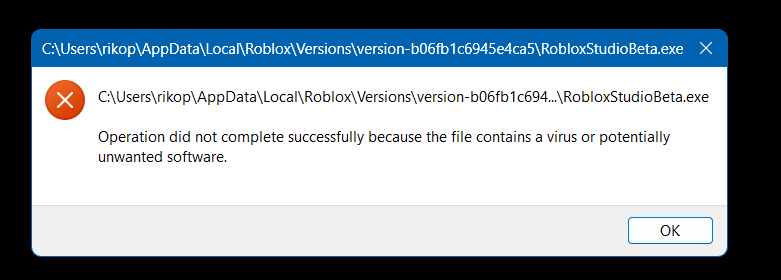
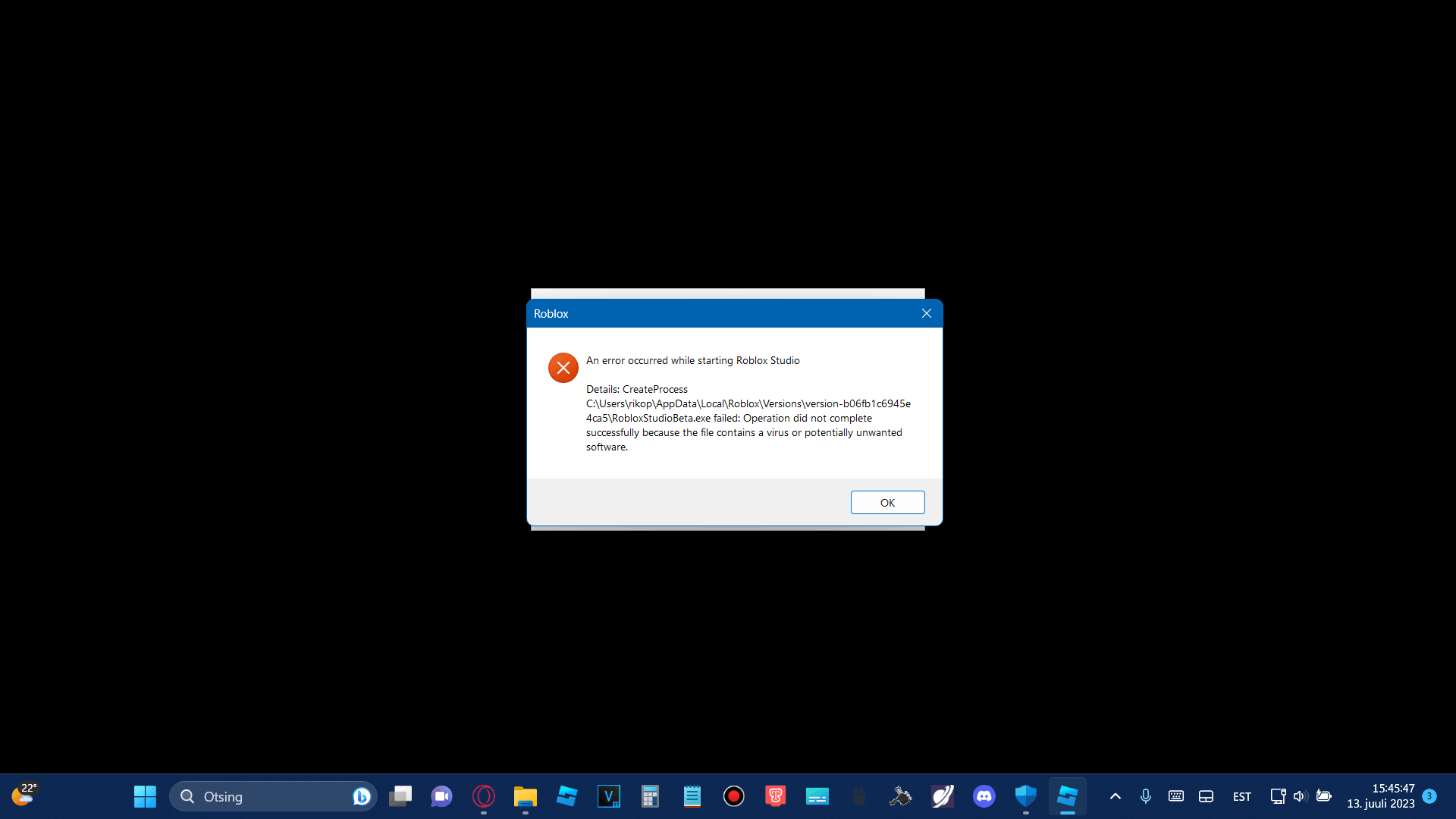
Bug: Roblox Studio is incorrectly recognized as a virus and won't open.
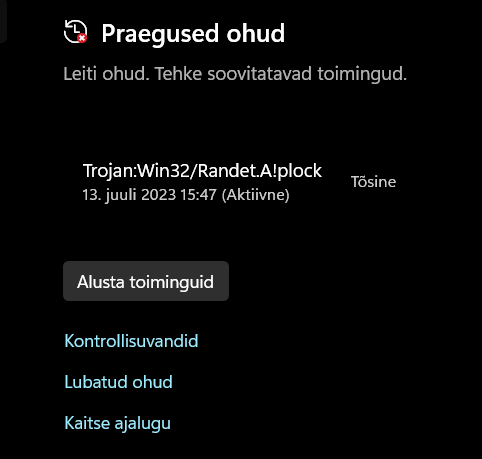
Virus name: Trojan:Win32/Randet.A!plock
Environment:
- OS Name: Microsoft Windows 11 Pro N
- OS Version: 10.0.22621 N/A Build 22621
- OS Manufacturer: Microsoft Corporation
- OS Configuration: Standalone Workstation
- OS Build Type: Multiprocessor Free
- System Model: GT60 0NC/GT60 0NC
- System Type: x64-based PC
- Processor(s): 1 Processor(s) Installed. [01]: Intel64 Family 6 Model 58 Stepping 9 GenuineIntel ~2701 Mhz
- BIOS Version: American Megatrends Inc. E16F3IG6.30J, 8. juuni 2012
- Total Physical Memory: 12,185 MB
- Available Physical Memory: 4,873 MB
Description:
When attempting to open Roblox Studio on my Windows 11 Pro N system, it is being falsely identified as a virus named "Trojan:Win32/Randet.A!plock". As a result, the application is being blocked from launching, preventing me from using Roblox Studio for development purposes.
Expected Behavior:
Roblox Studio should open normally without being flagged as a virus and should allow me to access its features and tools for game development.
Additional Information:
- I have checked my system for other viruses or malware using a trusted antivirus program, and no other threats were detected.
- I have tried reinstalling Roblox Studio, but the problem persists.
- Other applications on my system are not being falsely identified as viruses.
Please investigate this issue as it prevents me from utilizing Roblox Studio for game development. Let me know if any additional information is required to resolve the problem.
Thank you.
' cx='32' cy='32' r='32' /%3E%3Ctext x='50%25' y='55%25' dominant-baseline='middle' text-anchor='middle' fill='%23FFF' %3EA%3C/text%3E%3C/svg%3E)

