Developer technologies | ASP.NET Core | Other
A set of technologies in .NET for building web applications and web services. Miscellaneous topics that do not fit into specific categories.
This browser is no longer supported.
Upgrade to Microsoft Edge to take advantage of the latest features, security updates, and technical support.
' cx='32' cy='32' r='32' /%3E%3Ctext x='50%25' y='55%25' dominant-baseline='middle' text-anchor='middle' fill='%23FFF' %3EAM%3C/text%3E%3C/svg%3E)
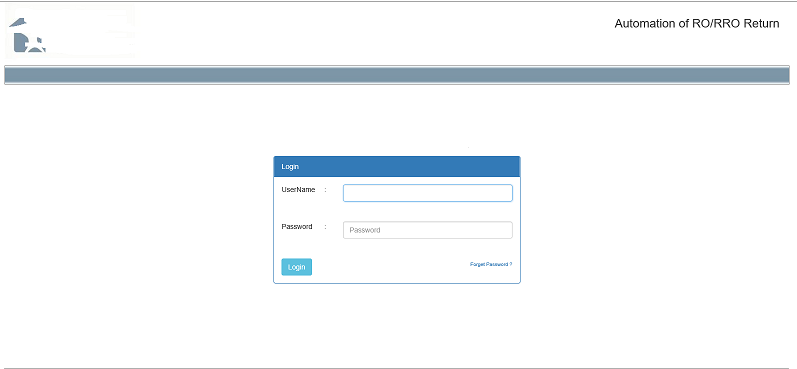
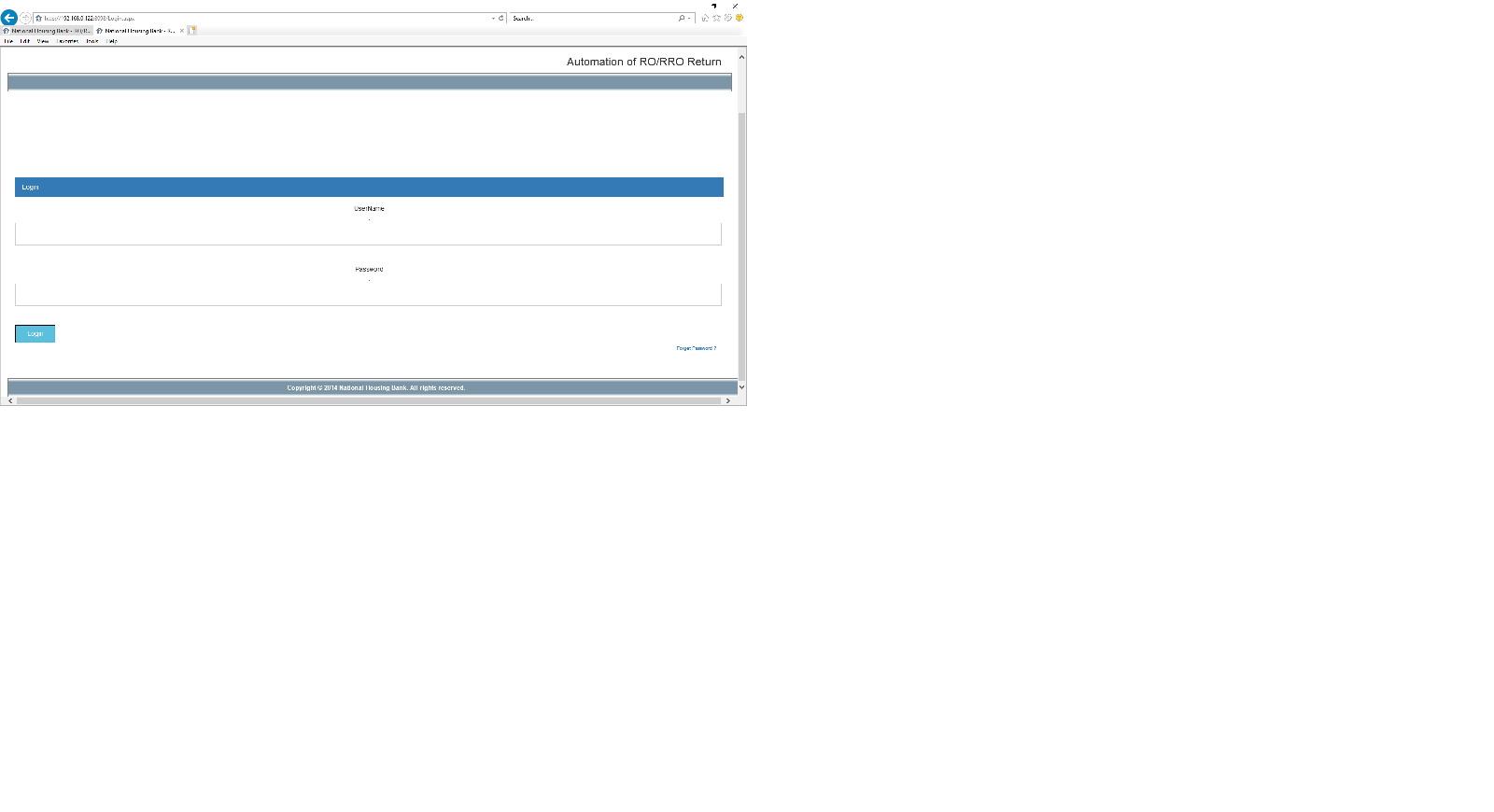
I am using Bootstrap framework and using its classes and DIV in my ASPX page. Its working perfectly fine in Google Chrome but everything gets messed up in Internet Explorer.
Though when I run that application from my local PC, it works fine, but the problem happens when I host it in a web server and run it in IE11.
A set of technologies in .NET for building web applications and web services. Miscellaneous topics that do not fit into specific categories.
Answer accepted by question author
' cx='32' cy='32' r='32' /%3E%3Ctext x='50%25' y='55%25' dominant-baseline='middle' text-anchor='middle' fill='%23FFF' %3EYS%3C/text%3E%3C/svg%3E)
Hi @Adeel Mirza ,
What are the version of Bootstrap and IE? You could try to add head like this:
<m eta http-equiv="X-UA-Compatible" content="IE=edge" />
Best regards,
Yijing Sun
If the answer is helpful, please click "Accept Answer" and upvote it.
Note: Please follow the steps in our documentation to enable e-mail notifications if you want to receive the related email notification for this thread.

I'm guessing you have implemented Bootstrap 5 which dropped support for IE 10 and 11. Please read the Bootstrap docs.
https://getbootstrap.com/docs/5.0/getting-started/browsers-devices/
Otherwise, check the browser's dev tools for any errors. Perhaps you are missing a file on the server. Unfortunately, you have not provided enough information for this community to reproduce this issue.
Sorry for the late response. Can you tell me what all other information do you need?
Sorry for the late response. Can you tell me what all other information do you need?
Seriously??? What version of bootstrap are you using? Did you check the browser's dev tools for any errors? Lastly, if you want the community to debug your code then we need code that reproduces this issue.
Hi @Adeel Mirza ,
Please us your version of Bootstrap and IE. Everyone's setting have different. It help us to solve your problems.
Best regards,
Yijing Sun