Azure Kubernetes Service
An Azure service that provides serverless Kubernetes, an integrated continuous integration and continuous delivery experience, and enterprise-grade security and governance.
This browser is no longer supported.
Upgrade to Microsoft Edge to take advantage of the latest features, security updates, and technical support.
' cx='32' cy='32' r='32' /%3E%3Ctext x='50%25' y='55%25' dominant-baseline='middle' text-anchor='middle' fill='%23FFF' %3EA%3C/text%3E%3C/svg%3E)
I had configured an azure application gateway with ingress controller and everything looks good i.e
below is the image of 'Backed health'

Service status

Ingress status

Pods status

Below the are yaml snippets used for pods, ingress, service deployment
apiVersion: apps/v1
kind: Deployment
metadata:
name: apiservice-deployment
labels:
app: apiservice
spec:
replicas: 1
selector:
matchLabels:
app: apiservice
template:
metadata:
labels:
app: apiservice
spec:
containers:
apiVersion: v1
kind: Service
metadata:
name: apiservice-service
spec:
ports:
apiVersion: networking.k8s.io/v1
kind: Ingress
metadata:
name: apiservice-ingress
annotations:
kubernetes.io/ingress.class: azure/application-gateway
spec:
rules:
Pods, service and ingress showing as green status but Gateways says 'All the instances in one or more backend pool is unhealthy', I can see the below is the backend pool
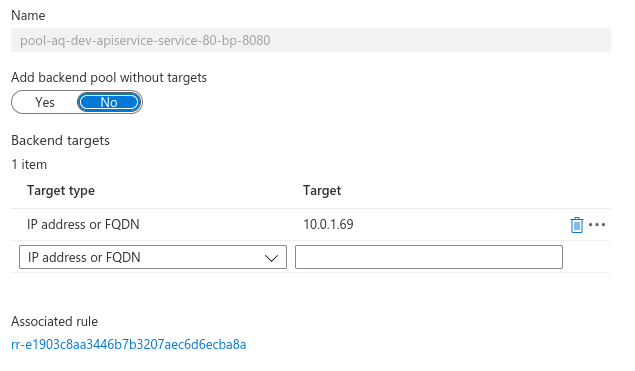
I am not able to figure our why I am getting the error "502 Bad Gateway" when I am trying to access the app via the public IP "http://20.85.243.181/",
Kindly suggest if I am doing something wrong
An Azure service that provides serverless Kubernetes, an integrated continuous integration and continuous delivery experience, and enterprise-grade security and governance.
' cx='32' cy='32' r='32' /%3E%3Ctext x='50%25' y='55%25' dominant-baseline='middle' text-anchor='middle' fill='%23FFF' %3ESP%3C/text%3E%3C/svg%3E)
Hello @Abdullah ,
Tried applying the exact YAML files and I can repro the issue.
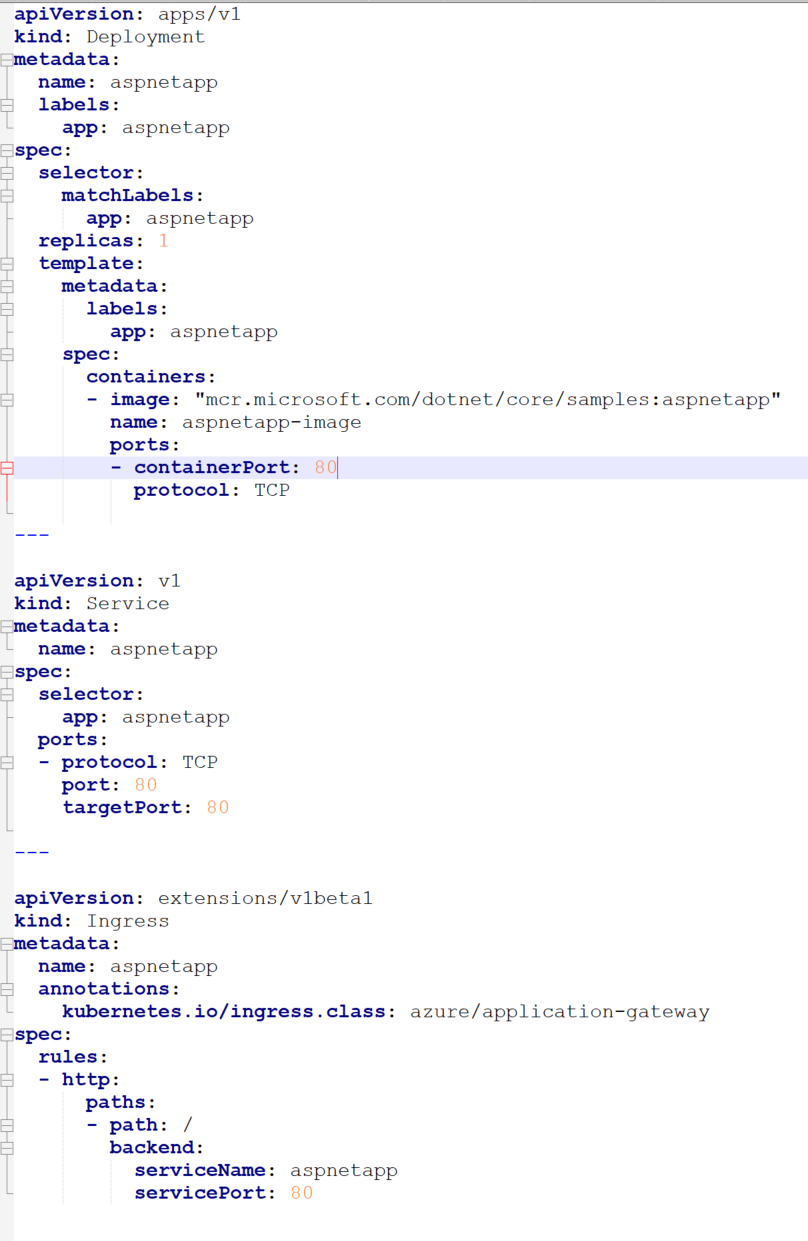
After changing below values in YAML files - I can see backend is Healthy in AppGW
containerPort : 80 in Deployment YAML file
targetPort: 80 in Service YAML file
Ingress Port: 80
Please try out those changes from your end.
If it helps , I tried below YAML file locally:
Regards,
Shiva.