Share via

Asus Rog STrix G834 BSOD message when trying to enter Windows Recovery Environment (WinRe) mode

Anonymous
2023-10-24T18:58:28+00:00

Hi ,

I own an Asus Rog Strix 18 g834 laptop. It is new about 4 months old.

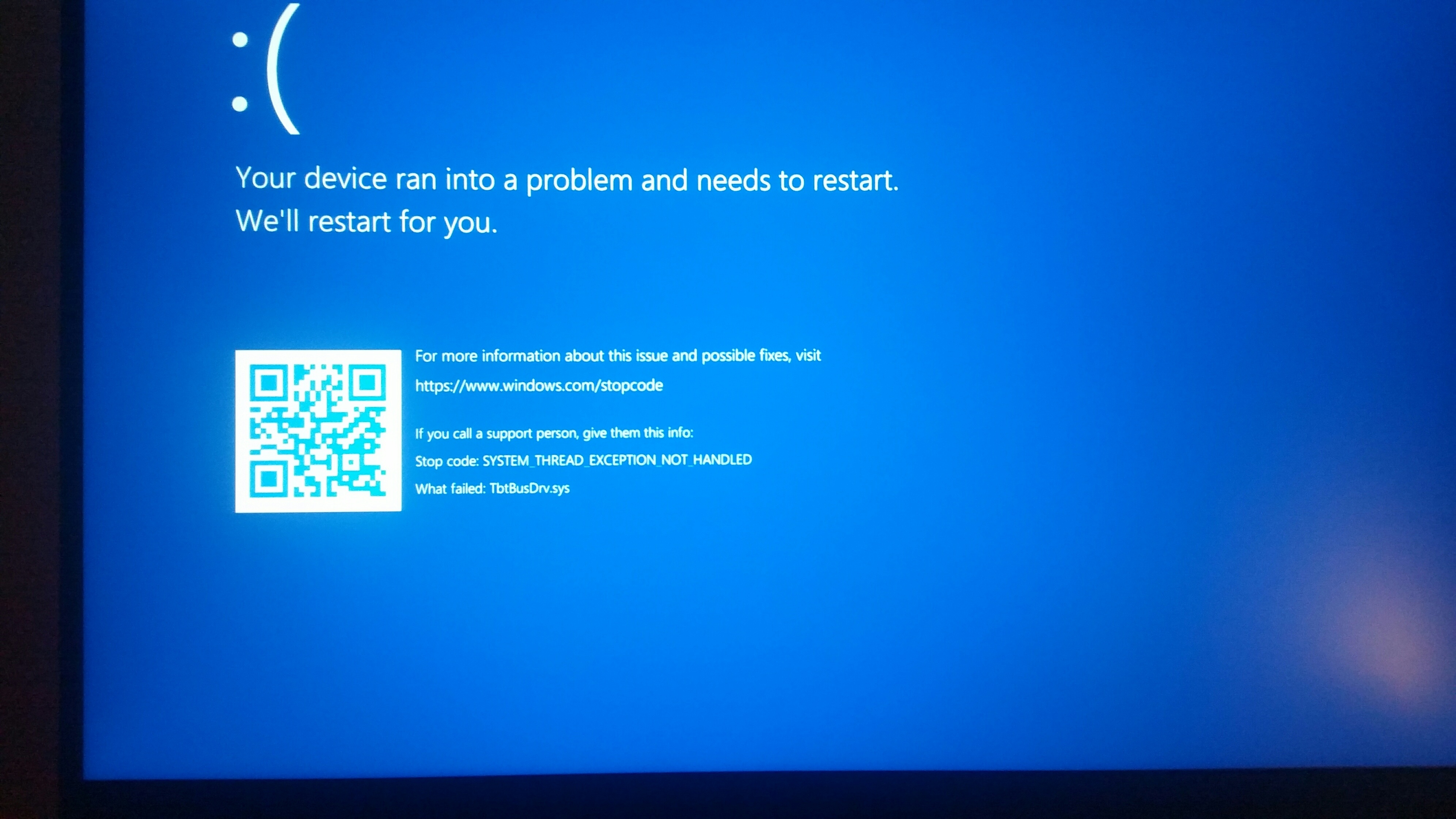
My problem is that every time I attempt to enter Windows Recovery Environment (WinRe) mode e.g. through MyAsus app, the laptop is rebooting and then, during the waiting screen, I get a BSOD error with the message "stop code system thread exception not handled".

This happens every time always.

Apart from that the laptop functions normaly under any situations like heavy gaming or demanding video editing or various stress tests without issues.

All drivers and bios are up to date.

Note that sometimes under the "stop code system thread exception not handled" , appears the message

that failed TbtBusDrv.sys ( it has to do with the thunder bolt driver).

Anyway there is not anything connected onto the laptop , only a mouse.
Windows for home | Windows 11 | Performance and system failures

Locked Question. This question was migrated from the Microsoft Support Community. You can vote on whether it's helpful, but you can't add comments or replies or follow the question.

0 comments No comments

6 answers

Sort by: Most helpful
  1. Anonymous
    2023-10-26T07:17:02+00:00

    Ok I found the solution .

    After a lot trial end errors I found the solution was to disable through bios the onboard hd audio.  I have all the audio drivers updated but the problem remains , unless  the onboard audio is disabled  in the bios.  Strange that the bsod  indicate  the thuderbolt driver as the cause .  Any way I consider my case solved.

    Was this answer helpful?

    5 people found this answer helpful.
    0 comments No comments
  2. Anonymous
    2023-10-26T09:06:57+00:00

    That's good to know. I'm glad that you are able to solve the issue. If you have any other questions don't hesitate to ask again.

    Have a great day.

    Thanks.

    Was this answer helpful?

    1 person found this answer helpful.
    0 comments No comments
  3. Anonymous
    2023-10-24T19:47:32+00:00

    Hi George,

    I'm Paul and I'm here to help you with your concern.

    Can you share other minidump files so that I can analyze them further?

    1. Open Windows File Explorer
    2. Go to C:\Windows\Minidump
    3. Zip those files
    4. Upload the zip file to the Cloud (OneDrive, DropBox . . . etc.).
    5. Then share the link here.

    Thanks.

    Was this answer helpful?

    1 person found this answer helpful.
    0 comments No comments
  4. Anonymous
    2023-10-25T13:15:12+00:00

    Okay, I recommend that you update the Thunder bolt driver.

    If that doesn't help, uninstall and reinstall the Thunderbolt driver. and software from the link below.

    https://rog.asus.com/us/laptops/rog-strix/rog-s...

    I hope this helps. Feel free to ask back any questions and keep me posted.

    Was this answer helpful?

    0 comments No comments
  5. Anonymous
    2023-10-24T20:45:11+00:00

    The folder (  C:\Windows\Minidump) is empty. Also I have hidden items view enabled.

    Was this answer helpful?

    0 comments No comments
