Share via

PC shuts down when reaching around 70 degrees

Anonymous
2023-12-28T20:37:06+00:00

I have been having this problem for a while, but i have noticed that when my pc hits around 70 degress celcius, only happens when i'm gaming, the pc goes to black screen, i can still hear everything and the fans in my pc goes too 100% power but my screens stay black, i have to push the power button to make it shut down that way, i can't seem to figure out what the problem may be.

I tried installing WhoCrashed to get a report, but it didn't work, not sure how to make it work on windows 11, can't seem to find the settings people are describing when i searched for it.

I'm hoping it just something simple i can replace or something else in my pc, any help would be much appreciated.

P.S i have noticed that if i just run my games on lower settings so it stay around 60, then there is no problems and it never shuts down like that, but my computer should be able to handle maxed out on all games.

Windows for home | Windows 11 | Performance and system failures

Locked Question. This question was migrated from the Microsoft Support Community. You can vote on whether it's helpful, but you can't add comments or replies or follow the question.

0 comments No comments

10 answers

Sort by: Most helpful
  1. Anonymous
    2024-01-03T18:17:58+00:00

    I think i found the problem, not sure if it was it, but on my RTX 3080 there is a little switch, "silent mode" and "preformance mode" it's hard to see, it was set on silent mode, after i switched it over to preformance mode i haven't had a problem, it makes the fan in the gpu work better and lowers the temp for the gpu, not sure if this was the main problem or not, but for me it seemed that did enough for me not to get this issue anymore.

    3 people found this answer helpful.
    0 comments No comments
  2. Anonymous
    2023-12-29T10:23:08+00:00

    I think you are right, I can see other users having similar issues with iCue at 70deg.

    Did you manage to disable the emergency shutdown feature? I don't think this is specific to the GPU just a whole system setting.

    1 person found this answer helpful.
    0 comments No comments
  3. Anonymous
    2023-12-29T16:50:25+00:00

    Just got home from work, i tried resetting my BIOS, it had some manually stuff done to it, so i just reset it to optimized defaults.

    Now i deleted the "shutdown" alert in iCue, to see if that works, i'll try running a game now and edit what happens.

    EDIT #1: It still happened sadly, my cpu didn't get above 60 degrees, my gpu was hovering around 67 degrees, not sure how it can still be locked to a shutdown unless something else is overheating and making it shutdown like that, because the fans going to full blast must mean that the computer thinks something is too hot, unless there is something else that is hardcoding that 70 degree limiter.

    Or maybe deleting the alert didn't remove the limiter, not sure.

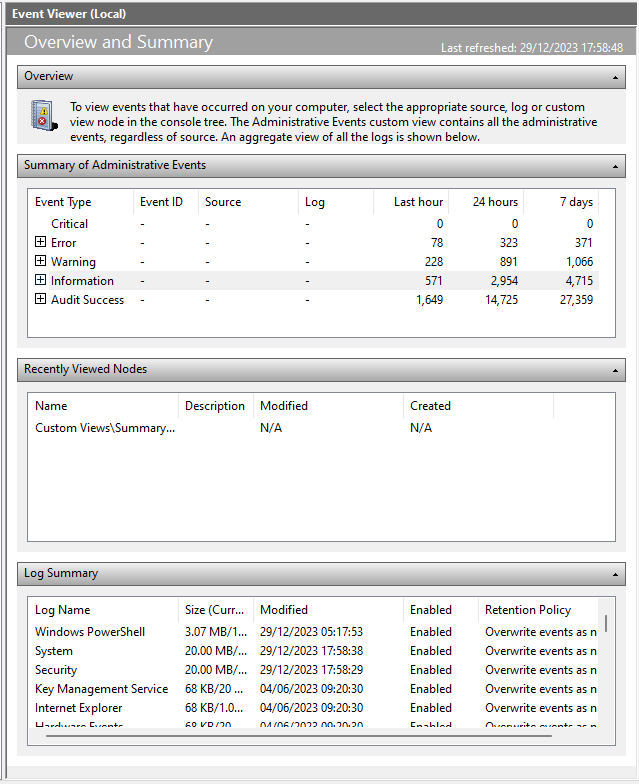
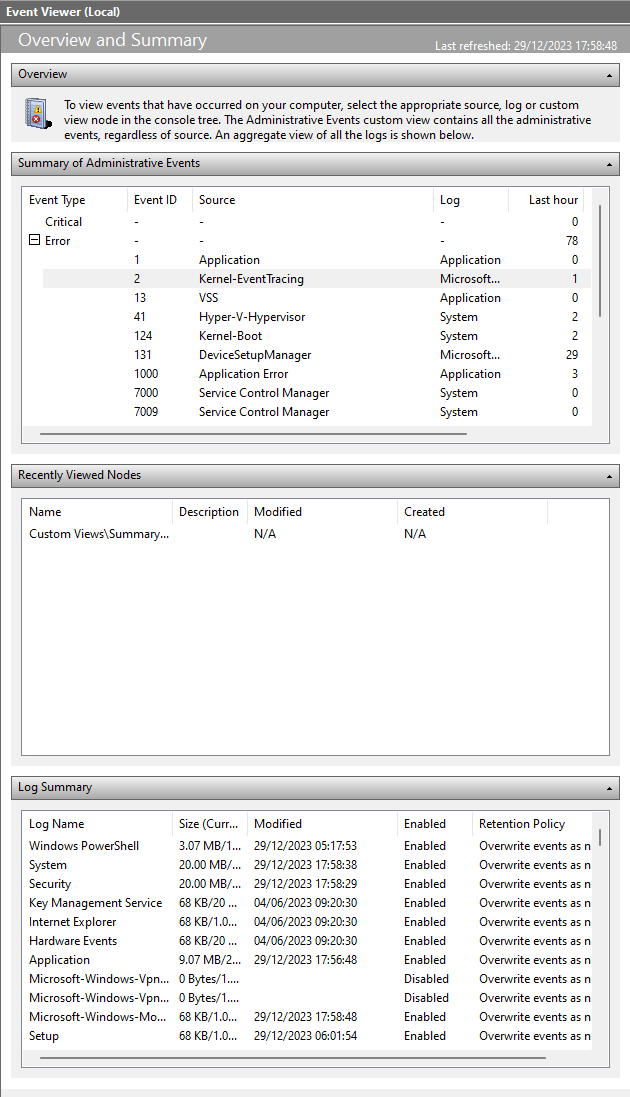
    EDIT #2: Okay looked at the event viewer, apparently something is happening

    If you look at this picture and the logs within the last hour, which is only from after i got home and looked at fixing and testing this issue
    Image

    I don't know if this is anything or if it's just normal small bugs that happens on computers
    Image

    EDIT #3: I noticed that my chipset tempareture is around 67 celsius, on idle in BIOS, i looked it up, sounds almost normal, still a bit on the high end for idle, but i guess it's not that bad, but i figured that could have been a trigger, but i don't know.

    0 comments No comments
  4. Anonymous
    2023-12-29T04:58:26+00:00

    Thanks for the help, i have been looking into it and i can see my fans go to 100% at 70 degrees, i think this also has something to due with iCue, it has an "Emergency shutdown" at 70 degrees, but it should be turned off, because i thought that was the problem at first, but maybe i didn't do it right (i find iCue a bit difficult to understand and navigate)

    I found that my water cooling had this setting too, but i tried to switch that off too now, maybe that was the problem some how, i will try and push my computer a little again and come back with an answer.

    #EDIT 1: Still does it when it hits 70 degrees on the gpu, i can't seem to find the gpu in my iCue, so i have no idea if that still have the Emergency shutdown thing on.

    I wasn't able to find anything in my BIOS, was a bit hard to look through, i have Asus UEFI utility BIOS if that helps with giving my an answer where to look into this.

    #EDIT 2:

    This is how it looks in idle, only got my browser running and a few background applications.

    Kind Regards,

    Dan

    0 comments No comments
  5. Anonymous
    2023-12-28T22:14:02+00:00

    Hi, I'm Elise, a fellow user like yourself and I'd be happy to help with your issue.

    It sounds like it is configured to shutdown components at 70 degrees or higher.

    It might be worth checking your BIOS to see if there is a limit configured which will switch the PC off at a threshold.

    It might also required further cooling installed in your PC.

    Please let me know if you need any further assistance.

    Kind Regards,

    Elise

    0 comments No comments
