I was using my computer normally and was watching a video with headphones. I finished the video, walked away for about 20 minutes, and then came back without touching the computer. The computer was asleep and when I woke it up, suddenly the headphones were not working. The built in speakers seem to be fine, but no sound comes through the headphones. The computer still recognizes them and the audio device manager still pops up, so I don't think it's a hardware problem, but I hear no sound. Computer is an Asus Zephyrus, running windows 10. I have also confirmed the headphones are working and the problem is persisting with other devices as well.
The error is coded as "Device cannot start. (code: 10).
I have already searched here and reddit and other sites I know of for advice and have tried the following:
- Using the sound problems troubleshooter, which installs and reinstalls the drivers a few times. I could not hear any of the test sounds so ultimately it concluded the problem could not be fixed.
- Installing windows updates, as I had a couple outstanding. No change
- Disabling and re-enabling all devices via the device manager. No change
- Checking Services to ensure the audio processes were running
- Updating the drivers in various ways, will include more details below, but nothing has solved the problem yet
- Rolling back the driver, no change
- I've also restarted the computer 6 or 7 times at least in the process of all this.
I think I've found the problem but am unsure how to fix it. When updating the drivers, I let windows choose for me which one to use. I have 3 audio devices for some reason but windows has identified only one to be having the issue.
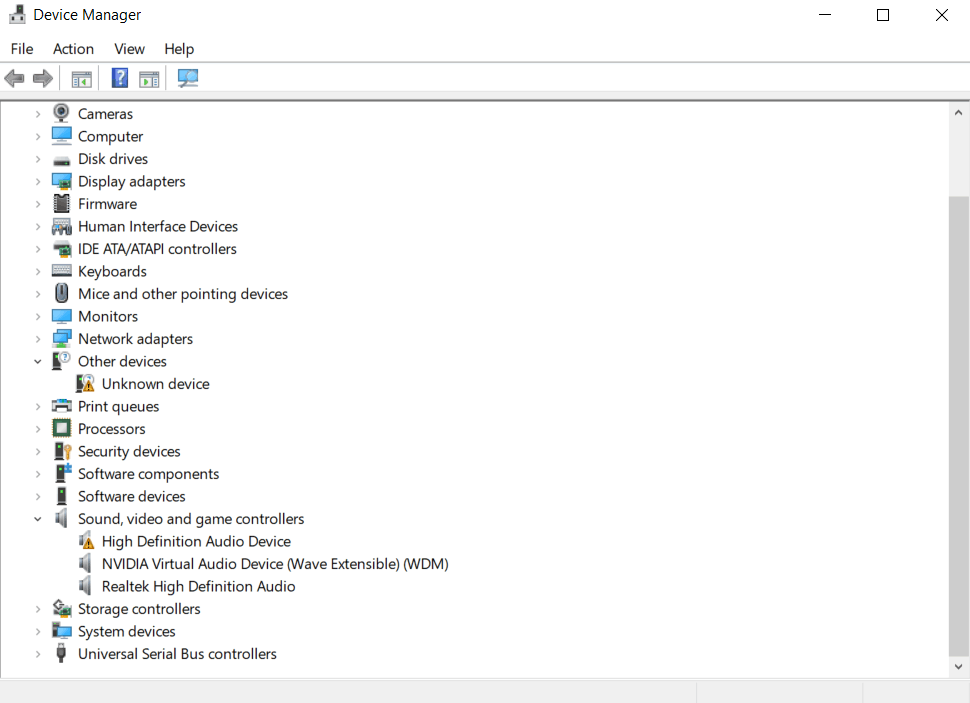
When I let windows choose, it does not fix the problem. When I told windows to let me choose from what's available, I get 3 options:
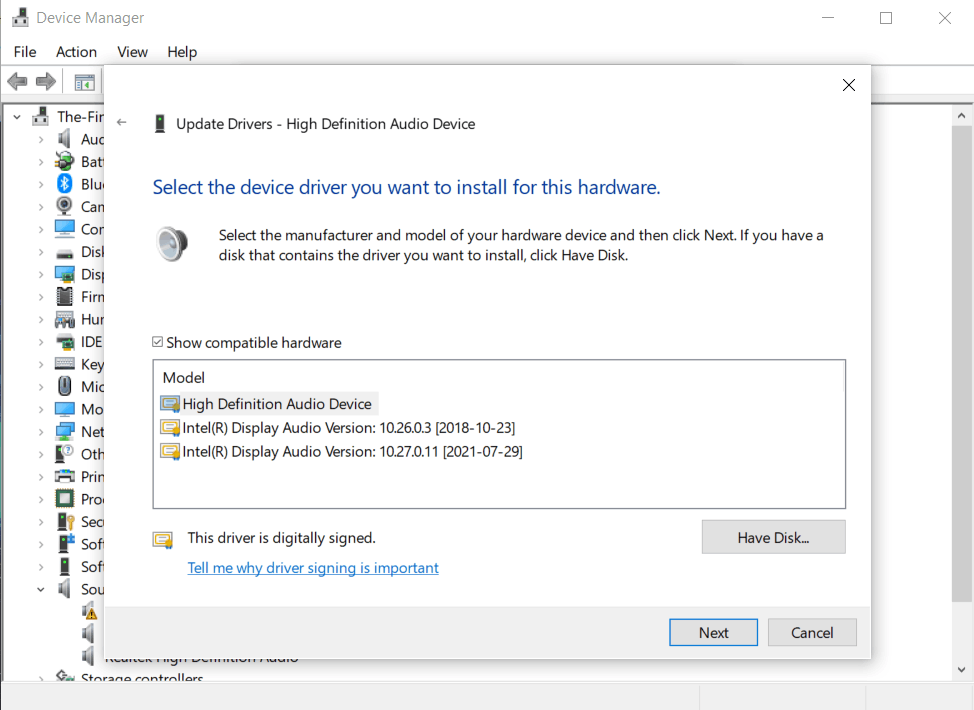
Both of the Intel drivers install fine, but the problem persists. The name also changes from "High Definition Audio Device" to "Intel Display Audio", which is also what happens when I let windows choose which driver, which makes me think it's assuming I need the third option, as it's the newest Intel driver.
I had also downloaded the driver from the manufacturer website, which I am assuming is the first one. When I tried to get windows to install that one specifically, it said I already had the correct driver and refused to install it, so I had to go back to the list. I am assuming the first option in that list shown in the previous picture is the driver I downloaded. When I select that one, though, it will not install and I get yet another code 10 error:
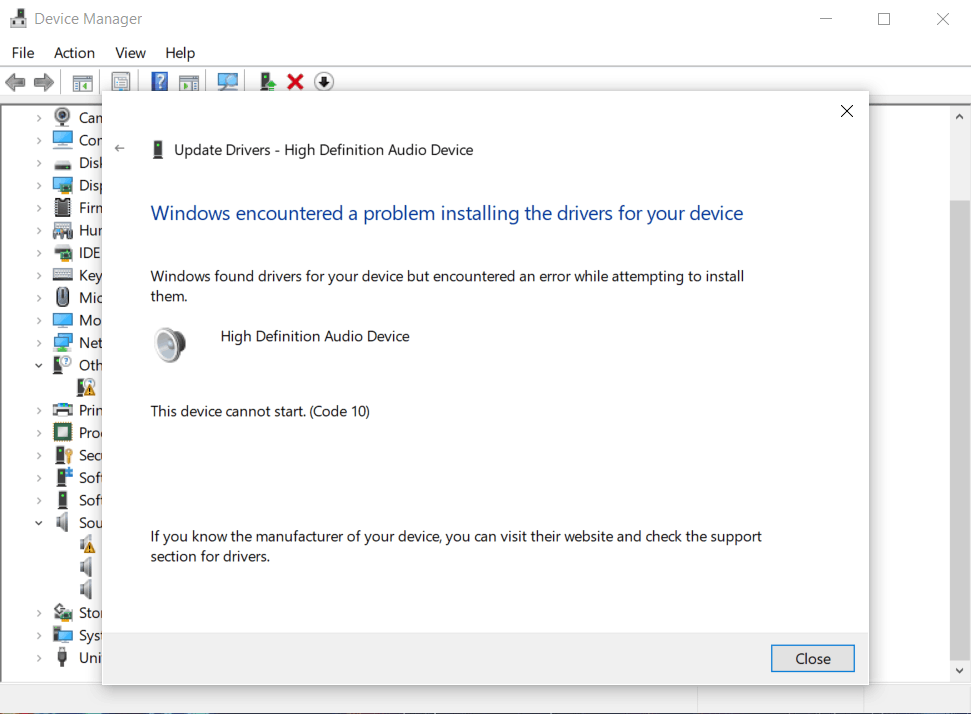
Considering I got that driver directly from the manufacturer's website (and I tried both a newer and an older file from the website, just in case), I'm not sure what else to do from here as it seems what I need to do is install that specific driver to fix the error, however I am unable to do so because of the error.
Any help would be greatly appreciated.
' cx='32' cy='32' r='32' /%3E%3Ctext x='50%25' y='55%25' dominant-baseline='middle' text-anchor='middle' fill='%23FFF' %3EA%3C/text%3E%3C/svg%3E)

