Recently my pc did an update,and currently running Windows 10 Home Version 22H2 with OS build 19045.3803. Ever since it updated I've noticed that the windows file explorer search bar acted differently than what I was used to. Now when I type a single letter into the search box within file explorer it immediately pops up results. I do not like that. Before I had to finish typing and hit enter.
Another thing is when I used to search with "size:" it would be in white text, now that text turns blue and it shows up options. 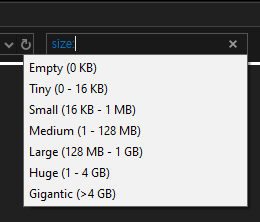
Another issue I'm having is that it no longer remembers my search history when I click in the search box.
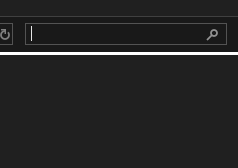
Instead I have to expand the ribbon and go to search tools and find it there.
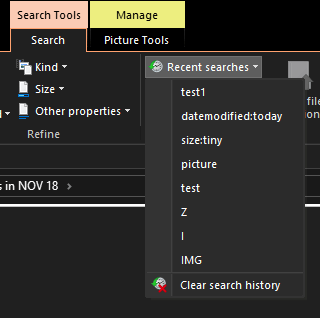
This is an image I found online, but It used to work exactly like this:
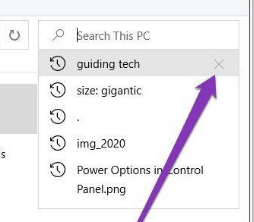
I used to be able to just click in the box and it would remember. Now that is gone.
Another thing that changed was I could type "datemodified:" and nothing would pop up, I had to type it in manually. Now it pops up a whole calendar interface I've never seen before:
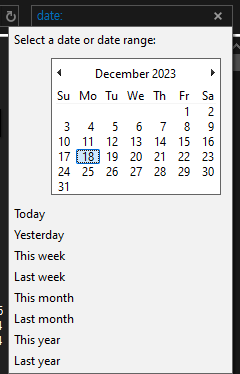
How can I revert back or is there an option to change to how things used to work? I do not like these new changes. It happened the moment it did that update.
Here are my current settings:
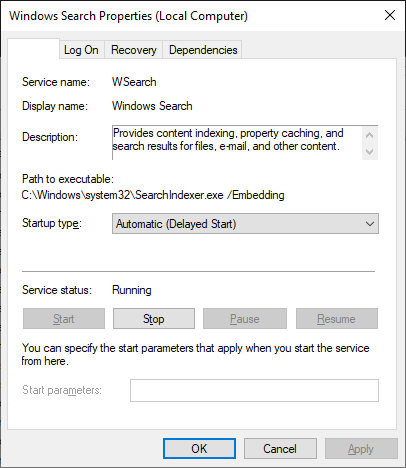
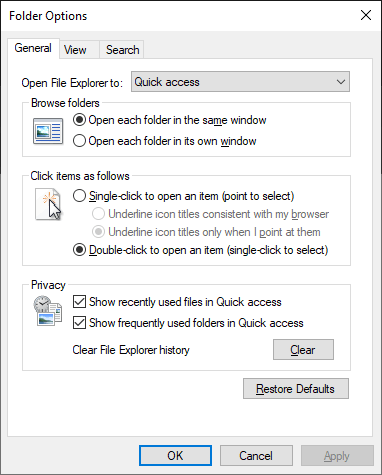
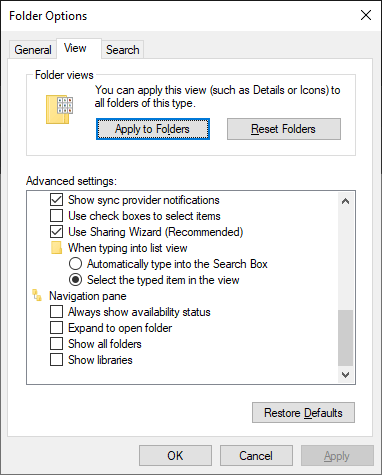
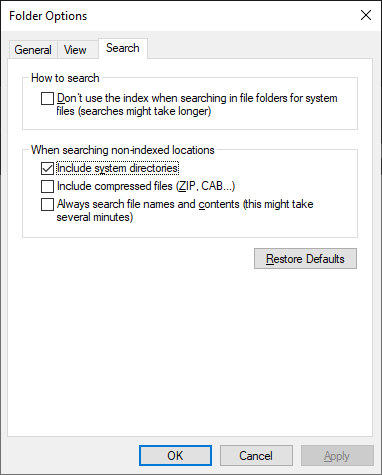
Prior to the update, I have never once changed any of these settings. Any fix to this? I especially want my recent searches to be findable under the search bar. Not sure why it stopped.
' cx='32' cy='32' r='32' /%3E%3Ctext x='50%25' y='55%25' dominant-baseline='middle' text-anchor='middle' fill='%23FFF' %3EA%3C/text%3E%3C/svg%3E)

' cx='32' cy='32' r='32' /%3E%3Ctext x='50%25' y='55%25' dominant-baseline='middle' text-anchor='middle' fill='%23FFF' %3ELF%3C/text%3E%3C/svg%3E)
' cx='32' cy='32' r='32' /%3E%3Ctext x='50%25' y='55%25' dominant-baseline='middle' text-anchor='middle' fill='%23FFF' %3EPG%3C/text%3E%3C/svg%3E)