
Hello,
Please refer this video fix:
https://www.youtube.com/watch?v=9NKX4F5xL1Y
Let me know if this helps you!
This browser is no longer supported.
Upgrade to Microsoft Edge to take advantage of the latest features, security updates, and technical support.
' cx='32' cy='32' r='32' /%3E%3Ctext x='50%25' y='55%25' dominant-baseline='middle' text-anchor='middle' fill='%23FFF' %3ESS%3C/text%3E%3C/svg%3E)
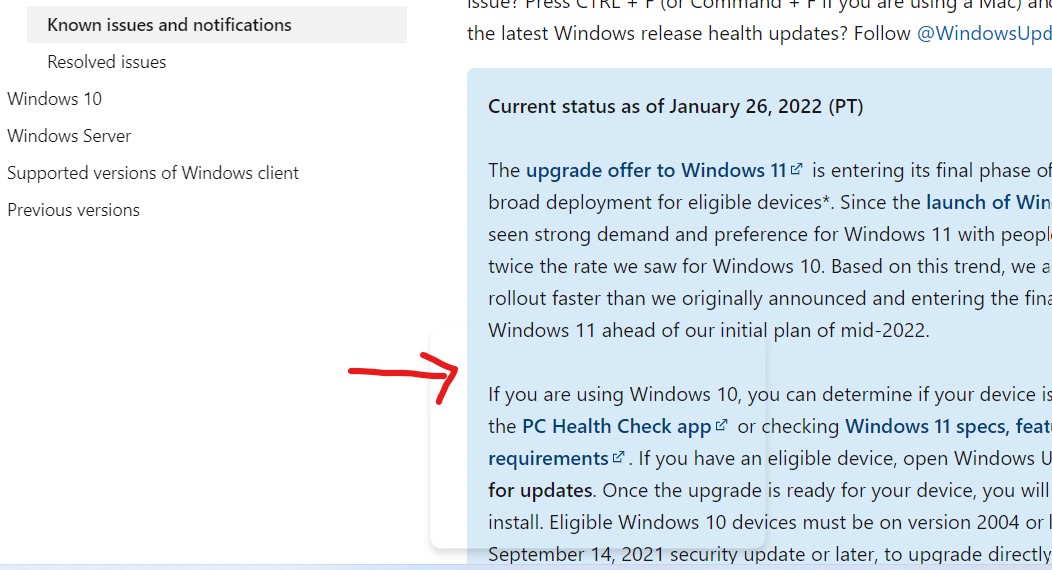
There is the transparent patch appears on the screen of windows 11. It seems there is bugs. please suggest how to fix it

Hello,
Please refer this video fix:
https://www.youtube.com/watch?v=9NKX4F5xL1Y
Let me know if this helps you!
' cx='32' cy='32' r='32' /%3E%3Ctext x='50%25' y='55%25' dominant-baseline='middle' text-anchor='middle' fill='%23FFF' %3ELT%3C/text%3E%3C/svg%3E)
Hello @sanjeev sharma
First I would recommend to install any pending updates on Windows 11, since there are still frenquent updates and patches for discovered bugs.
On the other hand if you want to fix this issue definitely, Launch Settings app by pressing [WINDOWS key] + [I key] combo then go to Personalization tab on the left side and locate and turn off Transparency effect.
Hope this helps with your query,
--
--If the reply is helpful, please Upvote and Accept as answer--

Maybe you can see : Fix – Transparent Floating Box above Taskbar in Windows 11