Share via

"MRB", "EFI" and "GPT" problem when trying to Clean-Install W11 onto my Dell laptop.

Anonymous
2024-03-15T15:20:13+00:00

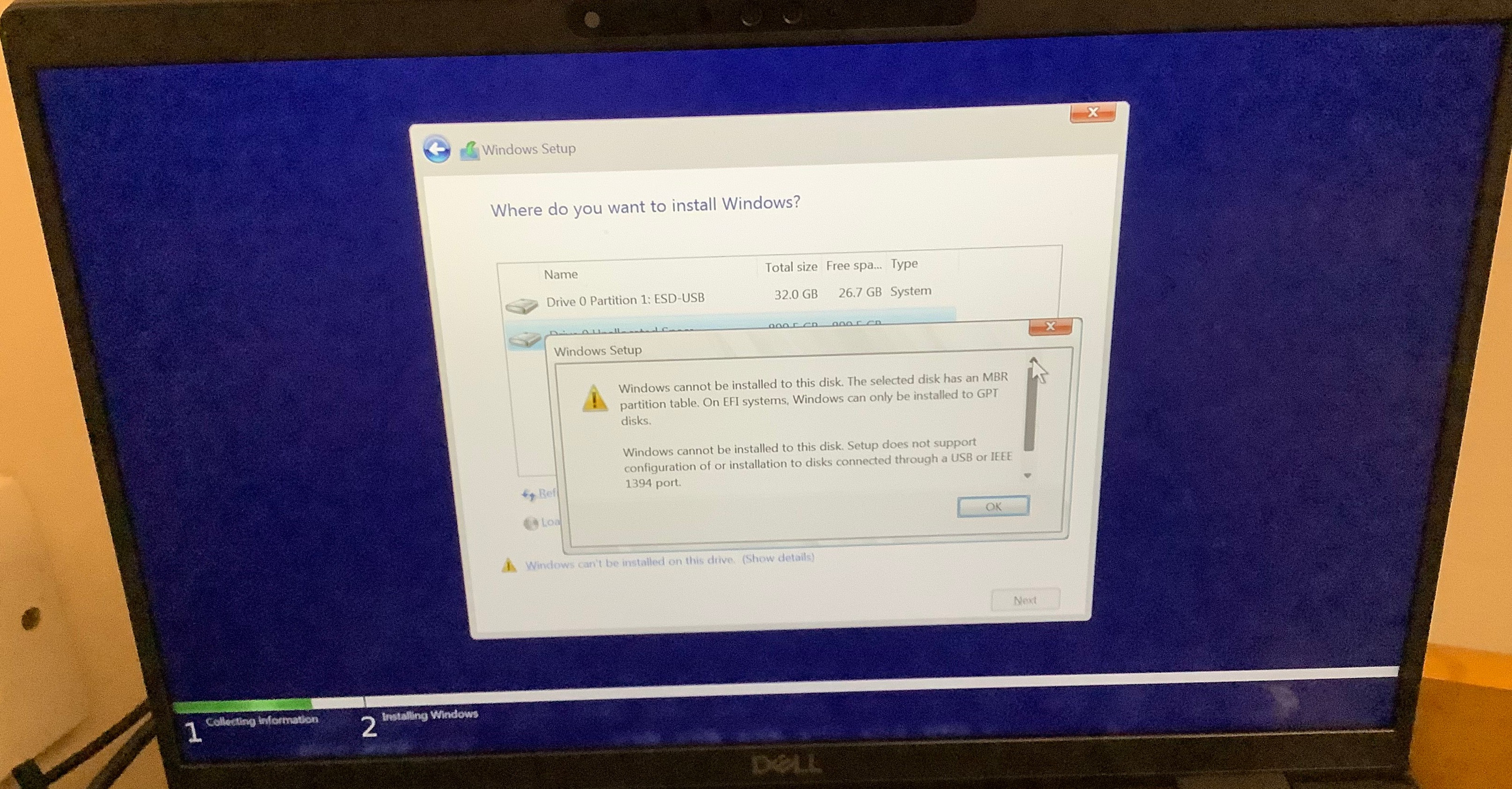
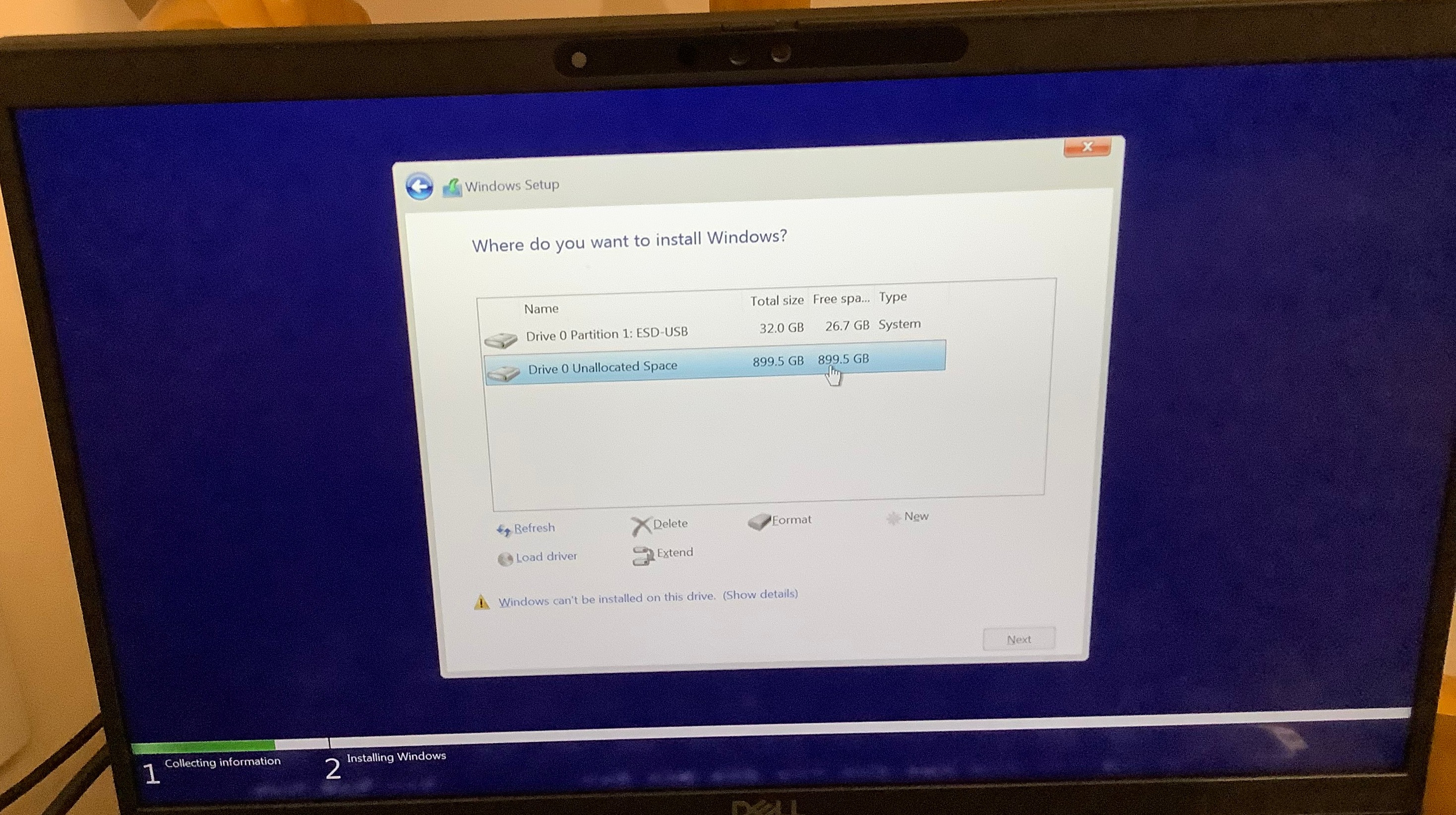
I encountered this problem when trying to Clean-Install Windows 11 to my Dell Latitude 7430 laptop today, please see all three attached pictures.

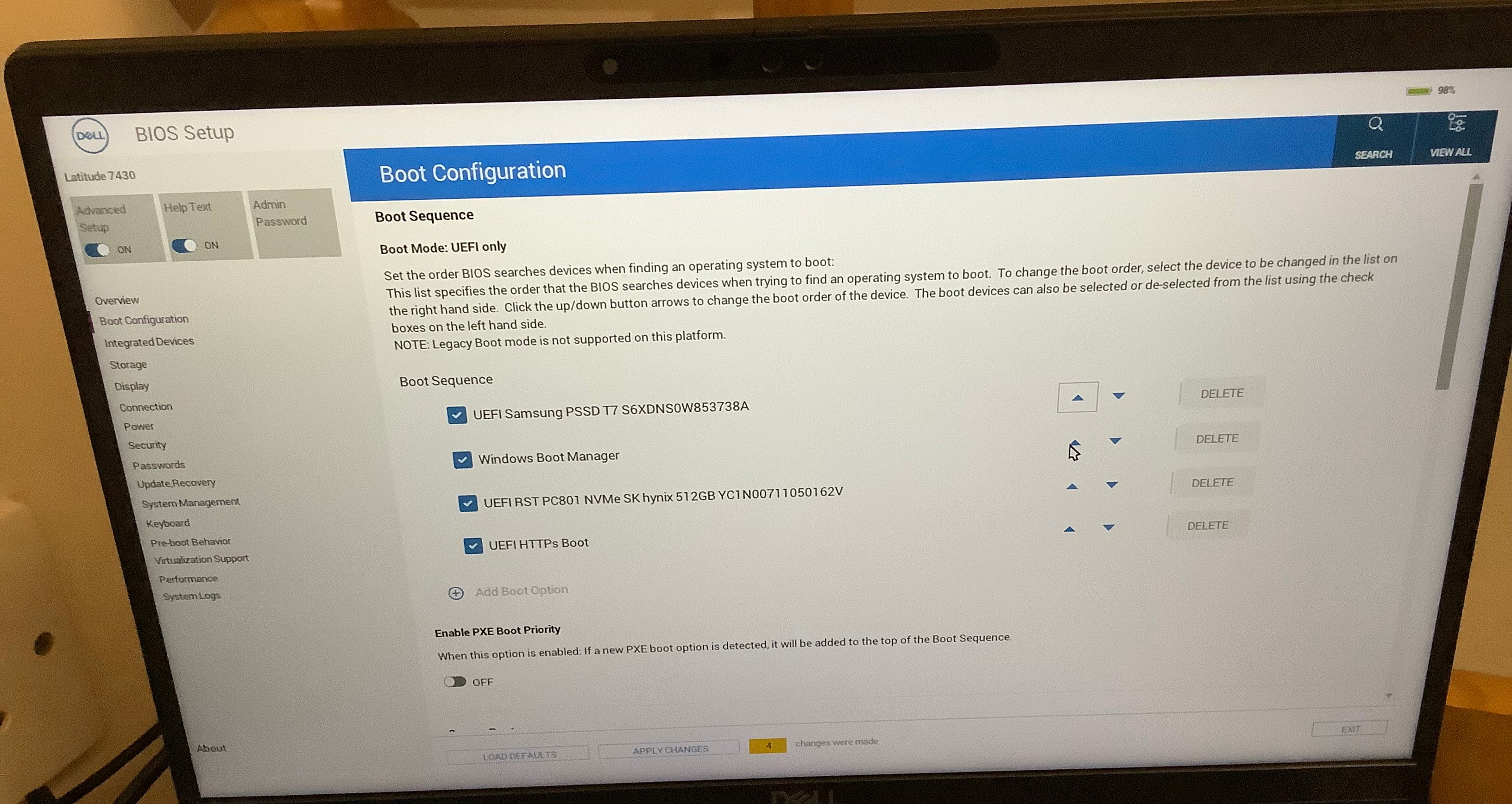
From what I can gather from google it looks like it could have something to do with the "Boot Sequence" or "Boot Mode" of the BIOS; please see the first attached picture.

The error-message of the third attached picture says:

"Windows cannot be installed to this disk. The selected disk has an MBR partition table. On EFI systems, Windows can only be installed to GPT disks.


Windows cannot be installed to this disk. Setup does not support configuration of or intallation to disks connected through USB or IEEE 1394 port."

Also, regarding the first attached picture, what default order should those "Boot Sequences" be in to ensure normal operation of the PC (of course, neglecting the "Samsung PSSD" one)?
Windows for home | Windows 11 | Install and upgrade

Locked Question. This question was migrated from the Microsoft Support Community. You can vote on whether it's helpful, but you can't add comments or replies or follow the question.

0 comments No comments

9 answers

Sort by: Most helpful
  1. Anonymous
    2024-03-21T01:59:53+00:00

    It's been a little while since I posted this problem, but I think I remember that the solution was to switch from "RAID" mode to "AHCI" mode in the settings of the BIOS--under the "Storage" tab of my Dell BIOS, I think. One of the links shared by one of the commentors--I think the one that takes you to a thread on the forum of dell.com--showed me that that this was probably the answer.

    Was this answer helpful?

    1 person found this answer helpful.
    0 comments No comments
  2. Neil D 33,130 Reputation points Volunteer Moderator
    2024-03-15T16:33:32+00:00

    I agree with Volume Z.

    Was this answer helpful?

    0 comments No comments
  3. Anonymous
    2024-03-15T16:30:42+00:00

    That unallocated space in the Setup window belongs to the portable SSD. The internal SSD is just not appearing.

    Was this answer helpful?

    0 comments No comments
  4. Anonymous
    2024-03-15T15:47:10+00:00

    I'm installing from a Samsung T7 portable SSD--the "Samsung PSSD" item in the first picture--, which has had the Media Creation Tool put on it as per the normal instructions for doing so. And then yes, I'm trying to install Windows 11 from there onto my internal SSD, as normal.

    Was this answer helpful?

    0 comments No comments
  5. Neil D 33,130 Reputation points Volunteer Moderator
    2024-03-15T15:37:37+00:00

    Unless I'm misreading the second image it appears you have the USB as Drive 0 and the disk you are installing onto is also Drive 0.

    This means it is the same disk which is wrong. Can you confirm you are booting from a USB flash drive of 32GB and trying to install on an internal drive.

    Was this answer helpful?

    0 comments No comments