Windows version: Windows 11 Home & Pro 10.0.22631
PCs specs:
Desktop:
CPU: Ryzen 5 7600
Motherboard: MSI B650M-p pro
GPU: RTX 4060 MSI Ventus 2X
RAM: Kingston Fury Beast DDR5 16GB
SSD: Nvme Crucial P3
Laptop: HP Laptop 15s-eq2xxx
I have encountered some issues since the cumulative update on February 13th. If a controller is connected at any time (whether disconnected or not before shutdown makes no difference), Windows take a long time shutting down the system, about 8 minutes. This issue occurs on two different devices (desktop and laptop) with almost entirely different installed applications. The main point is that this problem occurs on both devices, in the exact same manner, even with different controllers. Rolling back the update resolves the issue. The problem is not perfectly reproducible for every Windows shutdown; I would say it occurs with a probability of 40%. Event Viewer shows stuff related to Event ID 6005, 6006 and 4267, realizing it is taking a long time to logoff, but it doesn't describe any process that might be causing this.
I have also tried using sfc /scannow, dism and even a Windows re-installation in-place, but I wasn't able to solve for neither of the devices.
Logging off from the local account BEFORE shutting down also causes the system to hang for the same amount of time.
EventData
ShutdownTsVersion 1
ShutdownStartTime 2024-03-04T15:23:27.3623737Z
ShutdownEndTime 2024-03-04T15:31:21.4183745Z
ShutdownTime 474056
ShutdownUserSessionTime 470178
ShutdownUserPolicyTime 3
ShutdownUserProfilesTime 34
ShutdownSystemSessionsTime 2094
ShutdownPreShutdownNotificationsTime 1121
ShutdownServicesTime 950
ShutdownKernelTime 1782
ShutdownRootCauseStepImprovementBits 0
ShutdownRootCauseGradualImprovementBits 0
ShutdownRootCauseStepDegradationBits 0
ShutdownRootCauseGradualDegradationBits 0
ShutdownIsDegradation false
ShutdownTimeChange 0
Uninstalling the cumulative update KB5034765 solved the issue, It doesn't happen anymore. However, I wouldn't call this a proper solution.
After enabling verbose status messages, the system seems to hang on to "Wait for System Event Notification Service".
On the Event Viewer I found the following:
Event with id 4627: "The COM+ Event System timed out when trying to fire the Logoff method in event class {D5978630-5B9F-11D1-8DD2-00AA004ABD5E} for the publisher and subscriber . Subscriber has not responded within 180 seconds. The display name of the subscription is "Explorer". HRESULT was 80010002"
Event with id 6005: "The management of the Logoff notification event by the WinLogon notification subscriber <Sens> takes a long time."
Event with id 6006: "The handling of the Logoff notification event by the WinLogon notification subscriber <Sens> took 468 seconds."
Disabling System Event Notification Service from Services also "fixes" It, but I don't really know if I really should keep an important Windows service disabled likes this...
The cumulative update of March 12 hasn't solved the issue.
I am almost sure the culprit Is explorer.exe, I have tried to kill the process with a controller plugged and Windows is just unable to kill the whole process, explorer's threads hot immediately reduced to 2. And After around 460 seconds It finally gets killed.
Edit:
The issue persist also after performing a clean installation of Windows 11 Home.
Edit 2:
Two months have passed since I have encountered the issue for the first time, I have also tried to enable a Group Policy Edit script to terminate group policies processes within a fixed amount of time, but neither this helped. It is still there on both computers, happening in the same exact way, I have no idea on how to solve this. Neither Process Explorer seems to point something particular I think? (Perhaps there is something, the list of loaded DLLs is full, it is probably just stuff previous logging off from session):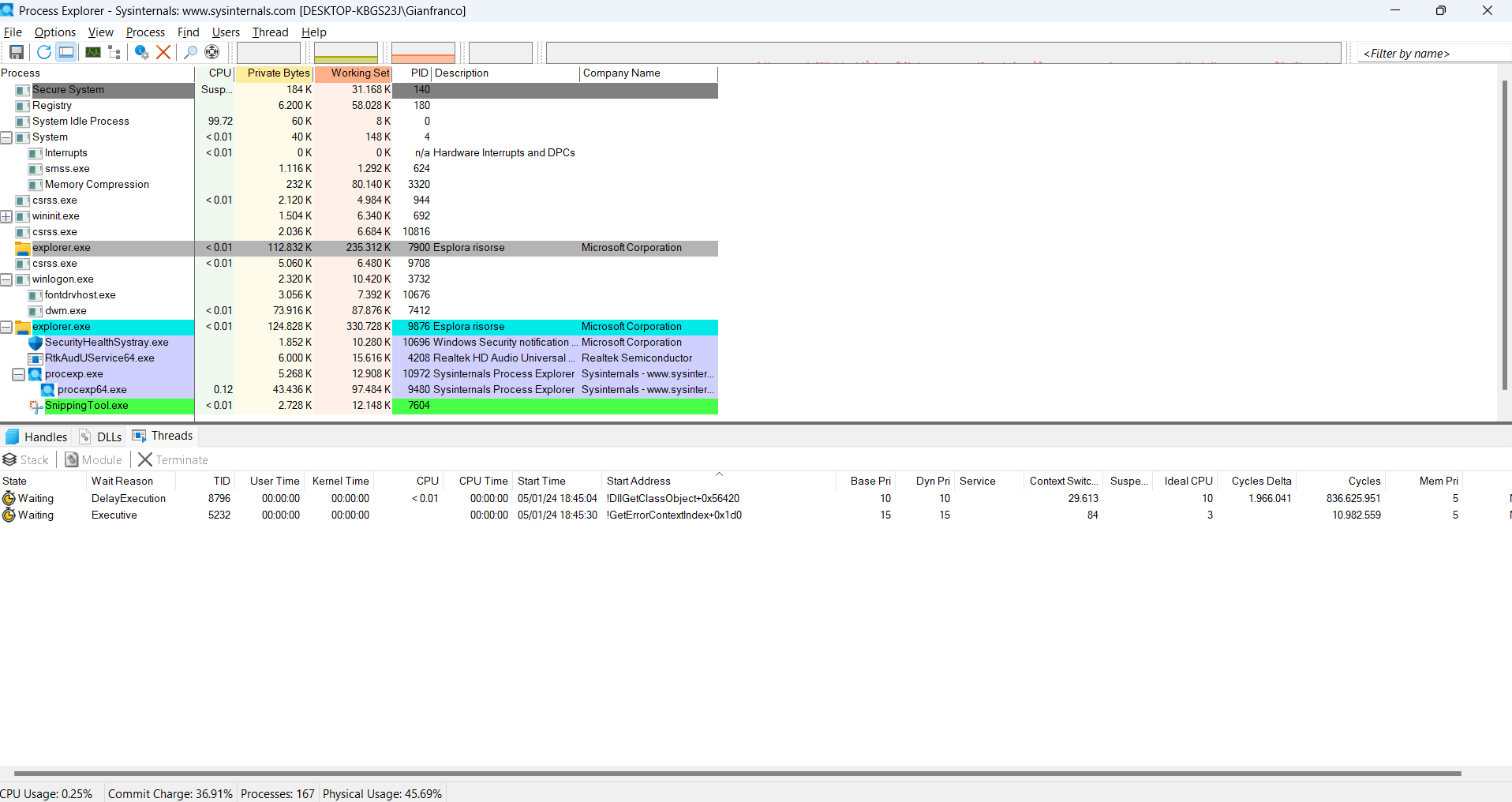 It's still odd the fact that if I log off with after plugging/unplugging a USB controller, the the explorer.exe of previous session hangs there for 8 minutes before terminating.
Edit: For sake of completion, I'm adding the result screen while shutting down Windows:
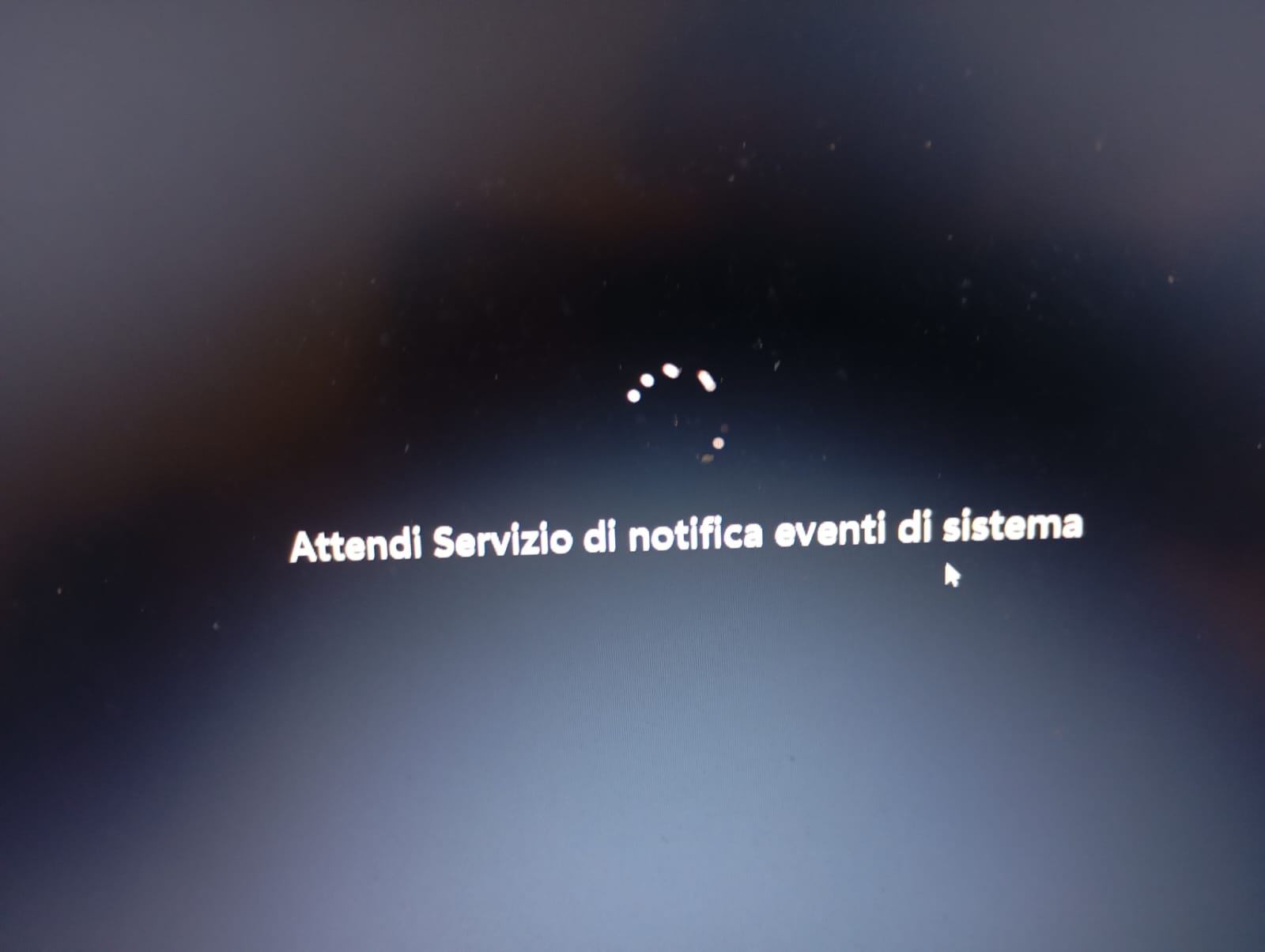
It's just italian for "Wait System Event Notification Service".
' cx='32' cy='32' r='32' /%3E%3Ctext x='50%25' y='55%25' dominant-baseline='middle' text-anchor='middle' fill='%23FFF' %3EA%3C/text%3E%3C/svg%3E)

