I had to update the firmware. But first, I swapped it (DELL WD19) out for another docking station (DELL WD22TD), and the time zone stopped changing. Then when I swapped it back to the old one, I immediately updated the firmware and it has been fine since.
Issue with Timezone in the laptop
I am trying to change the time zone in my laptop to EST as per business needs, however it keeps getting reverted to my local time which is IST.I followed both the procedures of clicking the time and selecting the additional clocks and changing the date and time from there, alternatively from the control panel as well. But neither of them stay, they revert to the IST after sometime, could you pls help me change the timezone so it stays?
Edition Windows 10 Enterprise
Version 22H2
Recent changes: The motherboard has been replaced and facing this issue since then
Windows for home | Windows 10 | Settings
Locked Question. This question was migrated from the Microsoft Support Community. You can vote on whether it's helpful, but you can't add comments or replies or follow the question.
6 answers
Sort by: Most helpful
-
Anonymous
2024-05-31T10:42:14+00:00 -
Anonymous
2024-05-15T16:50:00+00:00 This happened to me. It turned out it was a problem with my docking station.
-
Anonymous
2024-03-08T12:14:01+00:00 Dear Sai Pragnya M
Welcome to Microsoft Community.
I understand that you want to change the time zone, but it automatically switches to your current time zone.
Check for Time Synchronization: Ensure that your laptop is not set to automatically synchronize its time with an online time server. Sometimes, when time synchronization is enabled, it can override manual time zone settings.
a. Open the "Settings" app on your laptop.
b. Go to "Time & Language."
c. Under "Date & time," toggle off the option for "Set time automatically" and "Set time zone automatically."
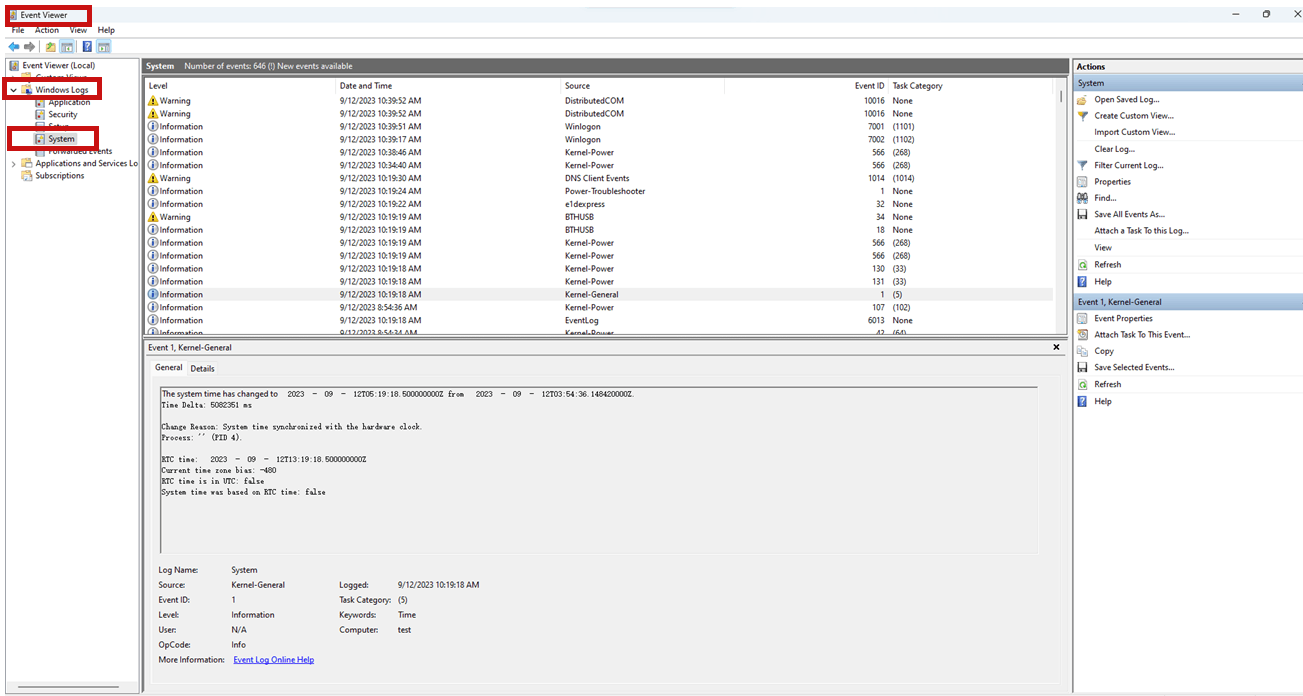
If the automatic time zone change still occurs. Search for "Event Viewer" in the search bar, select Windows Logs - System, and search for the automatic time zone change event to see which app is changing your time zone. Please share a screenshot of the interface with me.
We look forward to your reply.
Best Regards,
LucyW-MSFT | Microsoft Community Support Specialist
Windows 11Enterprise 22H2, I have the same problem. The Region is Sweden, but the Time Zone change to Tokyo (from Stockholm), efter restart.
From where the computer gets Tokyo?
I updated BIOS and run Sfc/scannow
Thanks
-
Anonymous
2024-02-09T00:58:26+00:00 My Windows 11 PC has without any action changed the time zone from Eastern to Pacific. I have reset the time, rebooted and it continues to occur.
-
Anonymous
2023-09-12T05:56:14+00:00 Dear Sai Pragnya M
Welcome to Microsoft Community.
I understand that you want to change the time zone, but it automatically switches to your current time zone.
Check for Time Synchronization: Ensure that your laptop is not set to automatically synchronize its time with an online time server. Sometimes, when time synchronization is enabled, it can override manual time zone settings.
a. Open the "Settings" app on your laptop.
b. Go to "Time & Language."
c. Under "Date & time," toggle off the option for "Set time automatically" and "Set time zone automatically."
If the automatic time zone change still occurs. Search for "Event Viewer" in the search bar, select Windows Logs - System, and search for the automatic time zone change event to see which app is changing your time zone. Please share a screenshot of the interface with me.
We look forward to your reply.
Best Regards,
LucyW-MSFT | Microsoft Community Support Specialist
