Hi David Lobato.
Welcome to Microsoft Community.
In your description, you can't see the image of the attachment when you add it using Gmail. What image are you not seeing? Or you can't find the attachment you need to add?
Since this is a Gmail issue, please log in to your Gmail account via the following link and then provide feedback in Gmail
https://www.gmail.com/
Once you are logged in, please click on the feedback icon (the icon with the question mark in the circle) at the top right, and then select "Send feedback to Google" at the bottom of the page to send your feedback to Google's official support staff.
Meanwhile, I also noticed that you are using IObit Unlocker to delete the files in %temp% path, and then you get a blue screen.
The %temp% path usually holds temporary system files that sometimes support the normal operation of the system, and they usually delete themselves when they are no longer needed. Therefore, there is no need to manage or delete them manually.
When some temporary files are being accessed or read/written, these files cannot be deleted. If you use other tools to delete them, make sure that it will not affect the normal operation of the system before you delete them. If you force to delete it, it is likely to cause system abnormality, such as occurrence of blue screen.
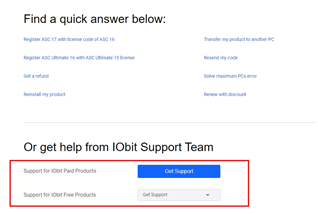
If you have problems using IObit Unlocker, please contact IObit Unlocker's online support via the link below.
Online Feedback – IObit
Disclaimer: Microsoft provides no assurances and/or warranties, implied or otherwise, and is not responsible for the information you receive from the third-party linked sites or any support related to technology.
In addition, for your blue screen problem, please refer to the following steps and try to do a system file checking
- Search for CMD, find the command prompt, and choose to run in administrator mode.
- Enter the following commands one by one, and be sure to execute the next command after the previous one is completed.
DISM /Online /Cleanup-Image /ScanHealth
DISM /Online /Cleanup-Image /CheckHealth
DISM /Online /Cleanup-Image /RestoreHealth
SFC /Scannow
- After the scan is complete, you can check the scanning information to see if the problem has been detected and fixed.
Meanwhile, we suggest you to find the blue screen log.DMP file in the following way, and refer to the link below to share it with us via OneDrive, so that we can get more information to find the problem and help you solve it.
Share OneDrive files and folders - Microsoft Support
1 Tap on Window + R and type sysdm.cpl
2 Go to System Properties and click on the Advanced tab.
3 Find Startup and Repair and click Settings.
4 In Write debug information, select Small memory storage.
The following directory will become
%SystemRoot%\Minidump
5 You can remember this location, if you encounter the blue screen again, you can restart your computer and enter this location into Explorer, you can see the .DMP file created under the folder, upload this file to OneDrive and provide the link to us, we will analyze it and provide you with further suggestions.
I hope the above can help you, if you have any other questions or the above didn't help you, please continue to contact me, I will provide you with further assistance, thank you for your support and understanding.
Best regards,
Zev - MSFT | Microsoft Community Support Specialist
' cx='32' cy='32' r='32' /%3E%3Ctext x='50%25' y='55%25' dominant-baseline='middle' text-anchor='middle' fill='%23FFF' %3EA%3C/text%3E%3C/svg%3E)
