I was having trouble accessing some of the remote drives that are held at one of our offices. After a lot of troubleshooting, we discovered that we need to turn off "Offline files". IT guy didn't know how or why i must have turned it on. Problem is i don't know how i must have turned it on either. He showed me that you can access it by going into control center, sync Center. I know i have never gone into that before. Didn't know it was there and still don't fully understand what it is. I think i'm computer savvy enough to not be changing settings that i don't know what the are for.
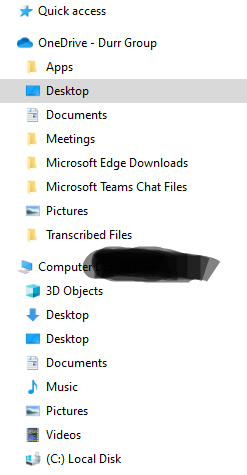
So my question is, "how many other ways are there to turn on "Offline Files", besides doing it in the Sync Center?" Maybe I clicked something else in some other program. We do use ONE DRIVE for Business installed, and regularly put stuff on the desktop within ONEDRIVE, as opposed to the Desktop under computer.
' cx='32' cy='32' r='32' /%3E%3Ctext x='50%25' y='55%25' dominant-baseline='middle' text-anchor='middle' fill='%23FFF' %3EA%3C/text%3E%3C/svg%3E)

