My enjoyment was to soon. Again error after error when one is gone another pops up now it is 0x800736cc. again searched and the sam results use Microsoft Troublershooter then restart windows update sevice then a whole bunch of command in DOS window net stop it think ther is about 10 I have forgot. then the 3 commands I can`t remember online check I think then restart. then I found one resize your recovery partition to atleast 750 mb. Thjen last thing I read in the community is Microsoft is working on the problem. Well I have my USB linux boot stick in the hand and I have a dell laptop with windows it I need it. I am done fighting with it with these errors the mouse is locking-up also the mouse so Bye microsoft
Error 0x80248014
I have had this same error now after reinstall
I have stops the windows update service cleared out the software distribution folder. ran scf scannow there was another page here on Microsoft found that recommended running about 9 or 10 different commands in CMD and restart did that been there did the clean boot. downloaded the update packages direct and attempted to install ALL FAILED This is my problem in Win 11, I think I will be going back to win 10 or jump to Linux
Windows for home | Windows 11 | Windows update
Locked Question. This question was migrated from the Microsoft Support Community. You can vote on whether it's helpful, but you can't add comments or replies or follow the question.
7 answers
Sort by: Most helpful
-
Anonymous
2024-06-15T16:38:47+00:00 -
Anonymous
2024-06-14T10:28:12+00:00 Oh I have did all that. I have researched this. everywhere I have looked it always the says the same. I have also ran these as admin.
DISM /Online /Cleanup-Image /ScanHealth
DISM /Online /Cleanup-Image /CheckHealth
DISM /Online /Cleanup-Image /RestoreHealth
SFC /Scannow
and it is a no go.
I really don`t want to go through hassel of reinstall
-
Anonymous
2024-06-15T10:07:31+00:00 yes I did check disk thanks for asking. I wiped all the drives using Gparted live USB stick. I got tired of fighting with it and did a reinstall, there are somethings in IT World it is faster to reinstall everything than to fix one small problem. This issue can be closed after the reinstall all is ok. could of been a corrupt file who knows. Maybe in the future someone will have the same error and a fix can be found. Thanks for asking
-
Anonymous
2024-06-15T09:54:26+00:00 Thank you for your reply.
Please allow me to know from you if this error is seriously affecting your usage or the exact situation in which it occurs as well as the page.
You mentioned that your hard disk may have a hardware failure and you have tried chkdsk, have you tried replacing the drive or performing a hardware test on the drive?
I will patiently follow your question, exchanging information with you is an important thing and I will think carefully about any details you provide.
Best Regards.
Leo.L - Microsoft Community Support Specialist
-
Anonymous
2024-06-14T06:28:41+00:00 Hello, David K5722.
Welcome to Microsoft Community.
I noticed that you are still experiencing error 0x80248014 after reinstalling your system.
You also did a lot of things to help troubleshoot the error, you stopped the Windows Update service, cleaned up folders, ran scannow to scan your system, and performed a clean boot.
Allow me to confirm with you: did you reinstall your system as described in the following link?
Windows 11 Clean Installation (microsoft.com)
What is the exact scenario in which you have encountered this error after reinstallation and if you are willing to provide screenshots, that would be great.
Error 0x80248014 usually occurs during a system update and this error occurs due to corrupt system files, outdated Windows images or a huge cache stored in the Windows cache folder.
And in your problem description, it seems that you have also found some way to disable updates on your Windows system, which could also be the reason why you are experiencing this error after a fresh install. We don't recommend you to disable the update feature of your system, it's an important part of the system and disabling it may cause some system anomalies, and keeping it updated tends to provide more security as well as reliability to our system.
In order to fix this issue we will also need to use System Repair, I noticed that you have used the SFC scan but it may still be incomplete, I will continue to recommend that you try to I will continue to recommend that you try to repair your system using the DISM/SFC Repair command.
- Search for CMD, find the command prompt, and choose to run in administrator mode.
- Enter the following commands one by one, make sure to execute the next command after the previous one is completed.
DISM /Online /Cleanup-Image /ScanHealth
DISM /Online /Cleanup-Image /CheckHealth
DISM /Online /Cleanup-Image /RestoreHealth
SFC /Scannow
- After the scanning is completed, you can check the scanning information to see if the problem has been detected and fixed.
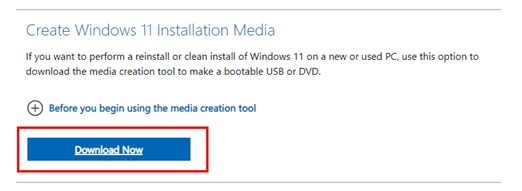
If the error persists, you can upgrade/repair your system using MediaCreationToolW11.
(This is not a reinstallation: usually the default option will keep personal files, settings, applications, etc.)
Download Windows 11 (microsoft.com)
These are just a few of the things I can offer you.
Please don't hesitate to let me know if my understanding of your question is incorrect in any way, and I will patiently listen to any thoughts and comments you may have.
We will always be there to support you.
Best Regards.
Leo.L - Microsoft Community Support Specialist
