Hi Ehijele Lucky
Welcome to Microsoft Community.
Based on your description, I understand that you need a driver for HP Deskjet F2280 and I understand very well how you feel!
Please visit the following website (HP official website) HP Deskjet F2280 All-in-One Printer Software and Driver Downloads | HP® Support to download the driver that matches your device model. There is an option on this page to select the system you are using, so please choose the system that matches your current situation.
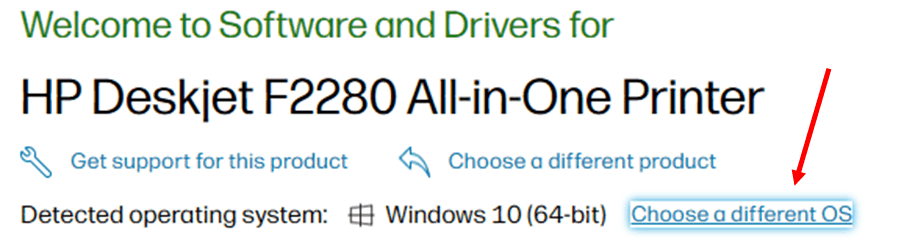
You can also visit this website (HP official website) HP Printer Issues - Diagnose and Solve | HP® Support if you have printer related problems.
Disclaimer: This is a non-Microsoft website. The page appears to be providing accurate and safe information. Watch out for ads on the site that may advertise products frequently classified as PUP (Potentially Unwanted Products). Thoroughly research any product advertised on the site before you decide to download and install it.
Please note: 1、Some printers will install the driver automatically after connecting to the computer. If you find that there may be some problems with the driver, you can download the diagnostic tool “HP Print and Scan Doctor for Windows” to fix the installation and driver problems.
2、You can also manage, and get the most out of, your printer with ” HP Smart“.
If you still can't install the driver and use the printer normally through the HP official website, please contact the technical support of the HP website or the after-sales service of your printer in time! Avoid your interests to receive losses.
I sincerely hope that the above solution will solve your problem.
We look forward to hearing back from you.
Best Regards
Arthur Sheng | Microsoft Community Support Specialist
' cx='32' cy='32' r='32' /%3E%3Ctext x='50%25' y='55%25' dominant-baseline='middle' text-anchor='middle' fill='%23FFF' %3EA%3C/text%3E%3C/svg%3E)
