Outlook | Windows | Classic Outlook for Windows | For business
Using classic Outlook for Windows in business environments

This browser is no longer supported.
Upgrade to Microsoft Edge to take advantage of the latest features, security updates, and technical support.
' cx='32' cy='32' r='32' /%3E%3Ctext x='50%25' y='55%25' dominant-baseline='middle' text-anchor='middle' fill='%23FFF' %3EAB%3C/text%3E%3C/svg%3E)
Hello,
I am trying to locate the spam folder in Microsoft® Outlook® for Microsoft 365 MSO Desktop App. I cant seem to find it anywhere! Any guidance is greatly appreciated.
Using classic Outlook for Windows in business environments
Answer accepted by question author

Do you see the "Junk Mail" folder in the folder view?
Thank you both for the responses. I was able to finally locate the junk folder. I've been so use to the spam folder in the past that this one got by me.
It was also not intuitive to navigate to.
It was buried in 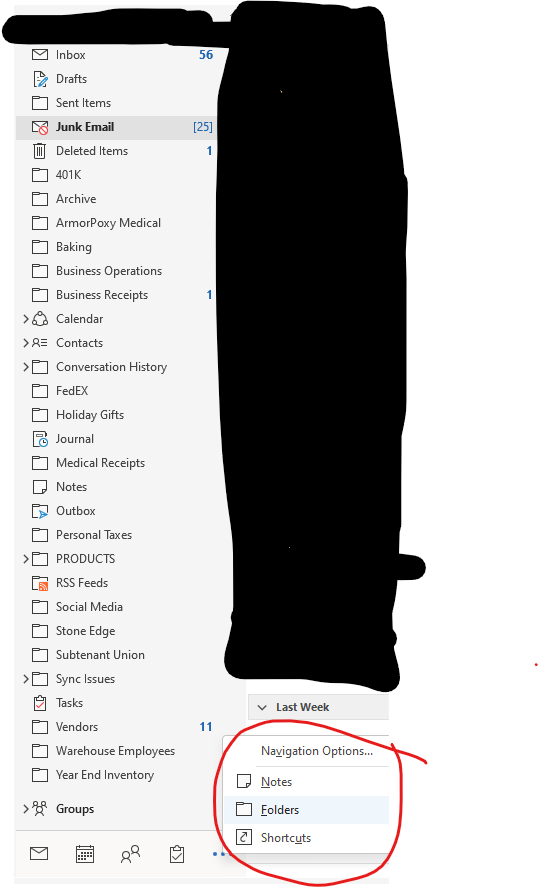
Excellent! Can you mark an answer as accepted so this can be closed? Thanks!
' cx='32' cy='32' r='32' /%3E%3Ctext x='50%25' y='55%25' dominant-baseline='middle' text-anchor='middle' fill='%23FFF' %3EFF%3C/text%3E%3C/svg%3E)
Hi @Alex Blum ,
Glad that your issue has been resolved.
Hi @Alex Blum ,
Agree with @Andy David - MVP , there is a "Junk Mail" folder in Outlook, not a "Spam folder".
In order to verify, is it a POP account?
If so, when you configure the email account as POP in the Outlook client, the Junk email folder will not synced. Since you want to see emails in Junk email folder, we suggest that you configure the email account as IMAP or Exchange in the Outlook client.
If this is an Exchange/ IMAP account indeed, there might be a sync issue.
If the answer is helpful, please click "Accept Answer" to help others with the same problem.
Note: Please follow the steps in our documentation to enable e-mail notifications if you want to receive the related email notification for this thread.