Share via

"Sign out everywhere" charade

Anonymous
2024-08-02T06:27:03+00:00

If an unwanted guest has your Microsoft account on their Windows device, what do you think happens when you go into your security settings and give the command to "sign out everywhere"? Think you're good to go?

Lately I've been worried that my account may have been compromised in the past, though it was long ago if it has. After using my phone, mind you, to change my password and also choose to sign out everywhere (twice) and waiting out the perilously generous 24 hours, I find that my Windows PC's account access is untouched!

It appears to have successfully logged me out of browser sessions as well as Outlook on Android, and I haven't seen any foreign device/motherboard/whatever names pop up on my Devices list in years, so I believe that's functional enough to give me peace of mind.

What if I did have a foreign Windows PC to boot out, though? I guess I would've had a bond to build and a lifetime of memories to share!

I'm sure they would've added "we can't sign you out of Windows" on top of Xbox if that weren't too embarrassing.

Edit: Removing the device will just remove it from view. It has no practical impact.

Edit: The Feedback app seems to be the place for this, posted something there

Windows for home | Windows 11 | Security and privacy

Locked Question. This question was migrated from the Microsoft Support Community. You can vote on whether it's helpful, but you can't add comments or replies or follow the question.

0 comments No comments

3 answers

Sort by: Most helpful
  1. Anonymous
    2024-08-05T11:13:12+00:00

    Hi Mustafa Kemal AKKUŞ,

    Thank you for getting back to us.

    Yes, the option to lock a device works primarily in conjunction with the Find My Device option.

    Simply signing in to a Microsoft account on a single app does not usually directly make the Microsoft account record a specific device.

    Find and lock a lost Windows device - Microsoft Support

    Best Regards,

    Kyo.Y - MSFT | Microsoft Community Technical Support

    Was this answer helpful?

    0 comments No comments
  2. Anonymous
    2024-08-03T15:24:02+00:00

    You're right—I forgot locking a device that's using your account directly on Windows may help.

    BUT it also occurred to me that they can just add your account on an individual app like Mail, in which case your Devices list wouldn't be populated, because it's for you to use find-my-device functions, yes?

    BUT sure, it's overwhelmingly likely that no one is nurturing such a session linked to my Microsoft account on their Windows apps to this day.

    Please see my feedback here: https://aka.ms/AAro2q5

    Was this answer helpful?

    0 comments No comments
  3. Anonymous
    2024-08-03T09:39:01+00:00

    Hi Mustafa Kemal AKKUŞ,

    Welcome to Microsoft Community.

    Based on the original description, we understand that you are experiencing anxiety related to account security and device security.

    At this time, the information in the "Sign out everywhere" related descriptors may be inaccurate in comparison to the actual intuitive experience.

    This experience may indeed cause some concern for users of the product.

    Perhaps the original authors of the article were thinking in terms of the status of a "Microsoft account", the premise of "trustworthiness" and the need to "use Windows itself".

    From a certain point of view, if the option includes a complete logout/blocking of the entire device, this could backfire on the original device, thus creating a dilemma.

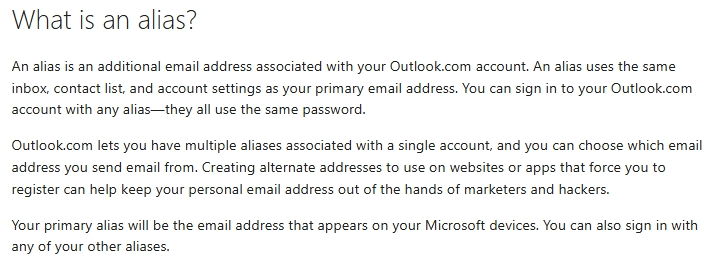
    Often, another common direction to improve account security is to use an additional method for logging in, which is an alias.

    Add or remove an email alias in Outlook.com - Microsoft Support ****
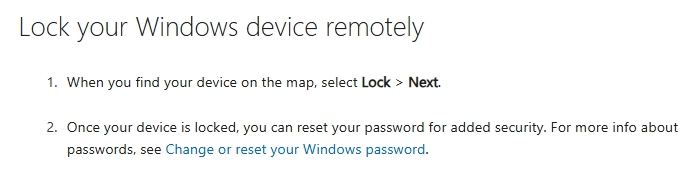
    Or, locking specific devices in the account's device list. (According to information from some similar threads in the past, this option is usually irreversible.)

    Find and lock a lost Windows device - Microsoft Support
    Anyway, refining the description of support articles or expanding the functionality of certain options is always a direction to optimize the product experience.

    We noticed you mentioned the Feedback application.

    Would you mind sharing the original link to the feedback with us?

    This will help us vote for your feedback.

    Thanks for your patience and understanding.

    Best Regards,

    Kyo.Y - MSFT | Microsoft Community Technical Support

    Was this answer helpful?

    0 comments No comments
