How do I apply a definition from the Windows Property System to displayb extra info in Tool Tips on files and folders in Windows 11 File Explorer?
I have this:
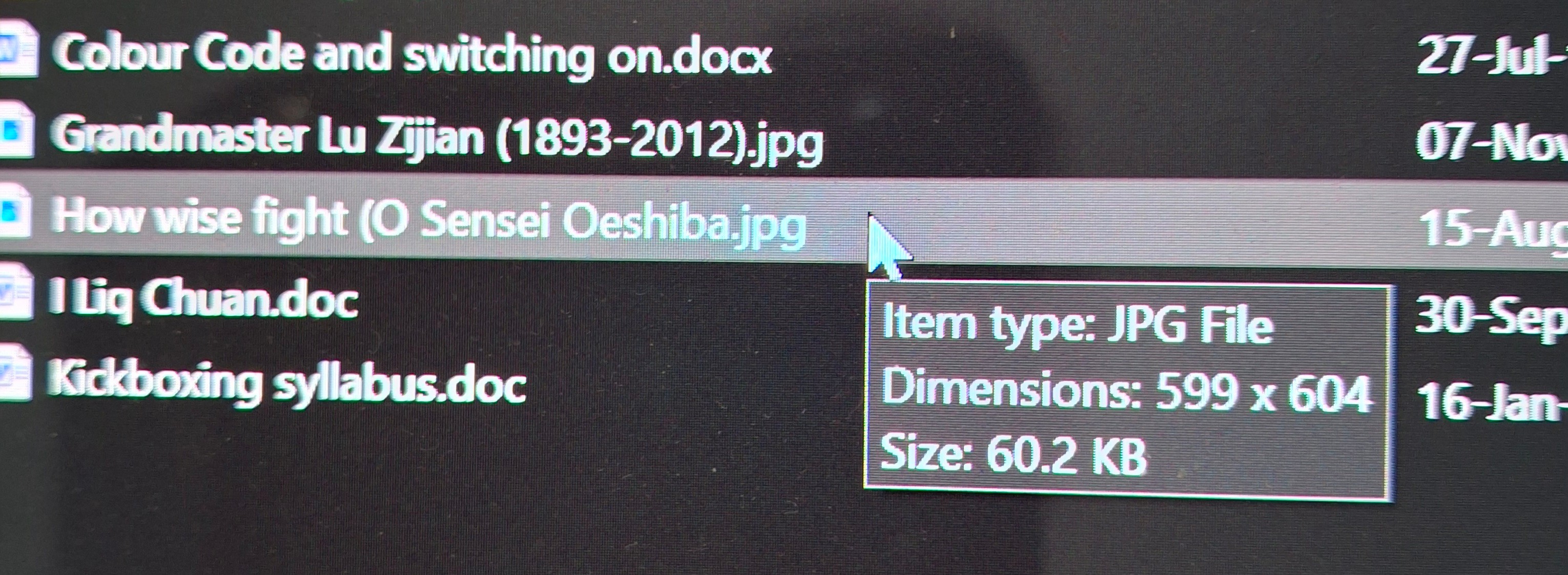
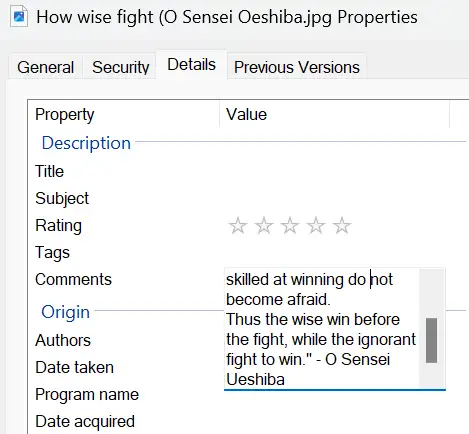
And I'd like the text in Comments to appear also:
I found this 'How to Customize the Info Tip in Windows File Explorer' YouTube by World of OSes that points to HKEY_CLASSES_ROOT\SystemFileAssociations[.ext] to edit InfoTip value. I couldn't find HKEY_CLASSES_ROOT\SystemFileAssociations, but I could find Computer\HKEY_CLASSES_ROOT\SystemFileAssociations\
- [Win]+[R], type ‘regedit’, [OK], [Yes], then navigate to
Computer\HKEY_CLASSES_ROOT\SystemFileAssociations[.ext] to customize.
- Double-click on the InfoTip value, go to the end of the string, add a semicolon, then type the name of the property to add (e.g. “System.DateModified”), then [OK].
- It now shows date modified in the info tip.
I went to Computer\HKEY_CLASSES_ROOT\SystemFileAssociations.jpeg and changed
prop:System.ItemType;System.Photo.DateTaken;System.Keywords;*System.Photo.PeopleNames;System.Rating;*System.Image.Dimensions;*System.Size;System.Title to add at the end:
prop:System.ItemType;System.Photo.DateTaken;System.Keywords;*System.Photo.PeopleNames;System.Rating;*System.Image.Dimensions;*System.Size;System.Title***;"System.Comment"***
and also tried
prop:System.ItemType;System.Photo.DateTaken;System.Keywords;*System.Photo.PeopleNames;System.Rating;*System.Image.Dimensions;*System.Size;System.Title***;*System.Comment***
and
prop:System.ItemType;System.Photo.DateTaken;System.Keywords;*System.Photo.PeopleNames;System.Rating;*System.Image.Dimensions;*System.Size;System.Title***;System.Comment***
but ToolTips still does not show the Comment.
I also tried at Computer\HKEY_LOCAL_MACHINE\SOFTWARE\Classes\SystemFileAssociations.jpg but nada!
So some help here please?
' cx='32' cy='32' r='32' /%3E%3Ctext x='50%25' y='55%25' dominant-baseline='middle' text-anchor='middle' fill='%23FFF' %3EA%3C/text%3E%3C/svg%3E)

' cx='32' cy='32' r='32' /%3E%3Ctext x='50%25' y='55%25' dominant-baseline='middle' text-anchor='middle' fill='%23FFF' %3ERS%3C/text%3E%3C/svg%3E)