Microsoft Security | Intune | Other
Other Intune-related topics, including unsupported scenarios and platform-specific behaviors

This browser is no longer supported.
Upgrade to Microsoft Edge to take advantage of the latest features, security updates, and technical support.

Dear Experts,
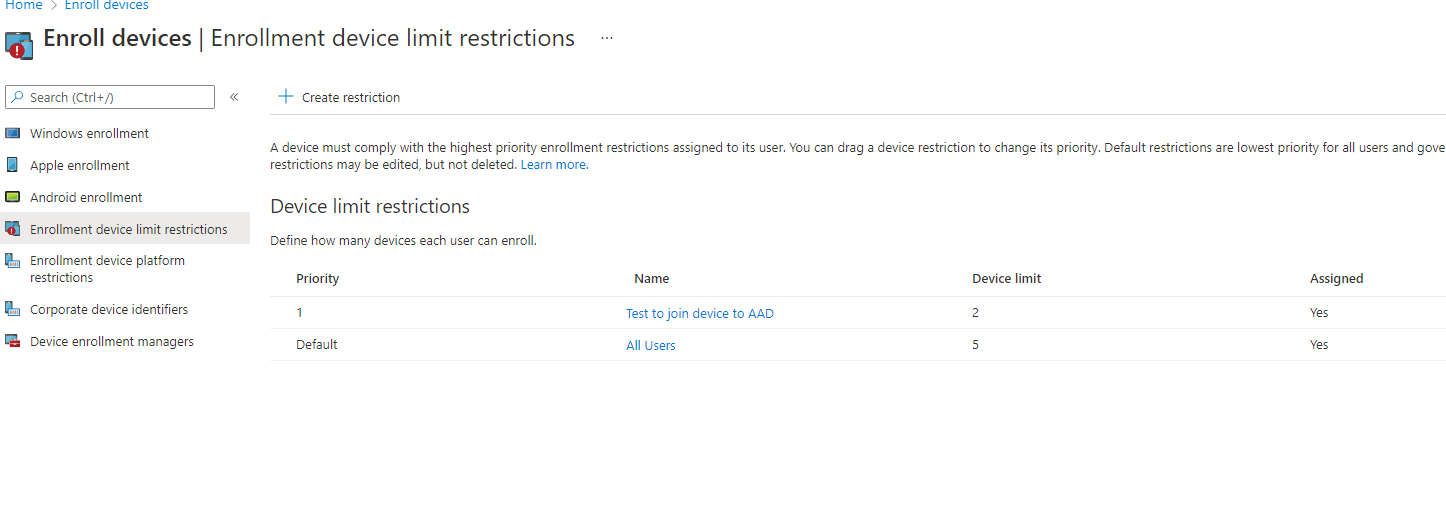
We have M365 A3 subscription and I've been assigned Intune role, security role but in Microsoft Endpoint Manager admin center, I still can't see Device type restrictions. Any idea what other permission or roles I would need to have that access?
Attached is the screenshot from my current console.
Other Intune-related topics, including unsupported scenarios and platform-specific behaviors
Answer accepted by question author

@Eaven HUANG Thanks for posting in our Q&A.
What did you mean intune role? Is it intune admin role? If yes, this role has the full permissions in intune portal. Please try to click on "Enrollment device platform restrictions" > All users > Properties and you will see Device type restrictions.
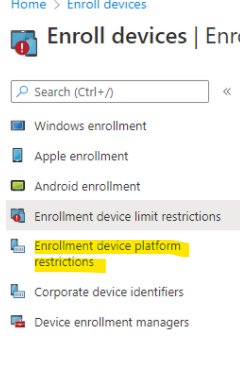
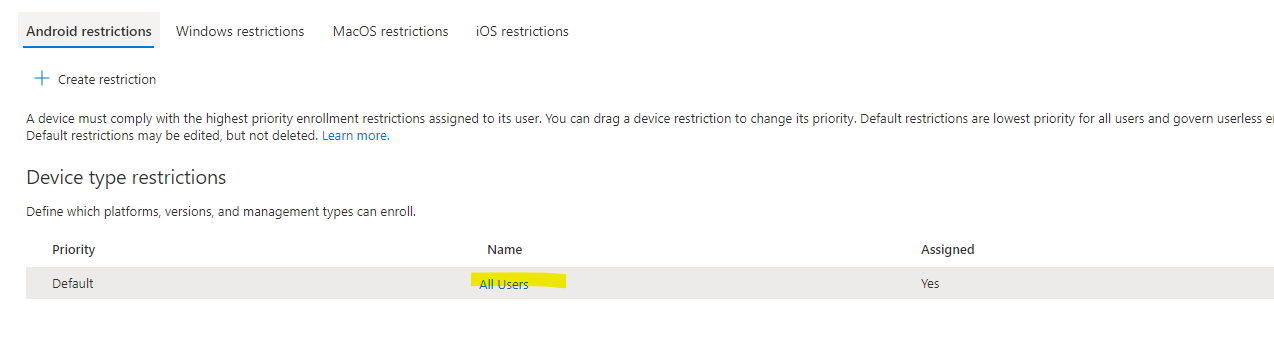
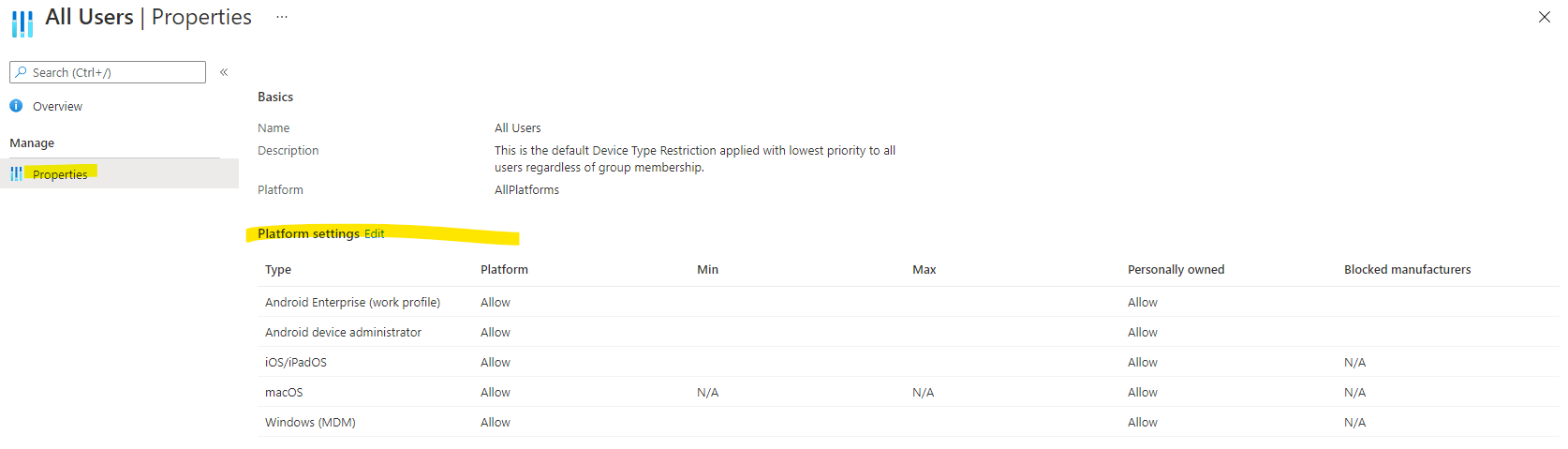
Hope it will help.
If the answer is the right solution, please click "Accept Answer" and kindly upvote it. If you have extra questions about this answer, please click "Comment".
Note: Please follow the steps in our documentation to enable e-mail notifications if you want to receive the related email notification for this thread.
@Eaven HUANG I am currently standing by for further update from you and would like to know how things are going. If you have any questions or concerns on the recent information I've provided you, please don't hesitate to let me know.
Dear @Lu Dai-MSFT ,
Thanks a lot for your comment and it really helps! I was referencing a video and apparently the UI has changed since after. Now it's sorted out,
Thanks again for your efforts! Cheers!
@Eaven HUANG I'm glad that it is helpful to you. Thanks for your response and have a nice day. : )