Share via

Unable to install 2024-09 cumulative update for windows 10 version 22H2 for x64-based Systems (KB5043064)

Anonymous
2024-09-20T14:32:36+00:00

I have been trying to install this update for over a week.

2024-09 cumulative update for Windows 10 version 22H2 for x64-based Systems (KB5043064)

I have tried several suggestions to try to install it but all I get is the update reaches 20% sometimes and 100% the other but then fails to install.

Tried the following

https://answers.microsoft.com/en-us/windows/forum/all/2024-07-cumulative-update-preview-for-windows-10/bc850c33-d0e5-4961-bcf7-0727dc9e160d

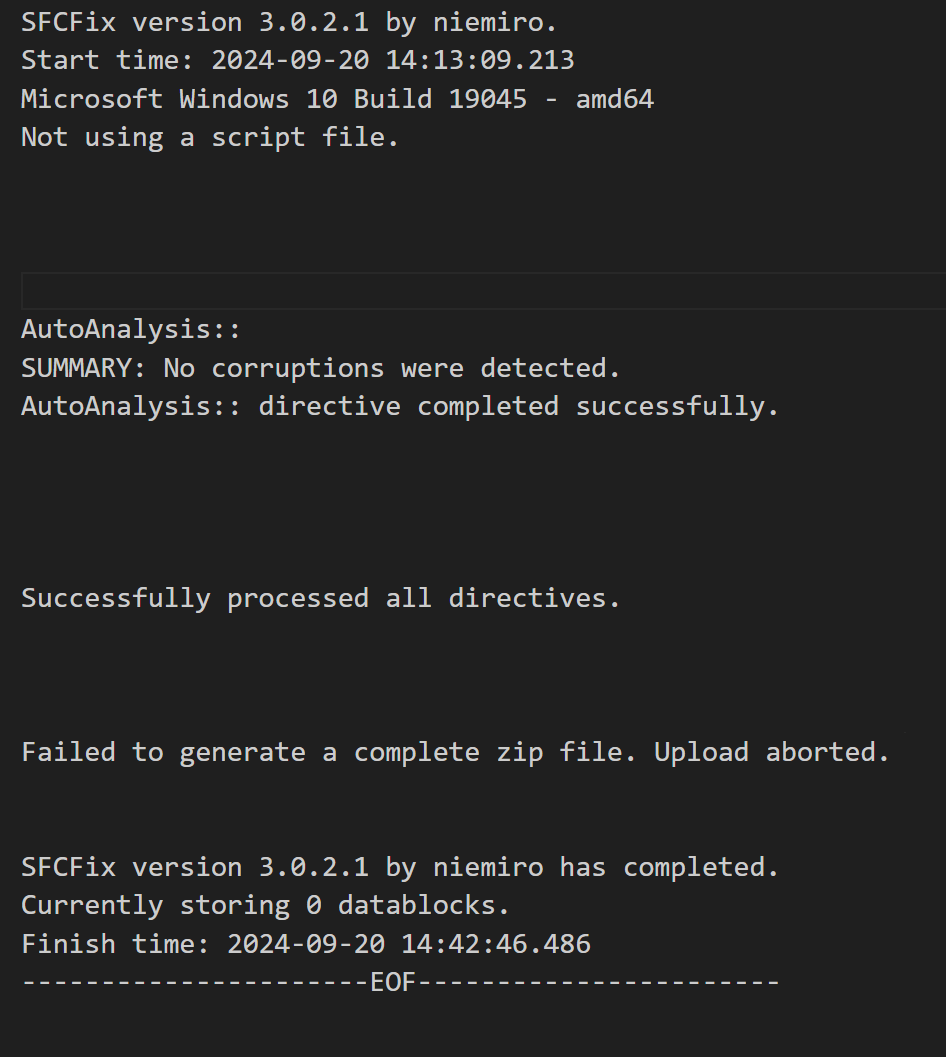
With the above there were two files to download however 1 of the files is no longer available so I was only able to run the SFCFix.exe

The log created by this states unable to locate any issues.

The results from running SFCFix.exe
Laptop Info

Device name MSI
Processor Intel(R) Core(TM) i5-6300HQ CPU @ 2.30GHz   2.30 GHz
Installed RAM 16.0 GB
Device ID 8E2673F7-50A3-4B45-92CE-99D98DCDA8A8
Product ID 00330-80000-00000-AA718
System type 64-bit operating system, x64-based processor
Pen and touch No pen or touch input is available for this display Edition Windows 10 Pro
Version 22H2
Installed on ‎Wed ‎5 ‎Aug ‎20
OS build 19045.3086

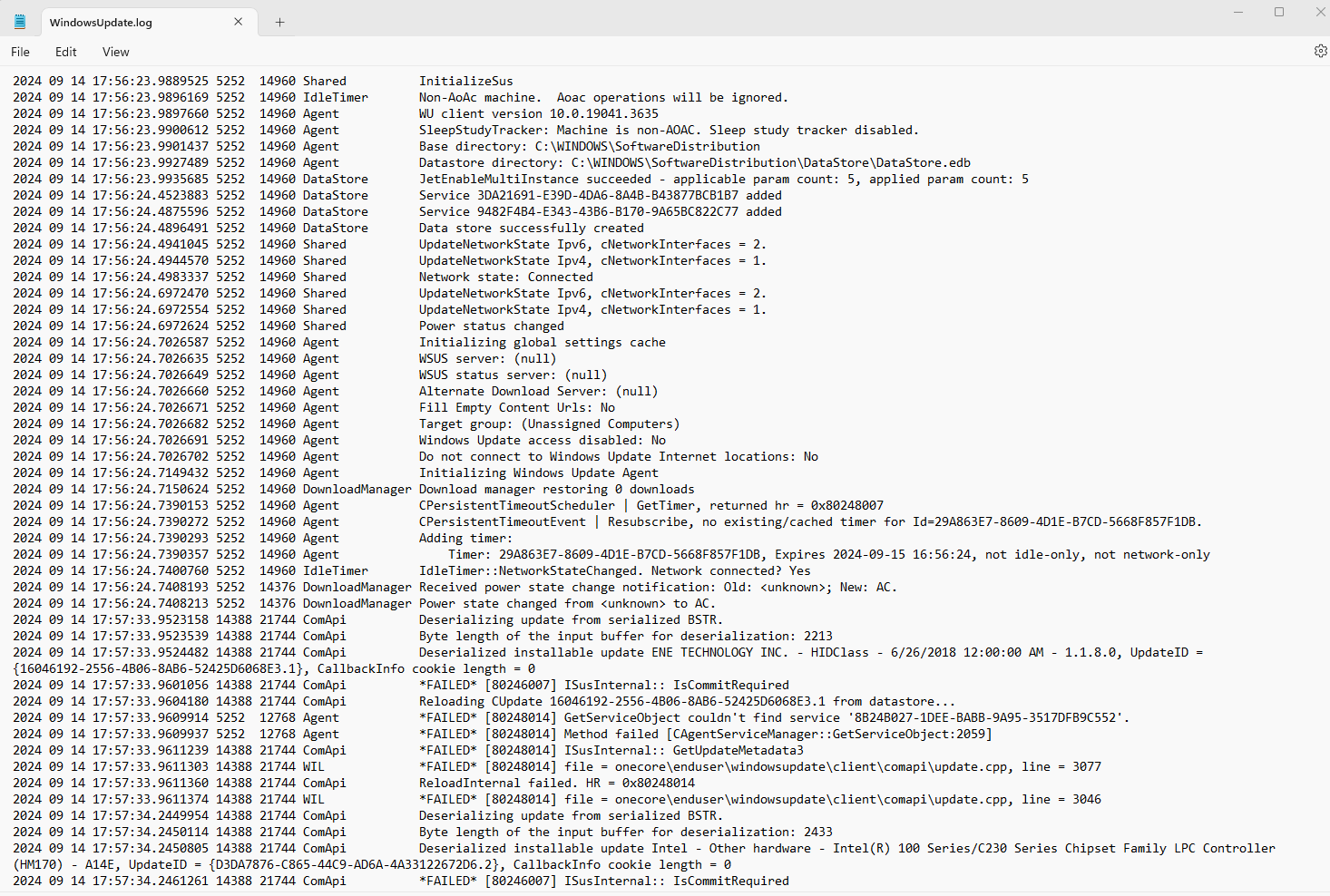
Windows Update Log

The log itself is far to long to paste in here. I have attached a screenshot of the latest actions.
I have also tried

Can't install Cumulative Update for Windows 10 Version 22H2 for - Microsoft Community which includes

net stop bits
net stop wuauserv
net stop appidsvc
net stop cryptsvc
Ren C:\Windows\SoftwareDistribution.old
Ren C:\Windows\System32\catroot2 Catroot2.old
net start bits
net start wuauserv
net start appidsvc
net start cryptsvc

Restart your PC then try to update again.

Again. I was unable to install the update.

I have tried to download the file from the Microsoft Update Catalog but that would not install.

The error I get at every attempt is 0x80070643

I am currently running sfc /scannow to see what if anything that comes up with but the error code is Fatal Error. I will update when this scan finishes.

Has anyone got any idea how this can be sorted so I can install this update?

Thanks

Windows for home | Windows 10 | Windows update

Locked Question. This question was migrated from the Microsoft Support Community. You can vote on whether it's helpful, but you can't add comments or replies or follow the question.

0 comments No comments

Answer accepted by question author

Ramesh Srinivasan 81,185 Reputation points Independent Advisor
2024-09-21T01:23:59+00:00

Hi FrustratedDownloader,

Some assemblies in the component store are missing, which may have caused the update to fail. A repair installation should help.

  1. Download Windows 10 Media Creation Tool (MCT) from this link:

https://go.microsoft.com/fwlink/?LinkId=2265055

  1. Run MCT and accept the license agreement.
  2. Click "Upgrade this PC now". This starts the repair installation.

Was this answer helpful?

9 people found this answer helpful.
0 comments No comments

8 additional answers

Sort by: Most helpful
  1. Anonymous
    2024-09-25T23:39:35+00:00

    A fresh install and attempts using repair with mct does not work for me, any other recommendations?

    Was this answer helpful?

    2 people found this answer helpful.
    0 comments No comments
  2. Anonymous
    2024-09-21T20:00:45+00:00

    Hi Ramesh. It has taken several hours of booting, rebooting and more rebooting but at the end of it everything appears to be updated and working which is great.

    Feature update to Windows 10, version 22H2

    Your help is very much appreciated.

    Was this answer helpful?

    1 person found this answer helpful.
    0 comments No comments
  3. Anonymous
    2024-09-20T21:44:01+00:00

    Hi Ramesh. Thanks for taking a look.

    windows10Laptop

    In addition to what I previously tried I also tried the troubleshoot which initially came up with 2 issues but said it fixed them but I am still not able to install the update.

    Was this answer helpful?

    1 person found this answer helpful.
    0 comments No comments
  4. Ramesh Srinivasan 81,185 Reputation points Independent Advisor
    2024-09-20T15:50:40+00:00

    Hi, This is Ramesh.

    Please upload your CBS logs to OneDrive and share the link here.

    c:\windows\logs\cbs\ <= Zip and upload all files in this folder.

    Additionally, upload the following file:

    c:\windows\INF\setupapi.dev.log

    (How-To: Share OneDrive files and folders - Microsoft Support)

    Share OneDrive files and folders - Microsoft Support:

    https://support.microsoft.com/en-us/office/shar...

    :: OneDrive sharing options - screenshot ::

    [https://imgur.com/a/vZyxpY9](https://imgur.com/a/vZyxpY9)
    

    Was this answer helpful?

    0 comments No comments
