Share via

How do I resize multiple pictures in Win 11?

Anonymous
2024-05-28T09:04:08+00:00

SHARE EMAIL method which worked really well in Win 10 no longer available.

Windows for home | Windows 11 | Files, folders, and storage

Locked Question. This question was migrated from the Microsoft Support Community. You can vote on whether it's helpful, but you can't add comments or replies or follow the question.

0 comments No comments

11 answers

Sort by: Most helpful
  1. Sumit 43,701 Reputation points Volunteer Moderator
    2024-09-19T08:08:43+00:00

    Thank you, Ian.

    Could you access command prompt on your PC?

    If so, I think

    winget install xp89dcgq3k6vld

    command will install powertoys.

    The Windows 10 method is also available if you want.

    Here is a screenshot where you should select Send to Mail Recipient.

    If you want to restore this context menu, see. Otherwise you can click Show more options.

    Restore old Right-click Context menu in Windows 11 - Microsoft Community

    2 people found this answer helpful.
    0 comments No comments
  2. Anonymous
    2025-02-09T18:02:36+00:00

    BrianAgius I've tried the steps you provided but it does not work for me. I have Windows 11. I've troubledshoot by removing and adding the Mail Receipient. Any ideas what I can do to fix the issue? After step 5, the mail does not open up.

    0 comments No comments
  3. Anonymous
    2024-12-06T04:59:33+00:00

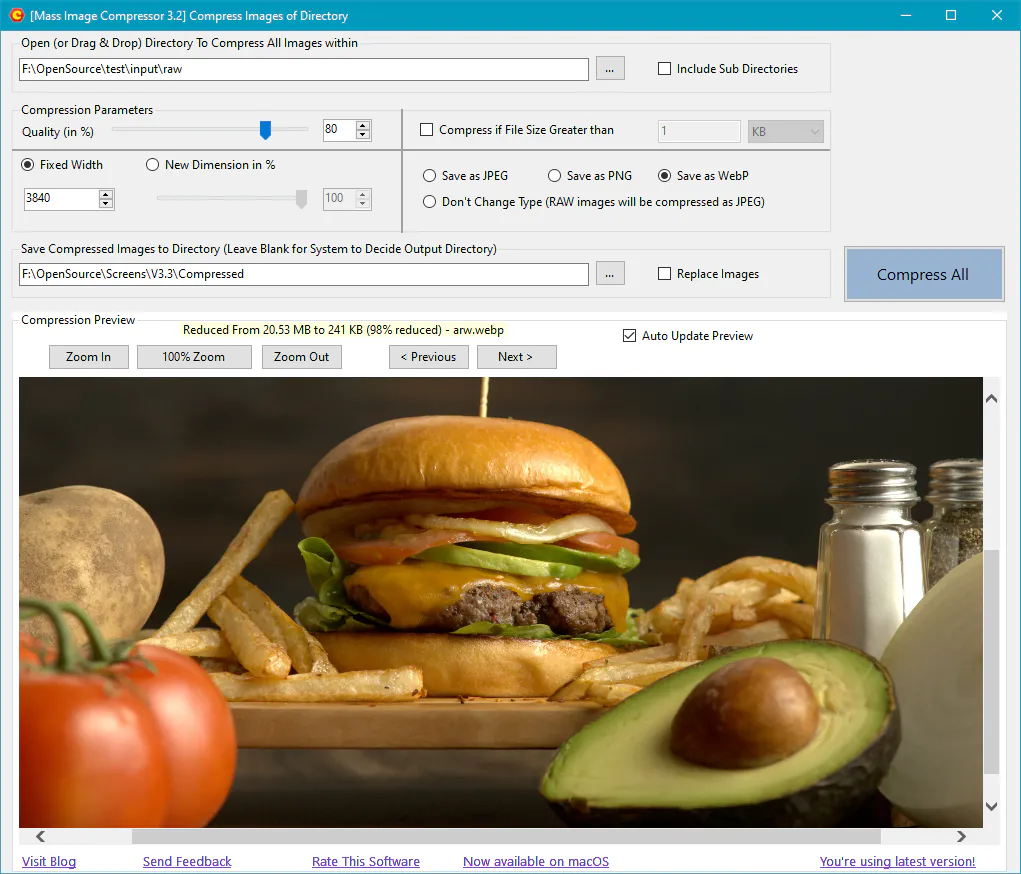
    Microsoft Power Toys are great for multiple stuff. If those are too advance for you (or too much work), there is an open source software called Mass Image Compressor. I am the developer of this software. It can optimize, convert and resize the multiple image in bulk while maintaining quality which can you verify before compressing. http://mic.cognirush.com/windows/ 

    About IT issue:

    As this is Open Source software (hosted on SourceForge), your IT may be good with it.

    If your IT is still not OK, you have three options to make a portable version:

    1. You can download the source code and compile it with Visual Studio Community Edition (2022) and help your colleagues as well :)
    2. You can install where you can, and just take the directory in Program Files (86), it doesn't have any other dependency.
    3. Contact the developer - i.e. me, to get a portable version.

    If portable versions of software are not real options, you can ask a software developer to get a Powershell script, it will work without installing any 3rd party software, but it will cost you 100s of $s.

    I recommend working with you IT on this though, it may be easier to get open source software pass from IT.
    Image

    0 comments No comments
  4. Anonymous
    2024-11-26T17:49:22+00:00

    Brian

    Thanks for responding to my issue. I am not using Outlook classic and I don't see how to select files as you describe. However, I am able to use the Win 10 file manager to share files to an email, from which I copy the resized versions. This is as I did it before I was forced to upgrade from 10 to 11.

    Best Regards

    Ian

    0 comments No comments
  5. Deleted

    This answer has been deleted due to a violation of our Code of Conduct. The answer was manually reported or identified through automated detection before action was taken. Please refer to our Code of Conduct for more information.


    Comments have been turned off. Learn more
