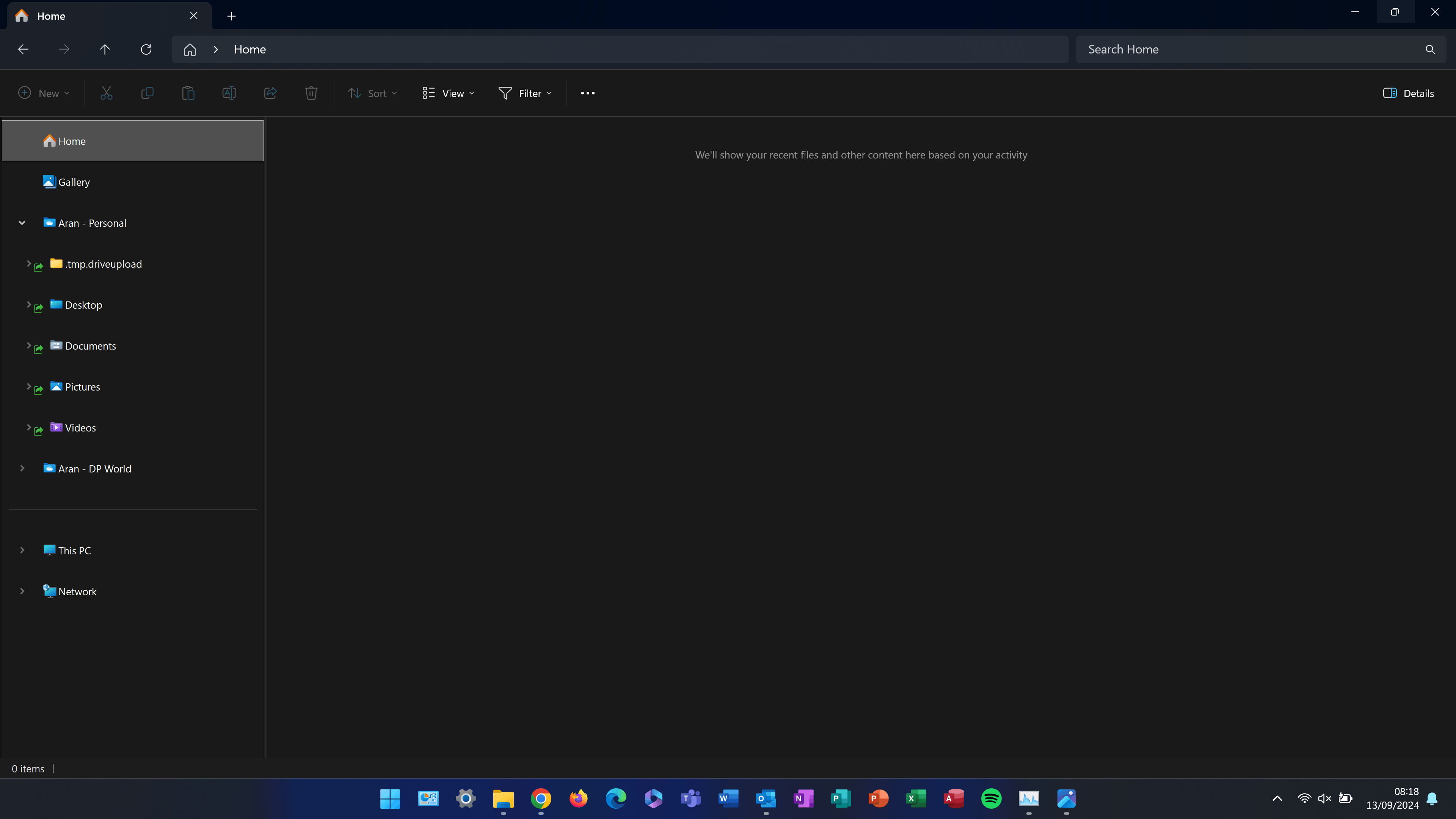
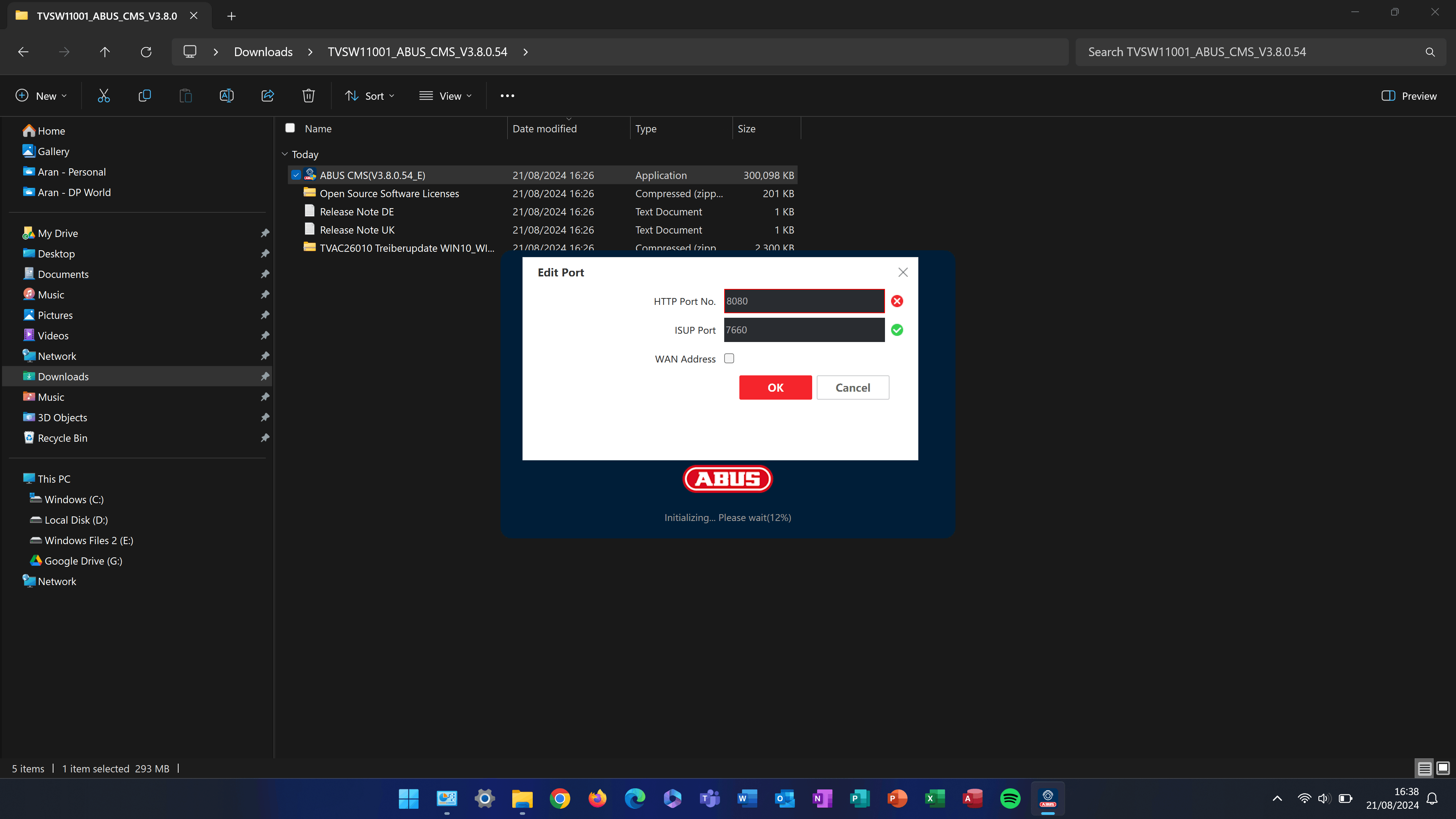
Can anyone explain or offer any solutions to my file explorer navigation pane spacing between items, the spacing is massive now as compared to a previous screenshot, this is with compact view on. I've tried rolling back GPU drivers, updating them, updating windows, running windows recovery, windows repair, command line repair commands, trying different resolutions or playing with scaling to no avail. Its very irritating.
The first photo is the issue of the navigation pane and how it is currently, and the second photo is how it was and how it should be/I want it to be, thanks in advance, AJ
Device - ThinkPad P15 Gen 2 with Touchscreen 4K OLED Display
Device Specs & Windows Build Specs:
Device name AJX-P15G2
Processor 11th Gen Intel(R) Core(TM) i7-11800H @ 2.30GHz 2.30 GHz
Installed RAM 80.0 GB (79.8 GB usable)
System type 64-bit operating system, x64-based processor
Pen and touch Pen and touch support with 10 touch points
Edition Windows 11 Pro
Version 23H2
Installed on 12/09/2024
OS build 22631.4169
Experience Windows Feature Experience Pack 1000.22700.1034.0
' cx='32' cy='32' r='32' /%3E%3Ctext x='50%25' y='55%25' dominant-baseline='middle' text-anchor='middle' fill='%23FFF' %3EA%3C/text%3E%3C/svg%3E)
