Microsoft Security | Intune | Enrollment
Registering devices with Intune for management and policy enforcement

This browser is no longer supported.
Upgrade to Microsoft Edge to take advantage of the latest features, security updates, and technical support.
' cx='32' cy='32' r='32' /%3E%3Ctext x='50%25' y='55%25' dominant-baseline='middle' text-anchor='middle' fill='%23FFF' %3EVR%3C/text%3E%3C/svg%3E)
Hello Techie's,
Here is the Scenario, I Would like to take help
I have 3 Different Forest/Domain's
Domain 1 - ABC.COM
Domain 2 - XYZ.COM
Domain 3 - 123.COM
Domain 1 - ABC.COM - We have the Azure AD Connect, and Installed with MECM - With Co Management. All Management via Intune
Domain 1 - Azure AD Connect which Collect the Details of AD - All 3 Domains (Domain 1, 2 and 3)
Now, We want Domain 2 and Domain 3 has to be Controlled via Intune
So we have done the following..
XYZ.COM - Users are Assigned with Azure AD P1, Microsoft Intune Licenses
XYZ.COM - Users are Available in the Azure AD, Azure Portal
XYZ.COM - Devices are Available in the Azure AD, Azure Portal
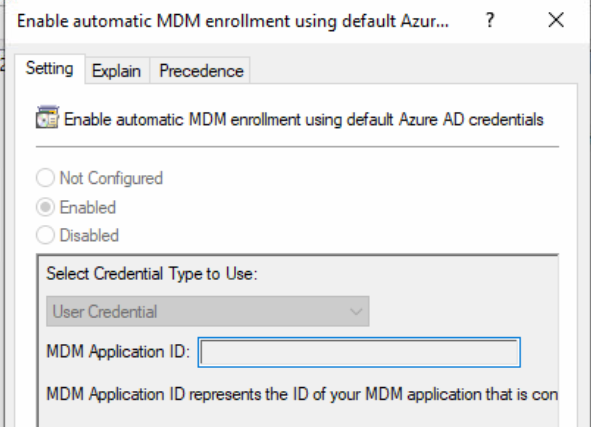
XYZ.COM - Created the GPO, and Assigned the MDM Profile for Enrollment - User Credential
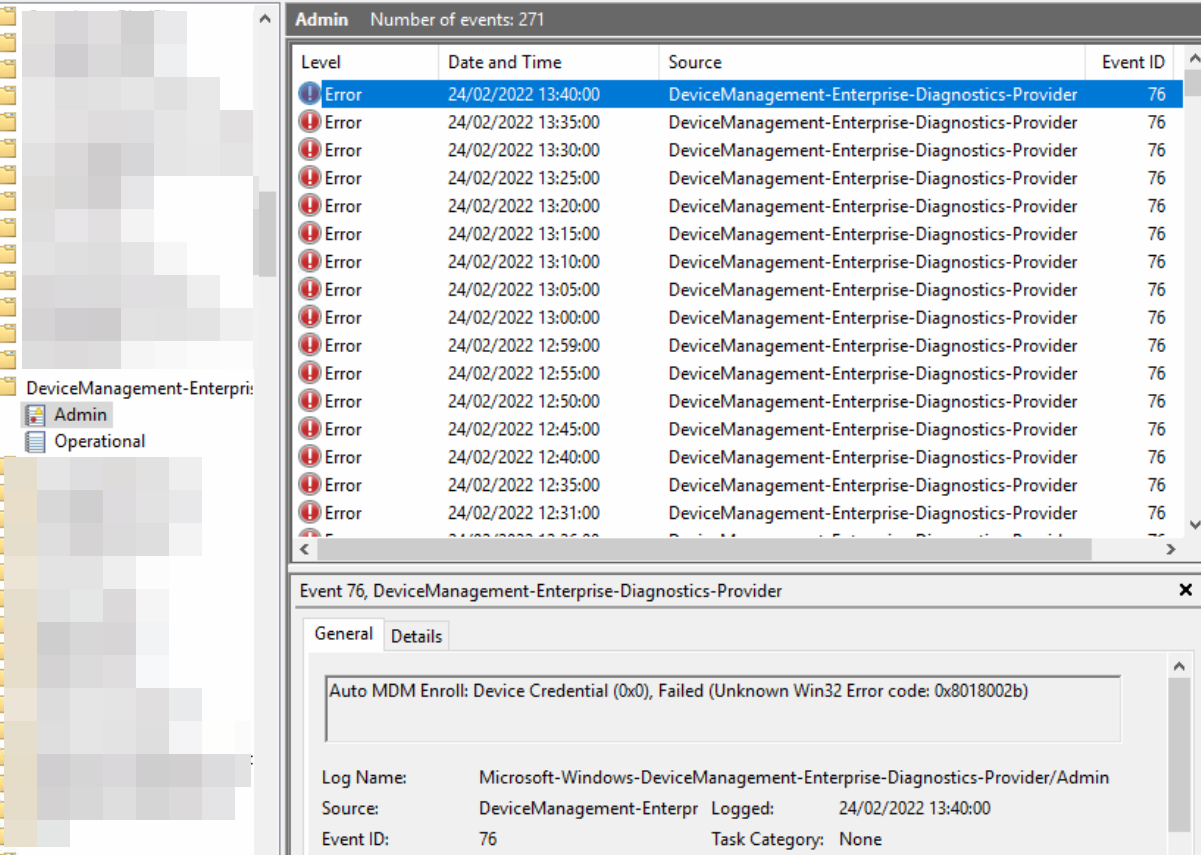
Out Put, Event ID : 76 - Auto MDM Enroll: Device Credential (0x0), Failed (Unknown Win32 Error code: 0x8018002b)
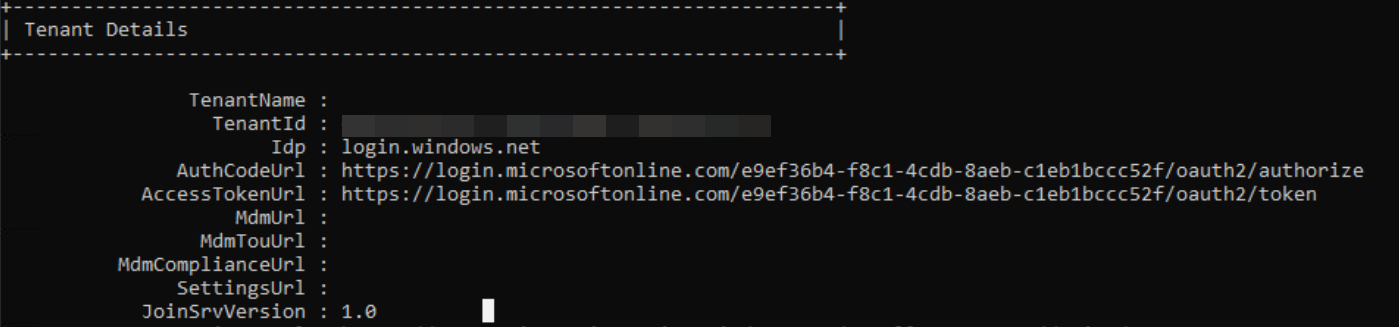
We cannot see the MDM URL, MDMTOUURL, MDM Compliance URL while running the DSREGCMD /Status
From the Intune Side, We do not have any Restrictions. Enrollment
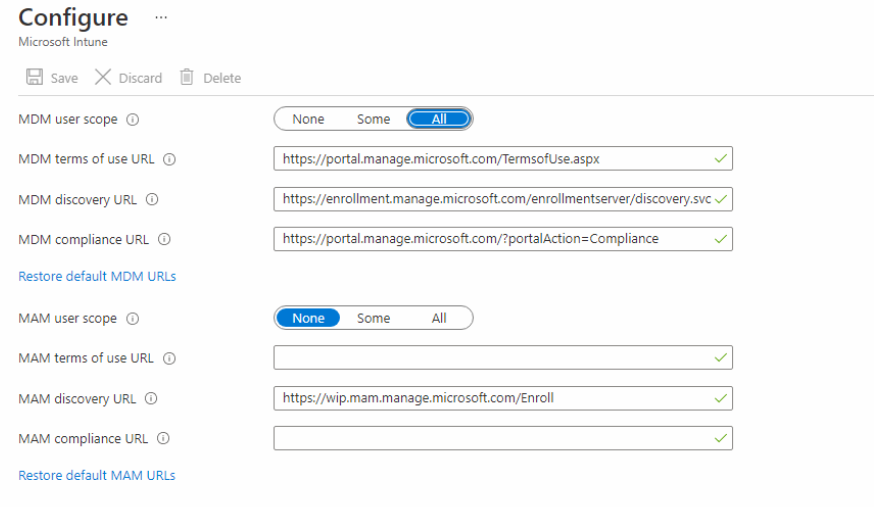
Also no Restrictions with Device Type - As well.. Devices are Targeted to this Group
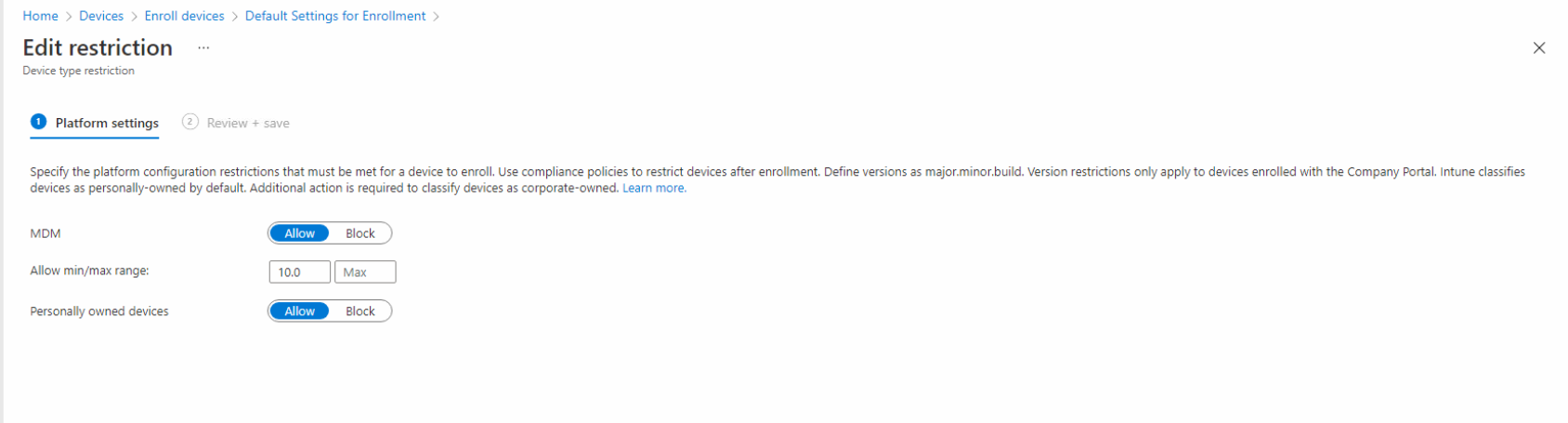
Question:
Now the Current Status is Device is showing as Hybrid Azure AD Joined, along with Registered and Activity time

Any Steps from your suggestion, Expertise can help... We need to Manage the Domain 2, Domain 3 Devices has to be Manage via Intune is the Goal
Little more Update from my side
I have mentioned the Domain Name as
XYZ.COM and it is more likely as XYZ.Local
Its Local Domain, and not registered/Purchased any where. Can you refer some link to register this Domain.
In late time, I Found that this Domains are not Registered yet with Azure Portal
Registering devices with Intune for management and policy enforcement
Other Intune-related topics, including unsupported scenarios and platform-specific behaviors
Additional Comments:
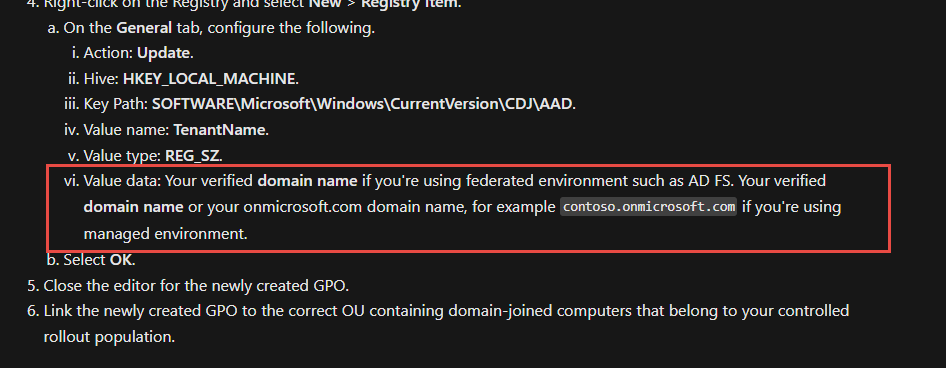
We followed the Approach and Declare the Tenant ID and Tenant Name
https://365bythijs.be/2019/11/02/troubleshooting-hybrid-azure-ad-join/
Hello All,
I Found the Answer...
After Verifying the Domain, and made the UPN Rout-able to XYZ. Com for all Users with Azure AD P1 License, and Intune helped to On Board the Devices to Intune (Hyrbrid Join with GPO Settings)
' cx='32' cy='32' r='32' /%3E%3Ctext x='50%25' y='55%25' dominant-baseline='middle' text-anchor='middle' fill='%23FFF' %3ERJ%3C/text%3E%3C/svg%3E)
Syncing multiple domains/forests using single Azure AD connect is going to be tricky. I hope you might have already checked https://learn.microsoft.com/en-us/azure/active-directory/hybrid/plan-connect-topologies to confirm your scenario is supported even though it's syncing devices as well as users to Azure AD.
Also, MDM Enrollment GP - User authentication can be tricky sometimes - I know Anoop reported a strange issue like this (https://www.anoopcnair.com/intune-enrollment-error-unknown-win32-error/), but I don't think that is the case in your scenario.

is xyz and 123 domains are routable? check this Microsoft document for more information https://learn.microsoft.com/en-us/troubleshoot/mem/intune/troubleshoot-windows-enrollment-errors#auto-mdm-enroll-failed
Thanks,
Eswar
www.eskonr.com
Hello Eswar,
My Sincere sorry - Which I Forget to Post this information earlier.
Yes, the XYZ and 123 Domains are Rotatable. We changed it for User Login Name.. From :TestUser1@jaswant .COM to TestUser1@xyz .COM
Following that Successful Azure AD Replication...
But Once again, it makes the same Scenario..
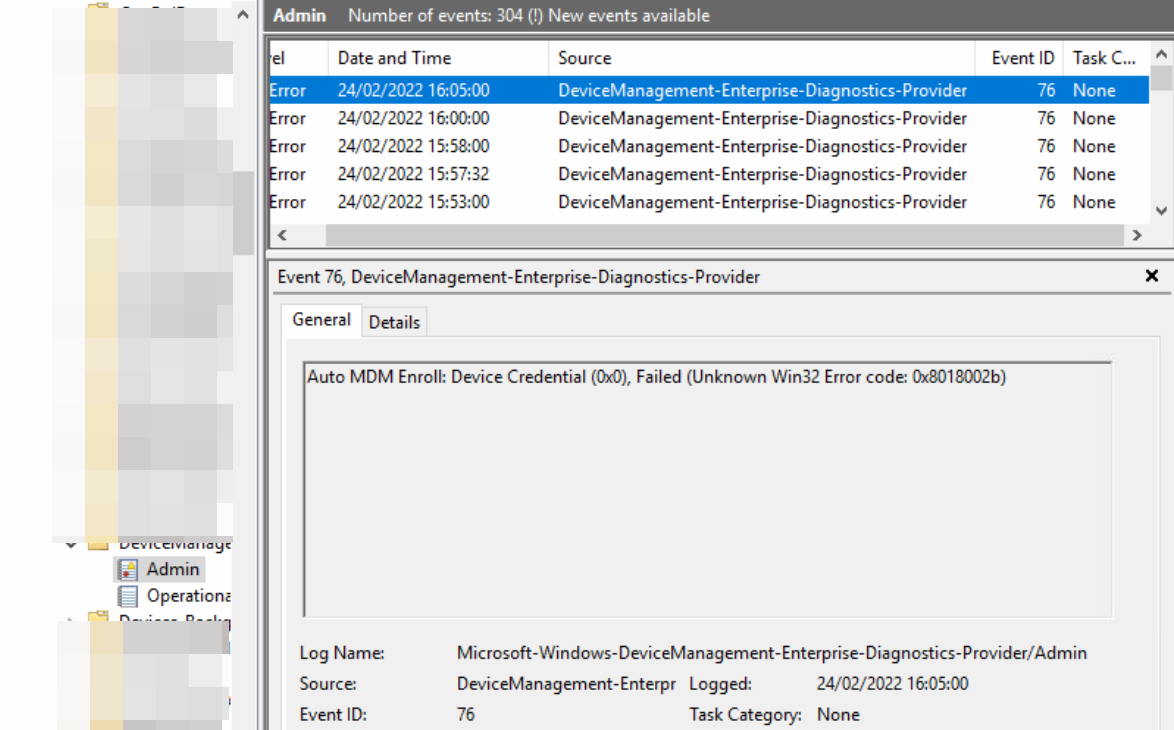
With Successful User and Device details as Hybrid - Still causing the same issue..
Hello Experts,
Do you suggest any...Troubleshooting Techniques..
Hello Eswar,
Yes we tried to perform the Routing with the Login from TestUser1@xyz .COM to TestUser1@jaswant .com as well.
In Addition, We also Created Registry Entries to the Work Station for the Enrollment
https://365bythijs.be/2019/11/02/troubleshooting-hybrid-azure-ad-join/
Still it is ending up with same error..
Little trick here, the Domain ABC.COM is Yet to be Registered. We are using ABCon365.onmicrosoft.com as the Tenant Name. Currently the Tenant name is only as "Available" and not as Registered.