Share via

Windows Update KB5042320 fails to install and yet shows as installed

Anonymous
2024-10-21T18:13:05+00:00

This is Microsoft’s info / support page for KB5042320

https://support.microsoft.com/en-us/topic/kb5042320-windows-recovery-environment-update-for-windows-10-version-21h2-and-22h2-january-9-2024-f5784a62-2b82-4522-b5b2-c31b67049526

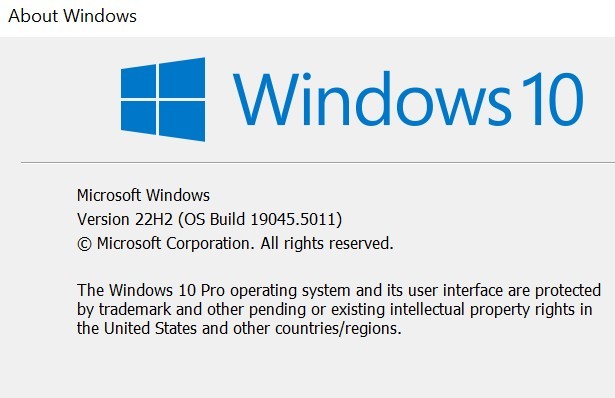
I am running Windows 10 Pro, Winver shows me at 19045.5011.
I am regularly using Bitlocker, although the OS C disk is currently decrypted. I did this to shrink the OS slightly, in order to increase the Recovery partition slightly.

The recovery partition was resized from 900 MB to 1.67GB. Here is a screenshot of Windows 10 Disk management
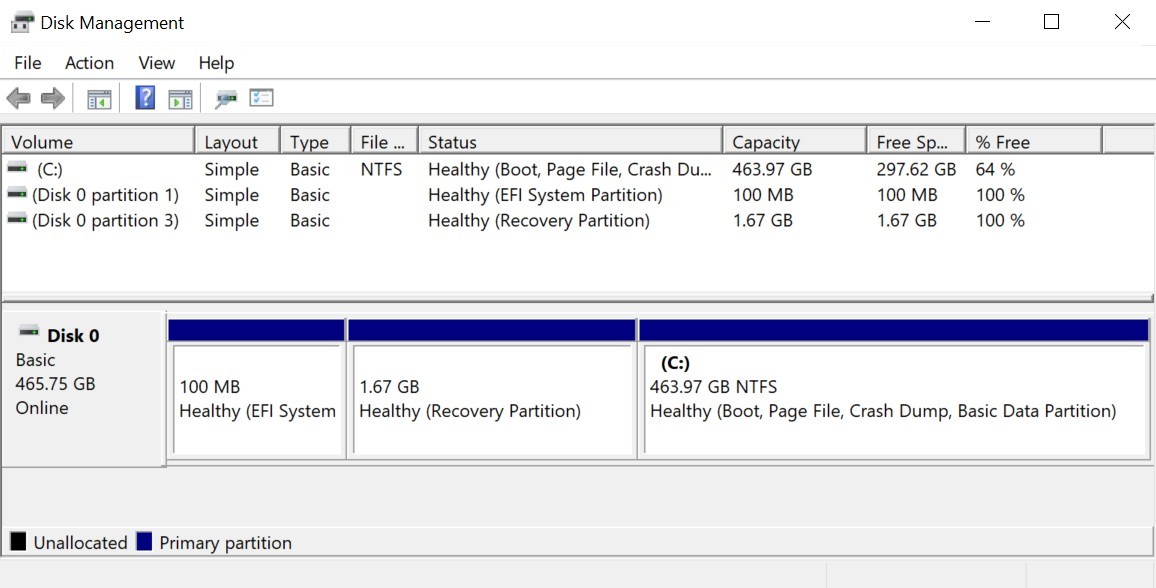
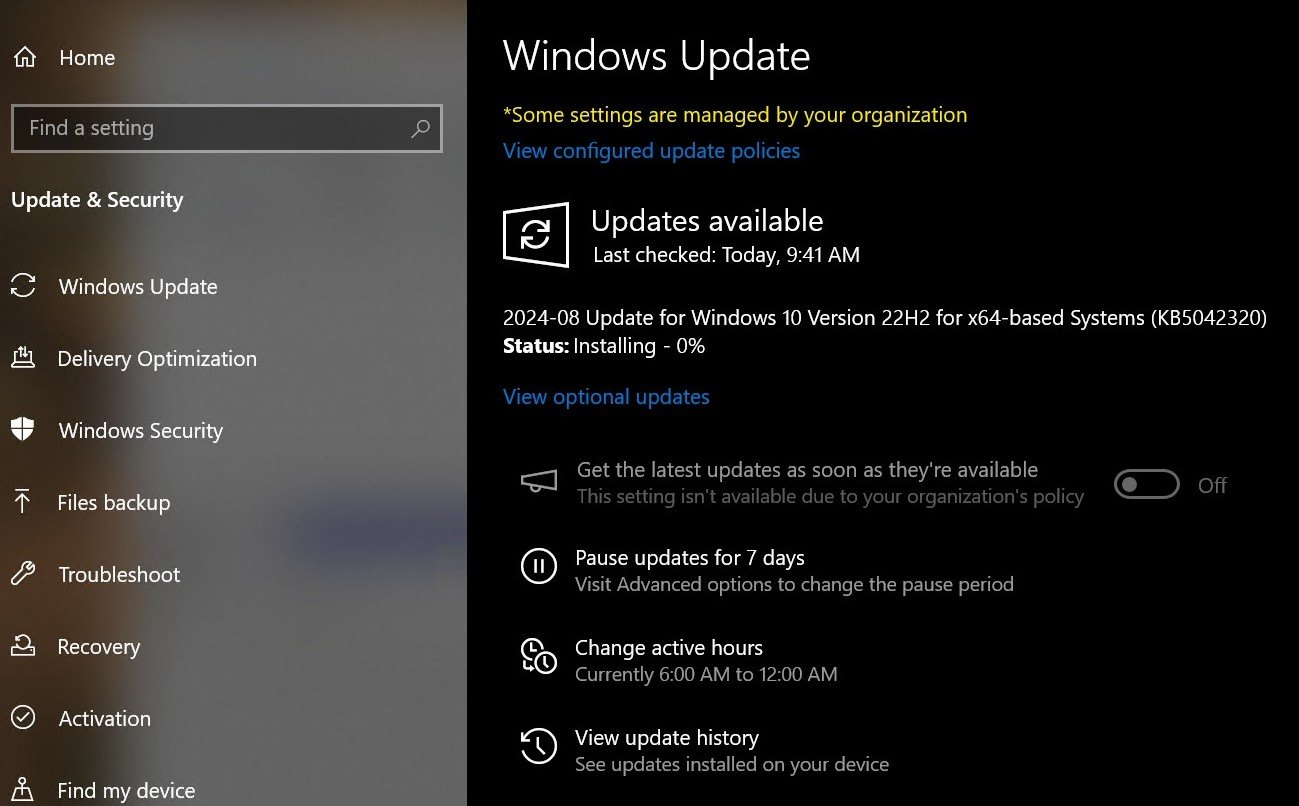
KB5042320 started being offered to me on 2024-10-20. It’s a security mitigation that’s needed if you run Bitlocker. But just like update KB5034441, it will fail if the WinRE partition doesn’t have enough space (needs an additional 250 MB). In my case, it has enough space, but I increased it anyways from 900 MB to 1.67 GB as shown above in disk management.

The behavior:

When I check for updates through Win 10 Settings > Windows Updates, it offers me KB5042320, and shows it as installing – 0%. It never gets beyond 0%. Eventually it just (temporarily) disappears from Windows Updates. If I check Windows Updates again, it offers KB5042320 again, and never gets past 0% again.
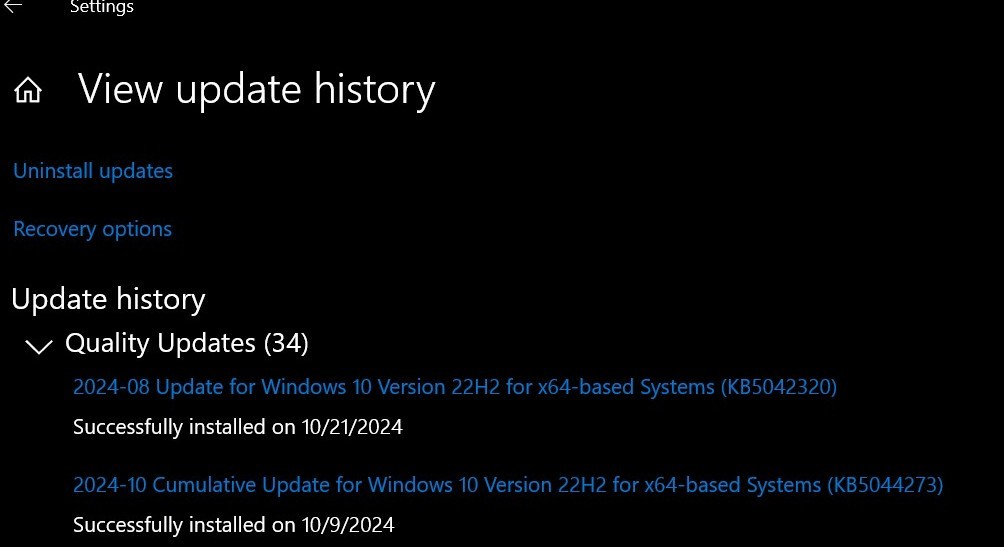
But when I go to View update history, it shows KB5042320 as successfully installed.
But if I open regedit as admin and go to

Computer\HKEY_LOCAL_MACHINE\SOFTWARE\Microsoft\Windows NT\CurrentVersion

it shows the WinREVersion as 10.0.19041.3562
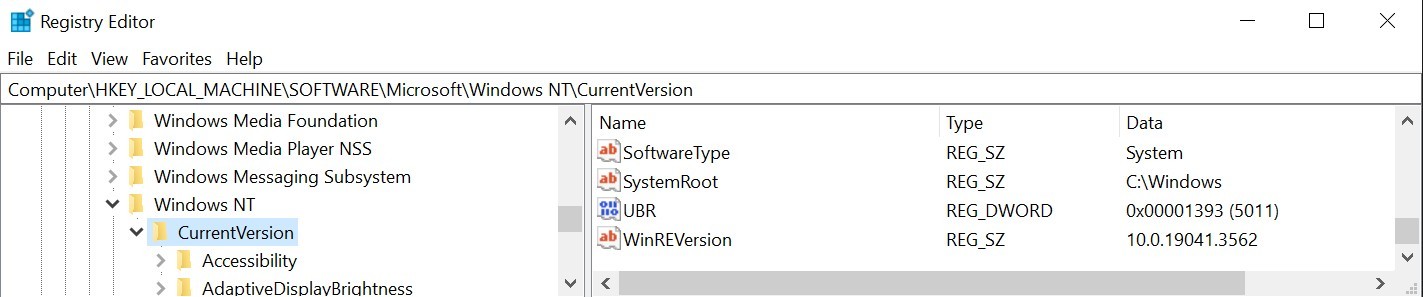
Microsoft’s support page for KB5042320 says “This update will not be offered if your Windows Recovery Environment (WinRE) image has a version greater than or equal to version 10.0.19041.3920.”

So I believe it’s continuing to offer me this because the WinREVersion is lower than 19041.3920.

All of this this is contradictory; on the one had Windows offers the KB5042320 update, and gives a 0% success indication when attempting to install. But KB5042320 shows in update history as installed.

To troubleshoot, I have:

-       Manually increased the Win Recovery partition.

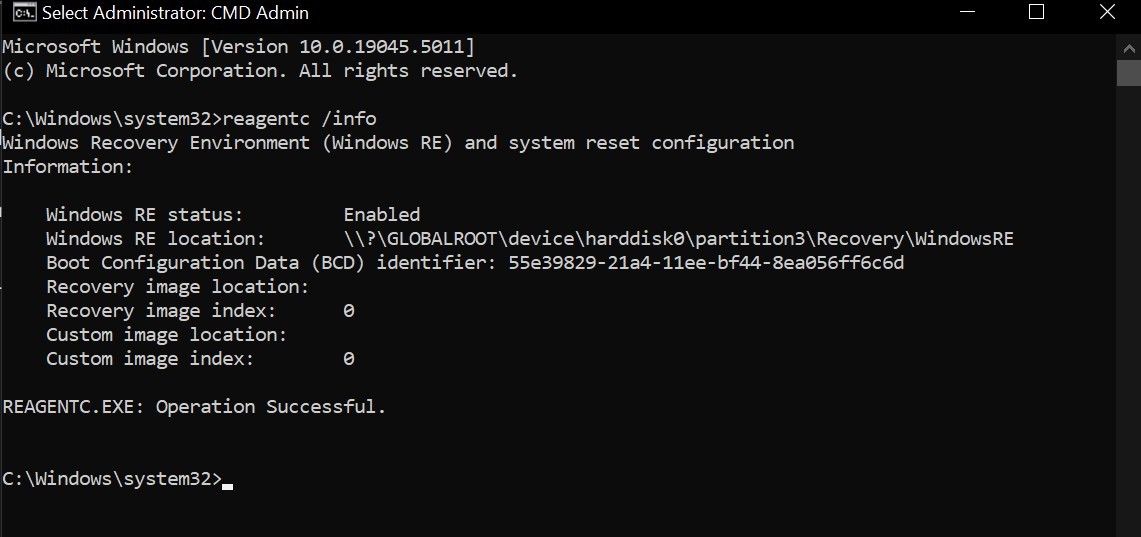
-       In CMD, I ran reagentc /info to ensure the Recovery Environment is Enabled, and it’s pointing to the correct partition
-       I updated to NET Framework 8.0.403

-       I ran the NET Framework Repair Tool.

-       I downloaded the KB5042320 cab file from Microsoft

https://www.catalog.update.microsoft.com/Search.aspx?q=KB5034232

-       I used teh above CAB to manually install KB5042320 via CMD as admin using DISM. It gave a 100% completion. Yet when I go back to Windows Updates, it continues to offer KB5042320 and again gets stuck at 0% installing.

So I am stuck in this loop. Because I am going to re-enable Bitlocker, I believe this KB5042320 update is relevant for me. But I've exhausted what I can do to solve this.

Windows for home | Windows 10 | Windows update

Locked Question. This question was migrated from the Microsoft Support Community. You can vote on whether it's helpful, but you can't add comments or replies or follow the question.

0 comments No comments

8 answers

Sort by: Most helpful
  1. Anonymous
    2024-11-09T14:53:38+00:00

    Thanks Teemobar. However my recovery partition is already on the right hand side, and has always been, see picture below. And reagentc is telling me we are pointing at Partition 3 for Recovery which is correct:

    DISKPART> list partition

    Partition ### Type Size Offset


    Partition 1 Primary 79 MB 1024 KB

    Partition 2 Primary 464 GB 80 MB

    Partition 3 Recovery 1023 MB 464 GB

    reagentc /info

    Windows RE status:         Enabled 
    
    Windows RE location:       \\?\GLOBALROOT\device\harddisk0\partition3\Recovery\WindowsRE
    

    Image

    Was this answer helpful?

    0 comments No comments
  2. Anonymous
    2024-11-08T17:52:31+00:00

    I posted my soultion below. If my solution or Lugoo - MSFT solution doesn't work, I'd suggest downloading a current Win 10 ISO > or = 19041.5073 & doing a fresh install. Sucks this is happening to so many of us, but I see that as the only sure fire solution.

    Was this answer helpful?

    0 comments No comments
  3. Anonymous
    2024-11-08T17:49:06+00:00

    Computer\HKEY_LOCAL_MACHINE\SOFTWARE\Microsoft\Windows NT\CurrentVersion

    Because regedit shows the WinREVersion as 10.0.19041.3562, I don't see this as the update being already installed. I see this as the update failing. Otherwise the WinREVersion would be 19041.3920 or higher.

    In my case the problem was with the Recovery partition itself. I had not only increased the size, but moved it from the default location to the right of the OS partiton, to a location to the left of the partition. I used gparted disk manager to do this. Even though reagentc /info indicated that Windows was pointing to th ecorrect location for th erecovery partition, I believe it was not, or it was corrupted.

    So in the end, to resolve this, I restored to a Win 10 image from before this Recovery partiton move. Now the main drive looks like this

    ![](https://learn-attachment.microsoft.com/api/attachments/1f2d0ae3-fc47-45b1-bcbe-b60a3edf2236?platform=QnA"https://learn-attachment.microsoft.com/api/attachments/8bdf4acd-6a86-4e3c-9763-068ced24f00f?platform=QnA" title="filestore.community.support.microsoft.com" rel="ugc nofollow">

    This is what solved the problem and I am no longer offered KB5042320

    Was this answer helpful?

    0 comments No comments
  4. Anonymous
    2024-11-08T17:14:31+00:00

    I have exactly the same problem as Teemobar, performed the same actions and obtained the same results.

    Was this answer helpful?

    0 comments No comments
  5. Anonymous
    2024-10-26T16:03:11+00:00

    Hello, TeemoBar,welcome to the Microsoft Community.

    Thank you for your feedback. Based on your description, it seems you're facing an issue with repeatedly installing KB5042320.

    This might be a logic error where the update has already been installed on your computer, but due to a faulty push, you're receiving the update notification again. Since you have already installed this update, the installation fails.

    To resolve this issue, please start by resetting the update cache files to see if the problem goes away. If it still persists, follow step 3 to hide the update:

    1. Search for CMD, find Command Prompt, and select to run it as an administrator.

    2. Enter the following commands one at a time, pressing Enter after each line:

    net stop bits

    net stop wuauserv

    net stop cryptsvc

    ren %systemroot%\SoftwareDistribution SoftwareDistribution.old

    ren %systemroot%\System32\catroot2 catroot2.old

    Del "%ALLUSERSPROFILE%\Application Data\Microsoft\Network\Downloader\qmgr*.dat"

    net start bits

    net start wuauserv

    net start cryptsvc

    3. Then visit the following page to download the update hiding tool:

    **** **Update hiding tool download** ****

    4. Run this tool, follow the prompts to select KB5042320, and hide it.

    I hope this information helps you.

    Lugoo Bei | Microsoft Community Support Specialist

    Was this answer helpful?

    0 comments No comments
