Share via

WINDBG suddenly not displaying any info for minidump files

Anonymous
2024-11-10T01:31:50+00:00

Hi, as the title suggests my WINDBG isn't working basically at all.

This problem started to occur on November 7th after a blue screen/bugcheck of an unknown error code. Unknown because I suddenly couldn't read it after the computer started back up, as all it threw was an entirely empty white page. It does the same to both new minidumps and minidumps from prior dates as well.

See image:
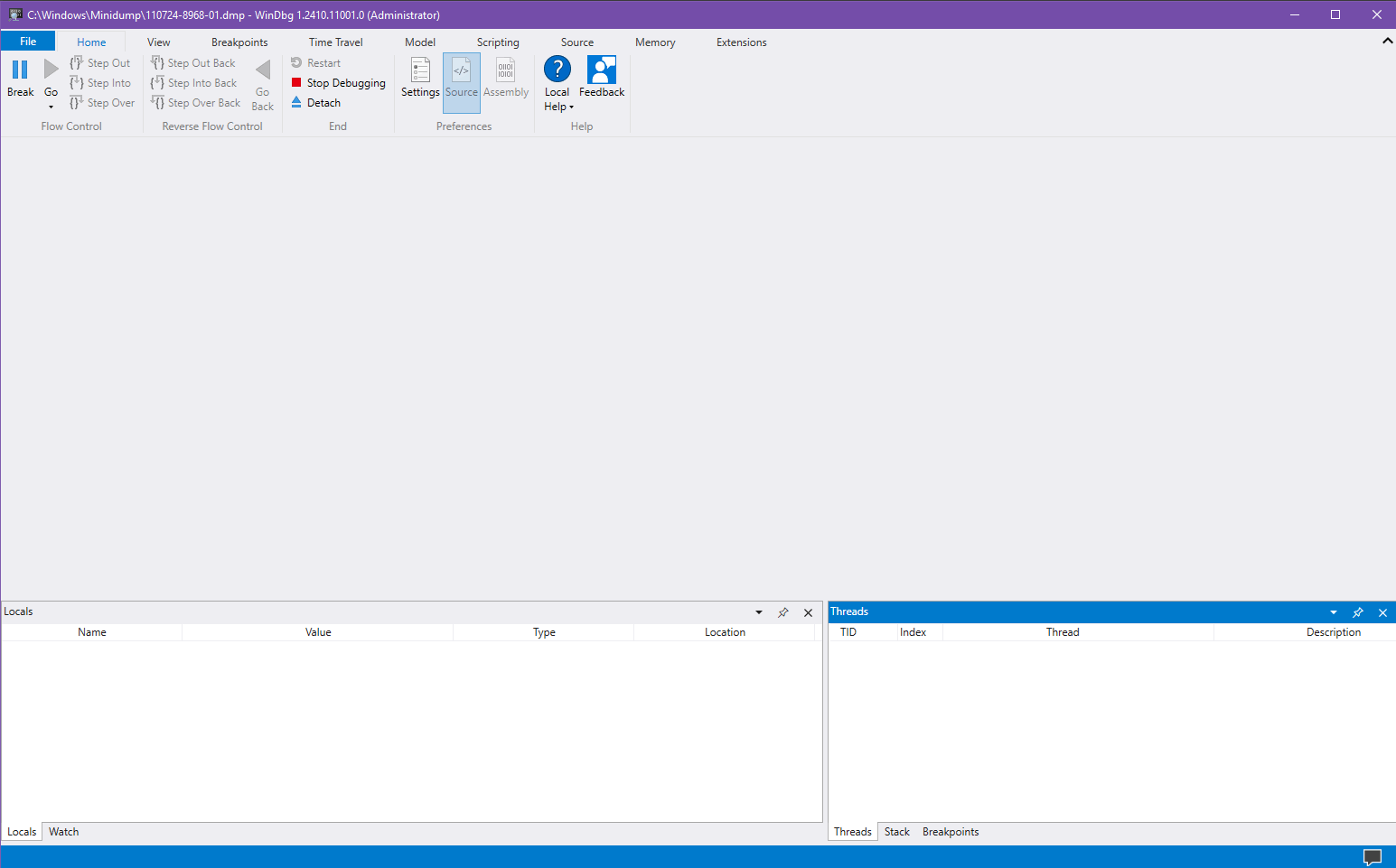
Items do show up in the "Stack" tab on the bottom right box, but I frankly have no idea how to read any of it. I have absolutely zero idea how to fix this outside of a system restore, as a reinstall of the program didn't work. But even that wont work since my computer had the brilliant idea of deleting my last restore point created a few hours before the blue screen even occurred.

Any help would be appreciated.

Windows for home | Windows 10 | Performance and system failures

Locked Question. This question was migrated from the Microsoft Support Community. You can vote on whether it's helpful, but you can't add comments or replies or follow the question.

0 comments No comments

Answer accepted by question author

Jan J.23 13,580 Reputation points Independent Advisor
2024-11-10T03:37:53+00:00

Hi, I'm Jan. I'm happy to help you today, and I'm sorry you're having this problem.

It appears that the Command window has been closed. Try pressing the (Alt key + 1) to add the command window. Or open the View tab>Windows layout>click Reset Windows.

Was this answer helpful?

10+ people found this answer helpful.
0 comments No comments

1 additional answer

Sort by: Most helpful
  1. Anonymous
    2024-11-10T22:04:14+00:00

    Oh my god, of course it's that simple.

    Thank you so much for being smarter than me LOL!

    Was this answer helpful?

    1 person found this answer helpful.
    0 comments No comments
