Hi Soo-Hong LEE,
Welcome to Microsoft Community.
We're sorry to hear that your device is experiencing issues related to file and tool permissions.
We understand your frustration. It prevents you from further managing credential information on your device.
Just some things to share with you before dealing with the problem together.
- We (members of the Answers community) are not developers or direct maintainers of any service or product, we are just regular support staff. We try to provide support based on our limited experience and available information, and limited test equipment.
- You may notice that the information we provide is sometimes complex and “All-in-One”, because we need to eliminate unnecessary interferences as much as possible to narrow down the scope of the problem analysis.
Unfortunately, issues related to permissions are not something that can be simply analyzed and addressed.
- The 0x80070005 error you're encountering with Credential Manager is an "Access Denied" error, indicating that your user account lacks the necessary permissions to access or modify the Credential Manager's files and folders. This is likely because the permissions for the Credential Manager folder were not correctly restored when you restored your AppData from a backup, leading to this issue.
- This error is fundamentally linked to Access Control Lists (ACLs) and Security Identifiers (SIDs) within Windows. ACLs are a set of rules that dictate which users or groups are granted or denied access to certain files and folders. Each entry in an ACL, known as an Access Control Entry (ACE), specifies a user or group and the permissions that are allowed or denied. SIDs are unique identifiers assigned to each user, group, and computer account, and they play a pivotal role in the functioning of ACLs. When permissions are set for a file or folder, the system uses the SID rather than the human-readable username to ensure consistency even if the username changes. However, restoring data from a backup can cause these SIDs to no longer match up correctly if the user accounts or their SIDs have changed, leading to the 0x80070005 error because the ACLs no longer grant the necessary permissions to the correct SID.
In your case, the Credential Manager folder's ACLs likely still reference the old SID from before the backup, causing the current user account to be denied access.
In this case, some community members may try to execute a specific icacls command, but we cannot ensure that it will work for your environment and backup type.
Generally, the better option is to manually transfer specific folders under a separate user profile to a new user profile.
Troubleshoot problems signing in to Windows - Microsoft Support
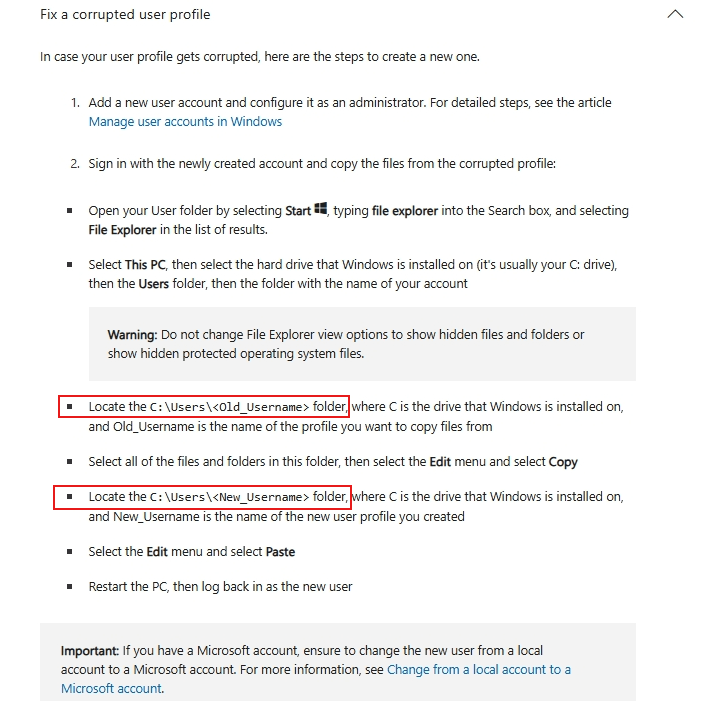
A local account provides an independent user environment on your device. Using Command Prompt ensures you can bypass user interface issues. To create a new local account via Command Prompt:
- Press Win or Win + S, type Command Prompt, right-click it, and choose Run as administrator.
- Execute the command to create a new account, replace <Username> with the desired username, and <Password> with the desired password.
|
net user "<Username>" "<Password>" /add |
- Execute the command to promote the account to admin level, replace <Username> with the desired username.
|
net localgroup Administrators "<Username>" /add |
Thanks for your patience and understanding.
Best Regards,Kyo.Y - MSFT | Microsoft Community Technical Support
' cx='32' cy='32' r='32' /%3E%3Ctext x='50%25' y='55%25' dominant-baseline='middle' text-anchor='middle' fill='%23FFF' %3EA%3C/text%3E%3C/svg%3E)
