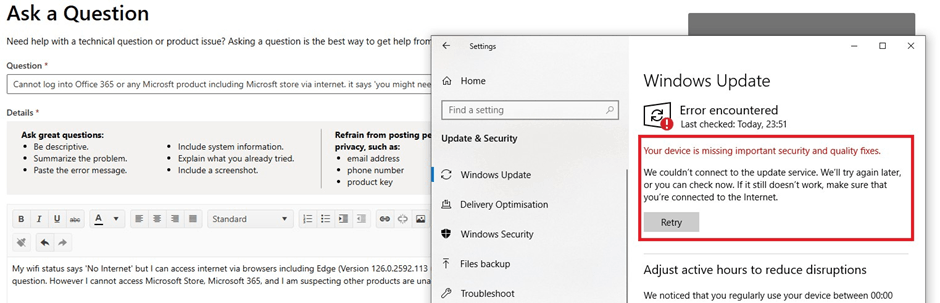
My wifi status says 'No Internet' but I can access internet via browsers including Edge (Version 126.0.2592.113 (Official build) (64-bit)) where I am submitting this question from. However I cannot access Microsoft Store, Microsoft 365, and I am suspecting other products are unable to access the internet. I also cannot sign in for Windows Update (maybe a good thing :) ) not can I sign in for Rewards in the settings section which require microsoft login - see below
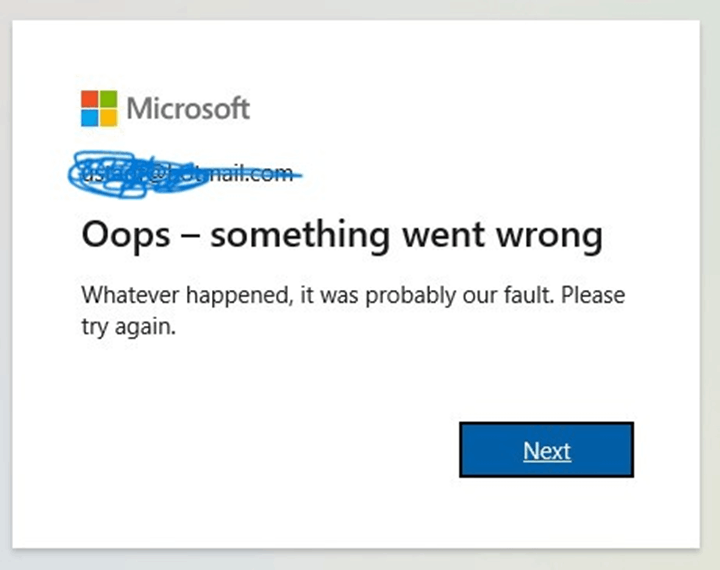
I have tried troubleshooting but keep getting the message in the subject of this question. See below.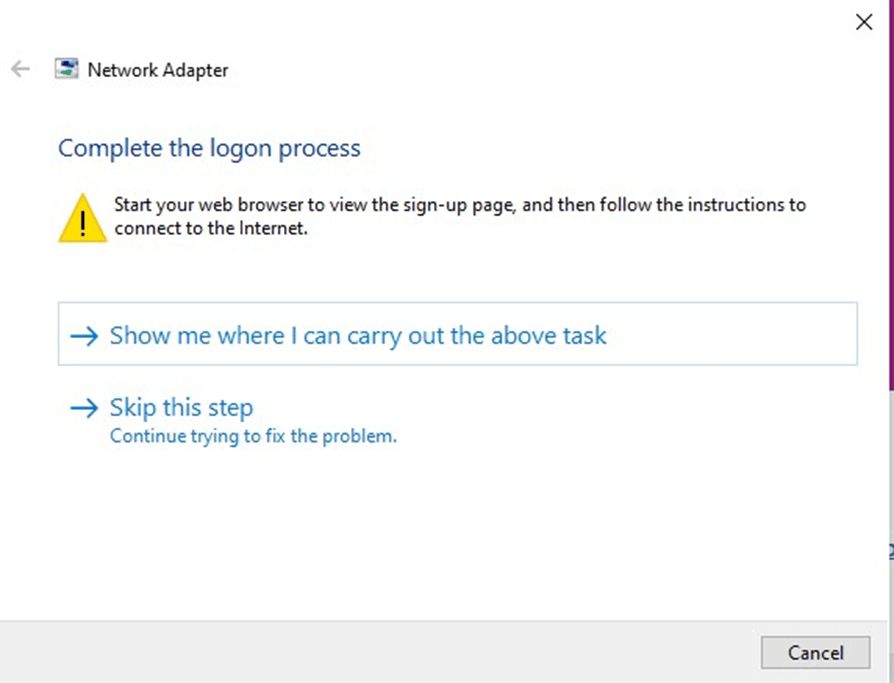 https://learn-attachment.microsoft.com/api/attachments/e8e809cc-1d3d-42eb-97d1-e8bdf59773b9?platform=QnA"https://learn-attachment.microsoft.com/api/attachments/50ab12c5-3607-46e4-b4bb-404dadfd220d?platform=QnA" title="filestore.community.support.microsoft.com" rel="ugc nofollow">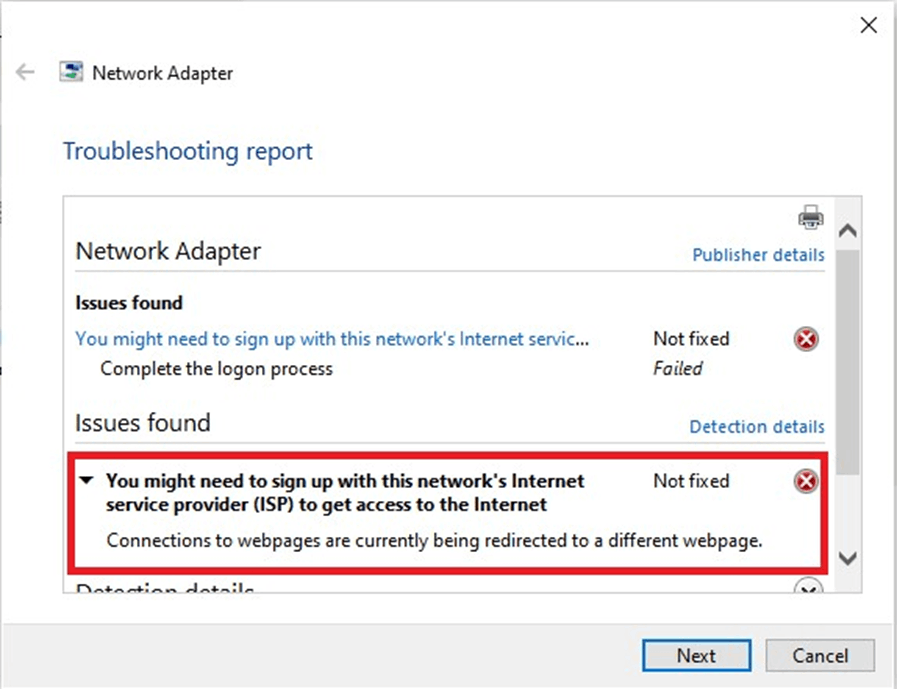
I have tried Netwrok reset, Changing Private to Public Network, Disabling VM Networks, Changing the Registry (HKEY_LOCAL_MACHINE\SYSTEM\CurrentControlSet\Services\NlaSvc\Parameters\Internet) with different DNS and following config. I have tried most of the solution in this thread (https://answers.microsoft.com/en-us/windows/forum/all/windows-shows-no-internet-access-but-my-internet/2e9b593f-c31c-4448-b5d9-6e6b2bd8560c?page=1)
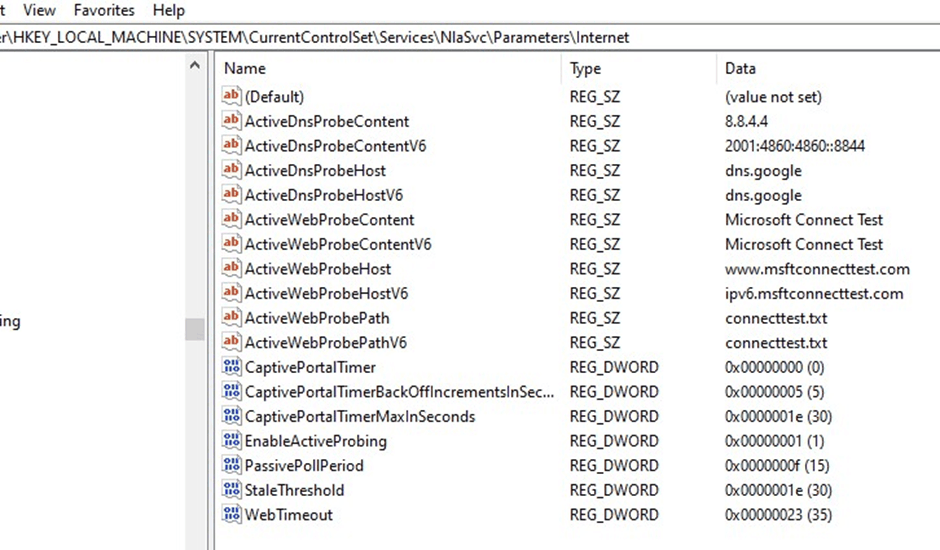
I have tried different Wifi connections. All other devices and computers work fine, therefore no issue with router or ISP.
Only clue I have is, when connecting to wifi initially, I get 'http://www.msftconnecttest.com/redirect' see below, with K9 Web Protection redirect page. This was a software that was used for web protection many years ago. It was treat until the product was no longer available. Tried uninstalling, but would require password. I have forgotten the password, therefore had to remove the files manually.
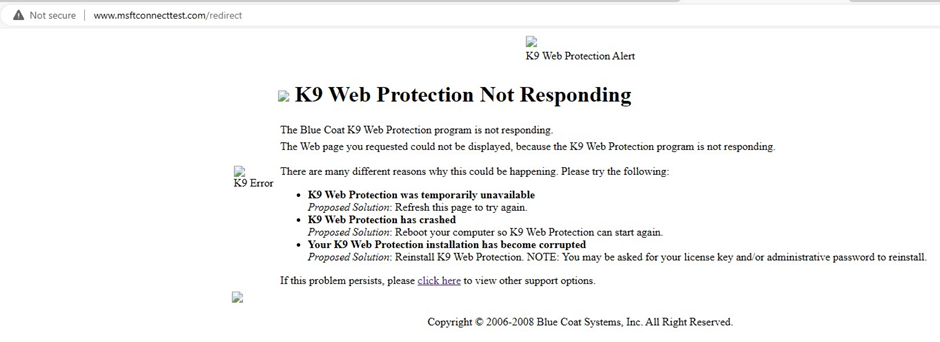
I am not sure if this is anything to do with K9 Web protect as it would require me to log in into the application (to confirm and continue) when the internet gets blocked too many times due to black listed web pages.
Now I am not sure if the K9 Web Protection got triggered due to too many blocks caused by Windows updates or the other way round, i.e. K9 remnant files, setting, cookies whatever you may call it is blocking the access. Having said that I can access internet via browsers no issues, its the applications that are not accessing the internet.
if it is due to K9 how do i completely uninstall/remove it without password? or is it something else. I have been having this issue since beginning of 2024, had enough! any advice, suggestions would be great!
' cx='32' cy='32' r='32' /%3E%3Ctext x='50%25' y='55%25' dominant-baseline='middle' text-anchor='middle' fill='%23FFF' %3EA%3C/text%3E%3C/svg%3E)
