I recently upgraded a PC from Windows10 to Windows11.
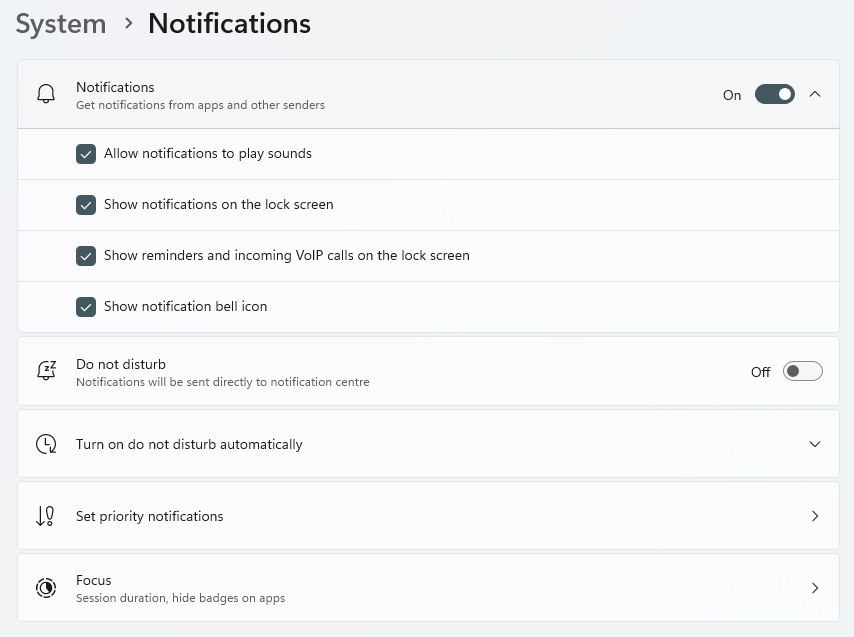
At first, there was an option in the notification settings to hide the notification bell icon from the taskbar (as below)
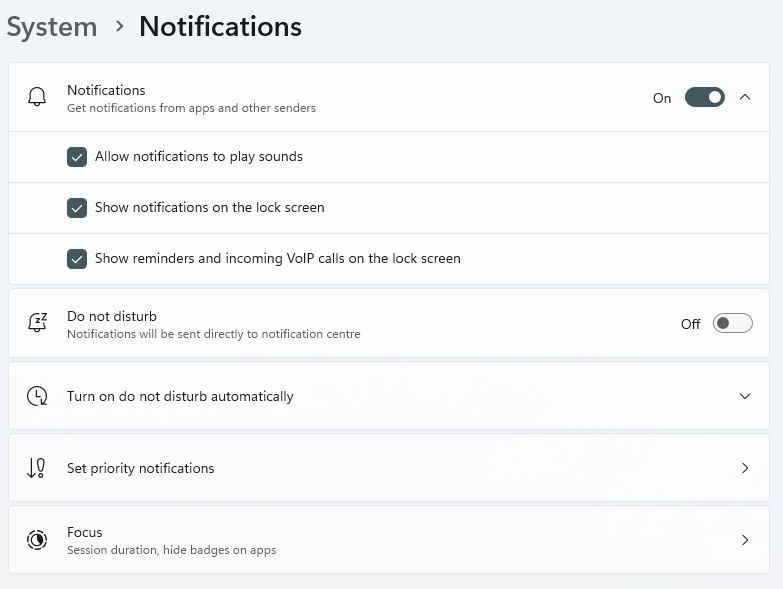
but after a few days that option disappeared for some reason (as below)
I have tried rolling back to Windows10 then re-installing Windows11
Most bizarre, I restored from a system image which I created at a time the option was there, but somehow after restoring , the option still didn't return.
I have just installed the latest updates from Windows Update so it is now at version:
Edition: Windows 11 Home
Version: 24H2
OS Build: 26100.2894
Experience: 1000.26100.36.0
Does anyone know how to re-enable this option?
' cx='32' cy='32' r='32' /%3E%3Ctext x='50%25' y='55%25' dominant-baseline='middle' text-anchor='middle' fill='%23FFF' %3EA%3C/text%3E%3C/svg%3E)

' cx='32' cy='32' r='32' /%3E%3Ctext x='50%25' y='55%25' dominant-baseline='middle' text-anchor='middle' fill='%23FFF' %3ESD%3C/text%3E%3C/svg%3E)