Share via

How do I remove a persistent fake-virus alert popup?

Reported
Anonymous
2024-09-24T02:50:31+00:00

How do I remove a persistent fake-virus alert popup?

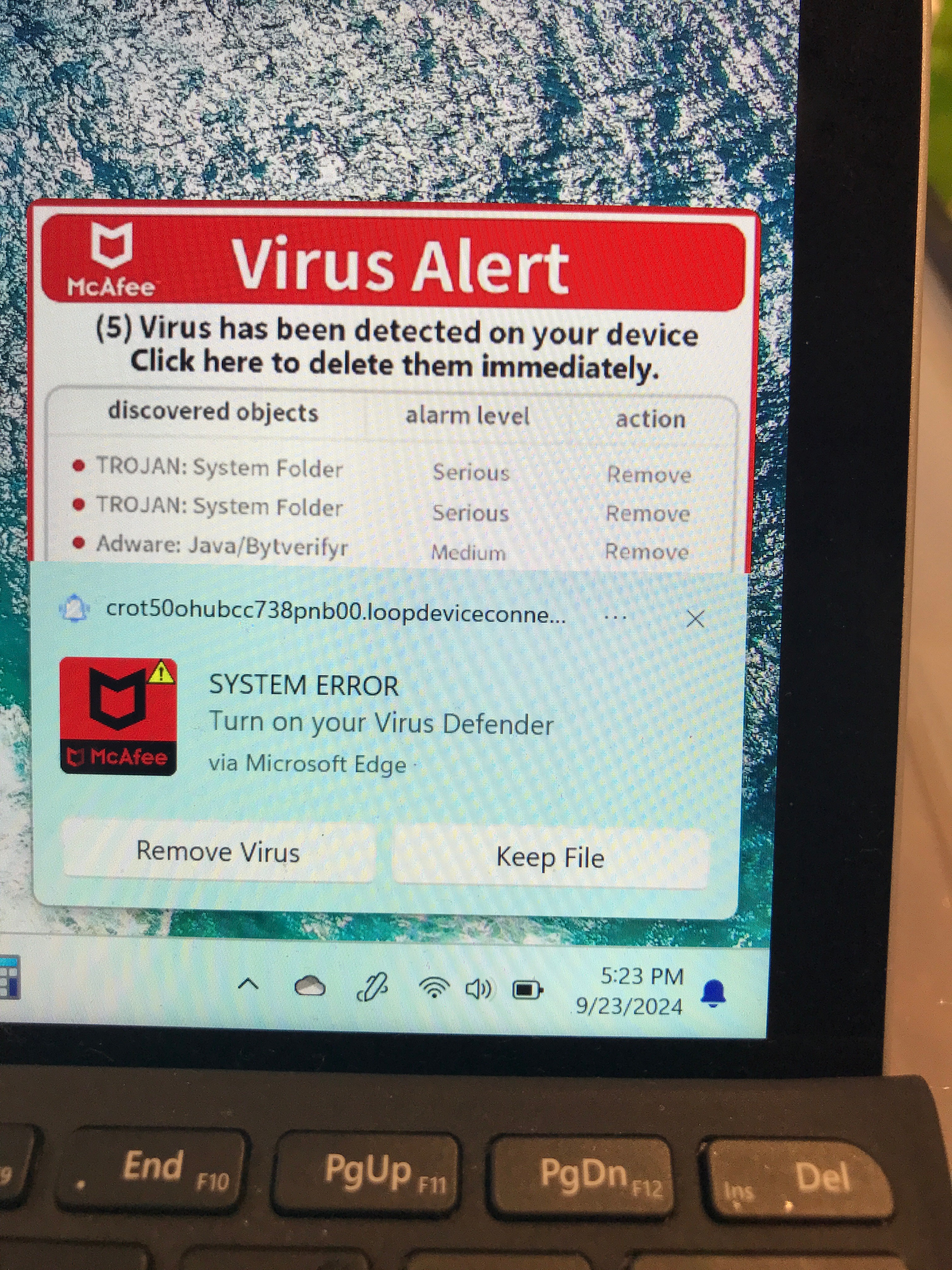
I've got a Surface Go 4 running Windows 11 in my family where today the user clicked "allow" on a popup message she got asking about cookies or something while browsing in Edge. Since then, the PC gets a popup in the lower right corner. She got maybe 15 different versions of the popup. It stays on-screen for 10 to 30 seconds, then goes away without clicking on anything. The next will pop up in 5 seconds to 5 or more minutes. Headings include "(McAfee logo) Virus Alert", "(Windows logo) Sytem Damaged!", "(microsoft logo) "Microsoft Windows Defender TROJAN found in /Win32!", "(shield image) Virus & threats protection - Threats found (16)."

All have some spelling or syntax errors but otherwise look convincing.

All have the same link snippet: "crot50ohubcc738pnb00.loopdeviceconne..."

We haven't clicked anywhere on or near the popup when it's on screen.

Steps I've tried:

Windows defender checked status: has been running ok, last updated last night (9/2224) around 10:20pm.

Powered off, shut off network, powered on, Windows defender quick scan: came up clean. No pop-ups while network was off.

Windows defender offline scan: behaved normally (warned of reboot, reboot, scan) came up clean. Pop-ups resumed when network was turned on.

Taskmgr doesn't show anything I recognize as bad in startup apps list or in running processes, but I'm not current enough to know what processes might be bad.

Example alert pic shown below:
Windows for home | Windows 11 | Security and privacy

Locked Question. This question was migrated from the Microsoft Support Community. You can vote on whether it's helpful, but you can't add comments or replies or follow the question.

0 comments No comments

Answer accepted by question author

_AW_ 67,926 Reputation points Volunteer Moderator
2024-09-24T02:57:57+00:00

Hi, these are push notifications.

To remove specific Edge push notifications:

Enter edge://settings/content/notifications into the URL bar.

For any entries you don't recognize in the Allow section, click the ellipsis (3 dots) to the right of each entry and either Block or Remove it.

You should see an entry for "crot50ohubcc738pnb00.loopdeviceconne...".

Image

You can also toggle Ask before sending to off if you wish to block all notifications.

0 comments No comments

46 additional answers

Sort by: Most helpful
  1. Anonymous
    2025-03-16T12:16:50+00:00

    it has happened to to me to thank you but is this a real virus as it has happed to my old laptop and it got hacked and now can not open up

    0 comments No comments
  2. Rob Koch 25,885 Reputation points Volunteer Moderator
    2025-03-14T19:09:37+00:00

    OG_KimJeffries,

    1. Disabling these notifications simply means that no website will be allowed to display the popup that's requests you to 'Allow' their notification popups in the future, including any sites you might wish to receive.
    2. It's not a virus, it's called a 'Push Notification', using an API that Microsoft added to Windows 10 in an April 2018 update discussed in the Microsoft Edge Blog article that follows. The visit tutorial page link no longer works, but what you've described is exactly how this was designed to work, since in truth it just causes the browser to occasionally check any Allowed websites for new data to display in a popup.

    Get started with web push notifications - Microsoft Edge Blog

    Unfortunately, this was obviously ripe to be abused by bad actors, who in my experience are really the only ones who use it, though I have seen an occasional reputable website offer these as well, but in truth they're clearly just another form of advertising, which many like me detest.

    Rob

    < EDIT > FYI, here's another article that gives a history of how and where these Push notifications first actually appeared, with Microsoft coming late to the game as it details.

    Behind Web Push Notifications: History of Web Push | Braze

    As usual, you thank Google for initially creating this annoying advertising 'feature'.

    Rob

    0 comments No comments
  3. Anonymous
    2025-03-14T18:00:14+00:00

    I had same issue because I quickly accepted page notifications when browsing to a pinterest page. I believe it was a result of an ad, but not sure. Couple of follow up questions:

    1. What functionality would be lost if I just disable these types of notifications?
    2. In this example, how can a page still send a notification even though I'm not browsing to it? It happened after I rebooted and haven't even opened Edge. Seems like something might be running (virus)??? I've run even the deep scan for defender, and it didn't discover anything -- even the annoying pop-up notification site, which is clearly a scam (Defender blindspot?).
    0 comments No comments
  4. Anonymous
    2025-03-04T04:46:23+00:00

    Hi, these are push notifications.

    To remove specific Edge push notifications:


    Enter edge://settings/content/notifications into the URL bar.

    For any entries you don't recognize in the Allow section, click the ellipsis (3 dots) to the right of each entry and either Block or Remove it.

    You should see an entry for "crot50ohubcc738pnb00.loopdeviceconne...".


    Image


    You can also toggle Ask before sending to off if you wish to block all notifications.

    thank you for this it reduced my lag lol!

    0 comments No comments
