My post is about the same issue described in this post: Bluetooth headset connects only as "music", not "voice" - Microsoft Community](https://answers.microsoft.com/en-us/windows/forum/all/bluetooth-headset-connects-only-as-music-not-voice/23ea9ca1-d215-429b-859a-cc420afe80b2 "answers.microsoft.com"), by @[Rishi Chheda I have tried the steps suggested there.
However, I did not see a real solution there, even for the original author of the post.
The issue, previously all my Bluetooth devices used to show "Connected music, Calls".
Now, none of them have "calls".
I know the Bluetooth accessories are working fine as they connect well with other mobile as well as windows devices (with calling).
I have shown example of a JBL Bluetooth speaker with calling function as well as a Sony headset that I use regularly, but I have also tried with 5 Bluetooth devices in my family, and it is the same.
Conclusion: The problem is not the accessories, and it is not with a few accessories but all of them.
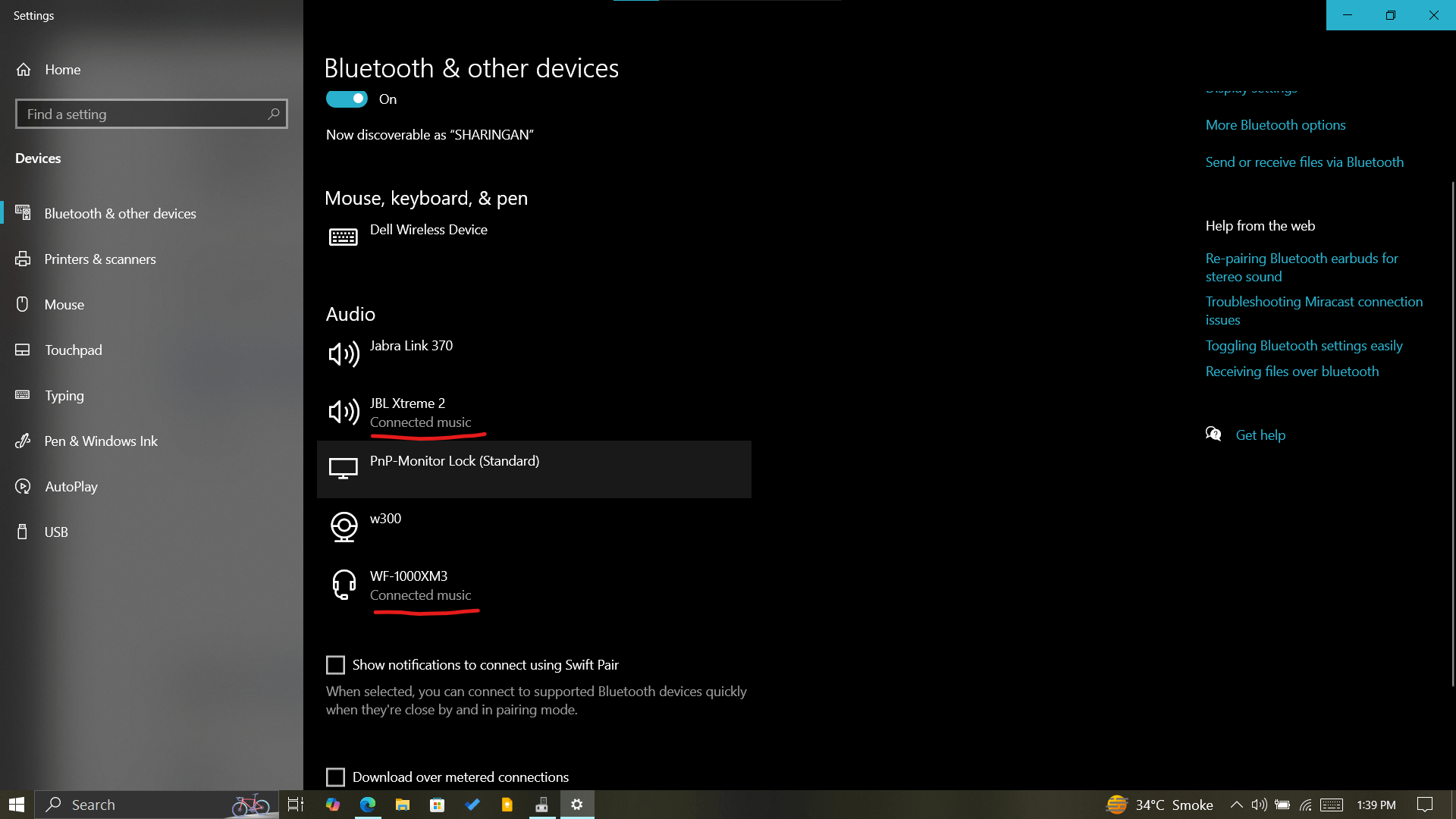
Same situation under "Sounds" all of the "Speaker"/"Earphone" parts of the same device connect but the "Headset" part which is used for calling doesn't, "connect" option doesn't actually do anything.
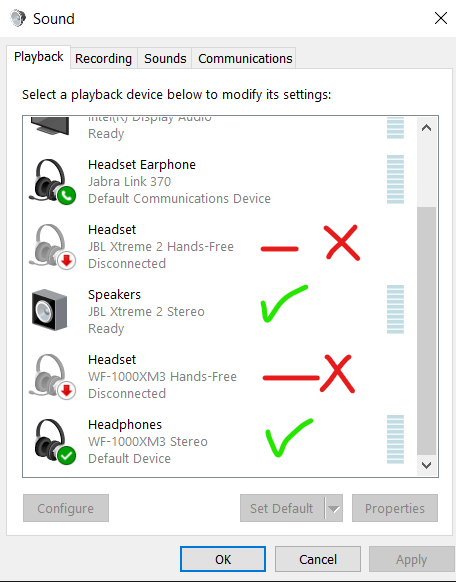
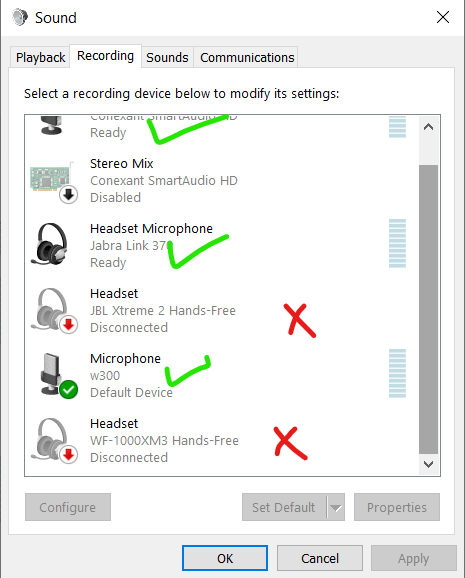
You can see the same problem in the "recordings" tab, any other microphone which is on the webcam, onboard the laptop of wired, gets connected. (I even used Win + H for dictation in windows)
Just the Bluetooth devices don't get connected. "Connect" option doesn't actually do anything
Things I have tried:
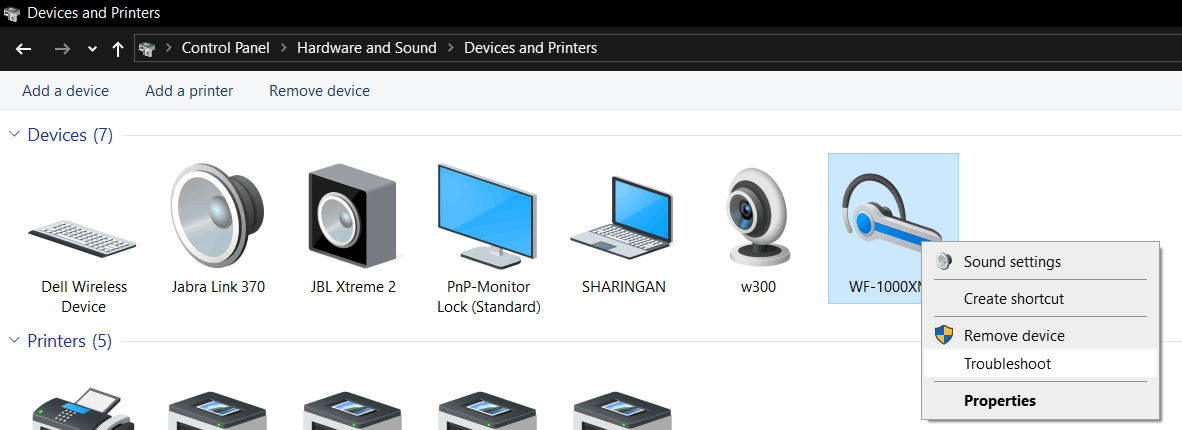
- Bluetooth Troubleshooter
-
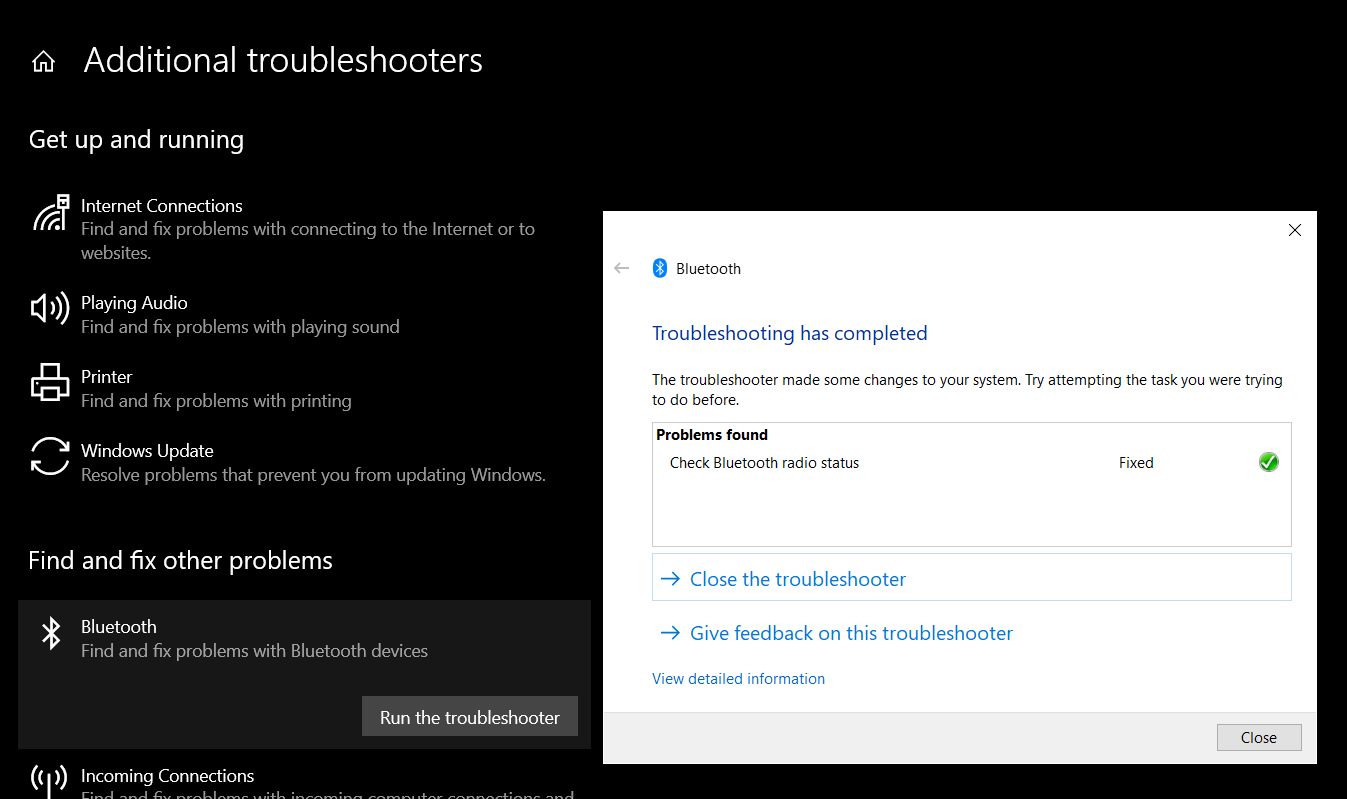
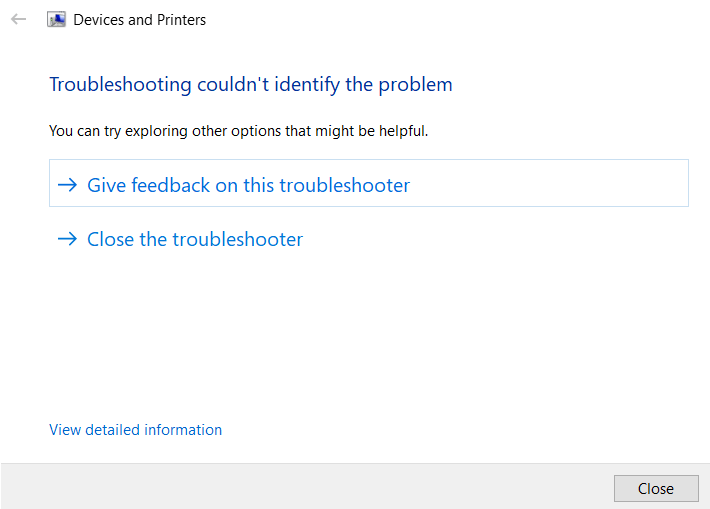
- Individual Device Troubleshooter
-
- .
-
- Unpair and paired the accessories multiple times.
- Disabling and reenabling the devices from "Sound" (this I have tried on all steps whenever I fiddled with the drivers also, also restarted laptop)
- Uninstalling, reinstalling the Devices from Device Manager and same from devices and printers
- Also updated the driver using "Click "Browse my computer for drive software"
- Resetting the Laptop 3 times. (EDIT: Windows fully updated after each reset)
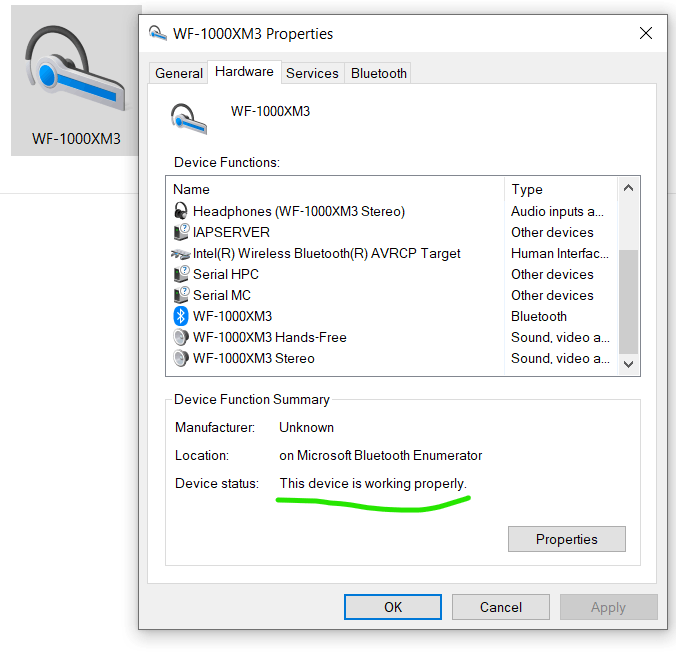
The main issue is problem is that there are no errors anywhere.
Every device shows "This device is working properly", which is not true!
Can someone really knowledgeable on Windows & Bluetooth, please help me out to get to the bottom of this issue?
I think we need to see the logs somewhere that I simply do not know.
' cx='32' cy='32' r='32' /%3E%3Ctext x='50%25' y='55%25' dominant-baseline='middle' text-anchor='middle' fill='%23FFF' %3EA%3C/text%3E%3C/svg%3E)

' cx='32' cy='32' r='32' /%3E%3Ctext x='50%25' y='55%25' dominant-baseline='middle' text-anchor='middle' fill='%23FFF' %3EJ%3C/text%3E%3C/svg%3E)