Hi, after I upgraded to Windows 11 (this didn't happen in Windows 10) my CPU started to have this strange behavior in which, after booting Windows (turning on the computer for the first time) or waking up the computer from sleep mode (this behavior only happens in these two scenarios) all the fans start spinning at maximum speed and the CPU even with nothing open hits 95c (its thermal limit) and even ends up going over the limit without throttling itself for an extended period of time and then “goes back to normal” with a temperature of 33-37c. This is really worrying me and I don't know what else to do.
Things I've tried and not succeeded:
- I've done a clean install of Windows 11 (via bootable USB) more than 2 times, reconfiguring everything from zero each time.
- I've reinstalled the Chipset Drivers to the latest version from the AMD website (AM5 > X670E) and I've also tried using AMD's adranaline software which installs automatically for you.
- I updated the BIOS to the latest version.
- I monitored the task manager to see if there were any background processes/applications pulling on the CPU at startup and I also disabled some programs from running at startup (I only had 2 and they never gave me any problems in Windows 10).
- In the advanced power options I changed the processor power management to minimum: 5% and maximum: 100% (it was minimum: 0% and maximum: 100% before that).
Photos:
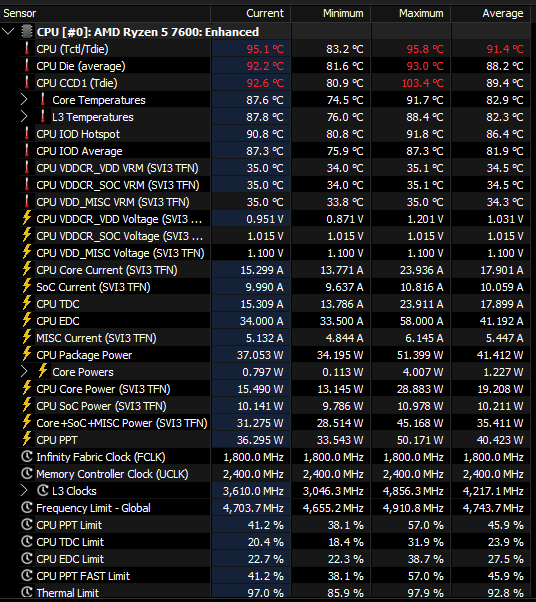
CPU overheating and reaching its thermal limit right after starting Windows or Waking it up from Sleep Mode (with no apps open in the background) and stays like that for a long period of time while not throttling itself
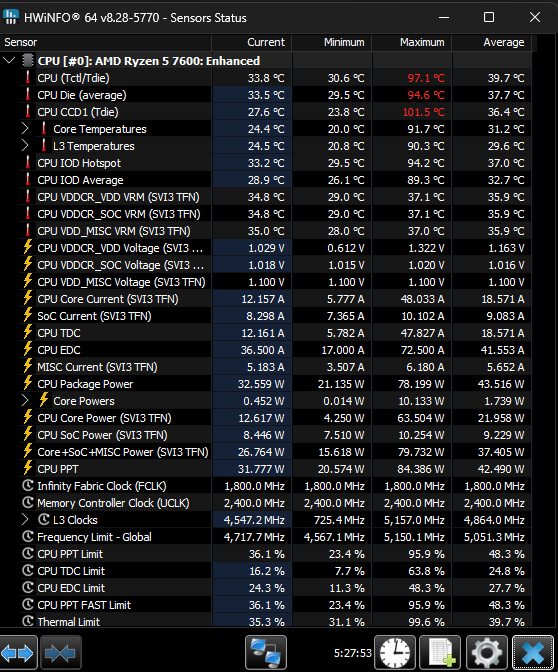
After some time on that state CPU goes back to "normal" at 33-37c
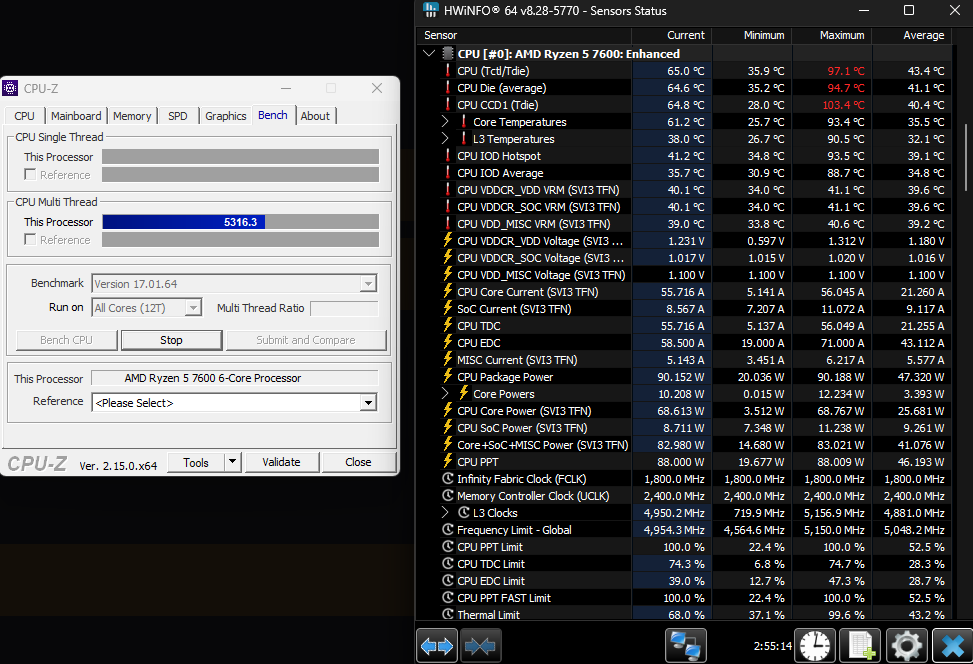
CPU does not overheat while gaming or when doing stress tests
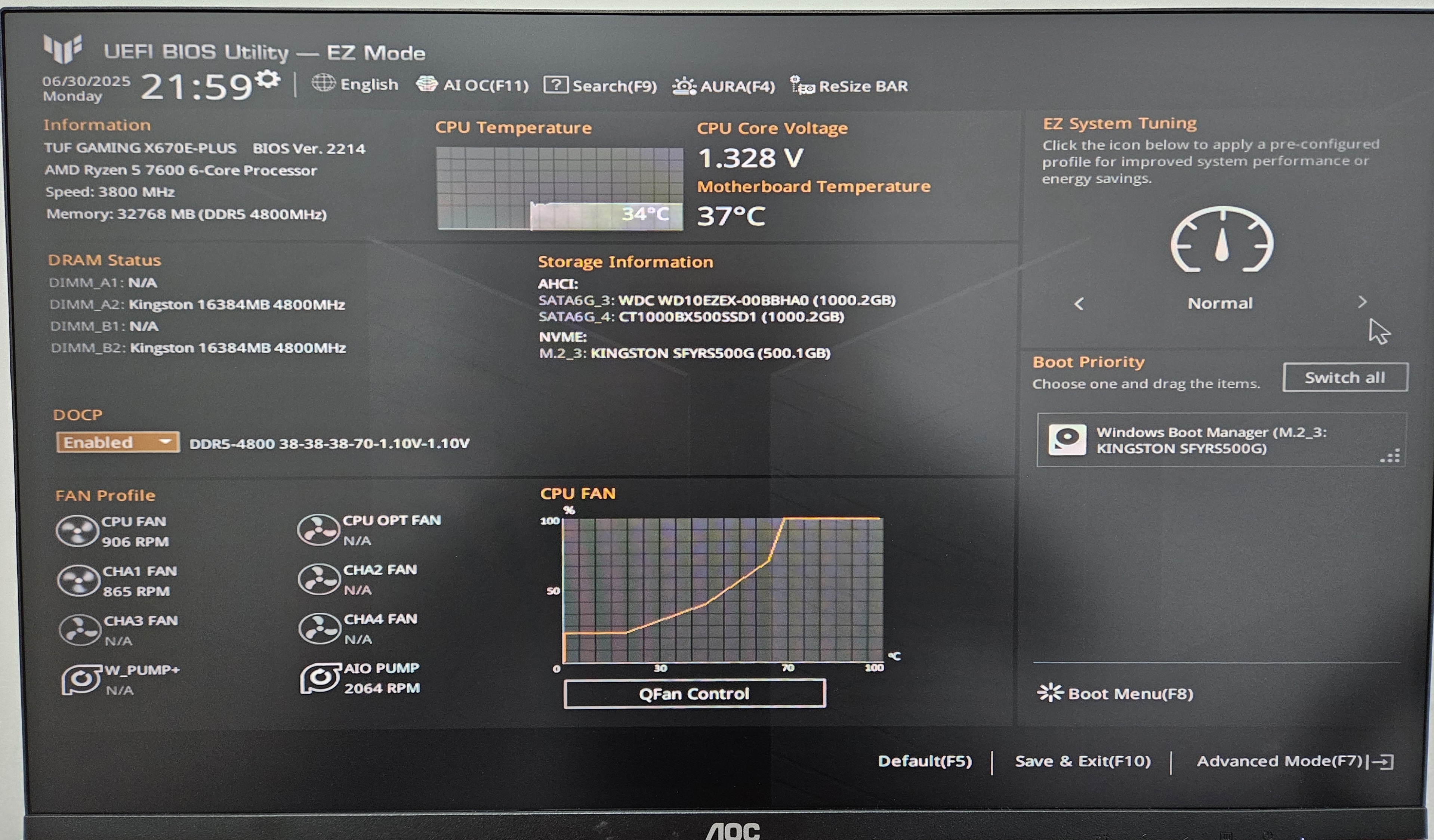
CPU does not overheat while on BIOS
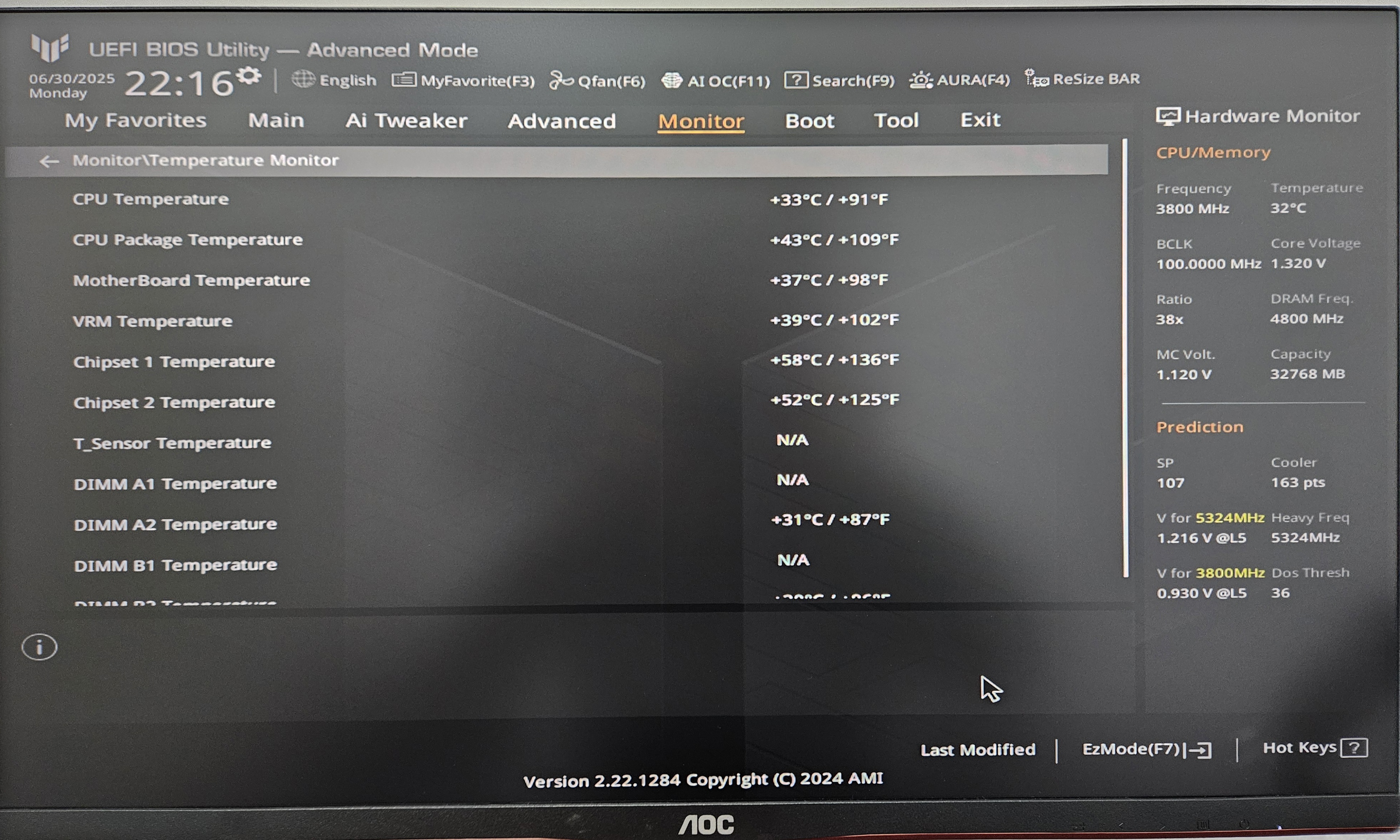
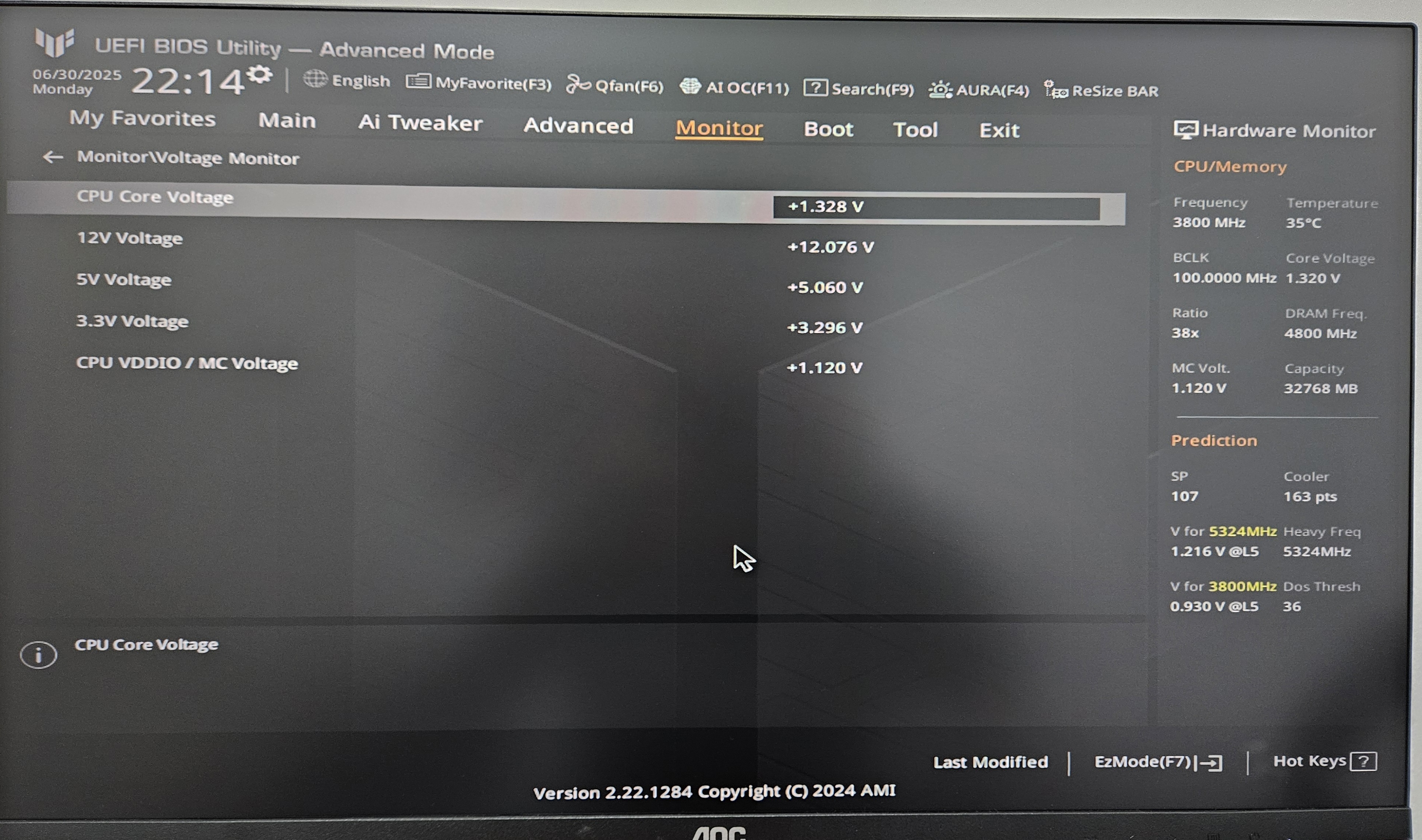
Notes:
The thermal paste was changed 1 month ago.
The water cooler is very well attached to the processor, it doesn't seem to be it, since everything was fine before I did the upgrade to Windows 11.
I've never touched any advanced BIOS settings and or overclocked anything. The only thing I ever did was activating the DOCP profile a long time ago so that my RAM always runs at 4800 (and I've never had any problems in Windows 10 with that on).
I've tried everything and nothing seems to fix it, I'm almost giving up on Windows 11 and either going full Linux or going back to Windows 10, has anyone had a similar problem? I need to solve this soon before the headache gets worse (my system has been behaving this way for a week now).
System Info:
Motherboard: Asus Tuf Gaming x670e-plus
CPU: Ryzen 5 7600
Water Cooler: 240mm Cougar
GPU: Asus RTX 3060 (12VRAM)
GPU (integrated): Radeon Graphics
RAM: 2x16gb DDR5 Kingston Fury 4800hz
Storage: 500gb Kingston NVME (System), 1TB Crucial SATA SSD, 1TB WDC HDD
OS: Windows 11 Pro
' cx='32' cy='32' r='32' /%3E%3Ctext x='50%25' y='55%25' dominant-baseline='middle' text-anchor='middle' fill='%23FFF' %3EED%3C/text%3E%3C/svg%3E)

' cx='32' cy='32' r='32' /%3E%3Ctext x='50%25' y='55%25' dominant-baseline='middle' text-anchor='middle' fill='%23FFF' %3EIB%3C/text%3E%3C/svg%3E)