
Hello Rita,
More information provide to you.
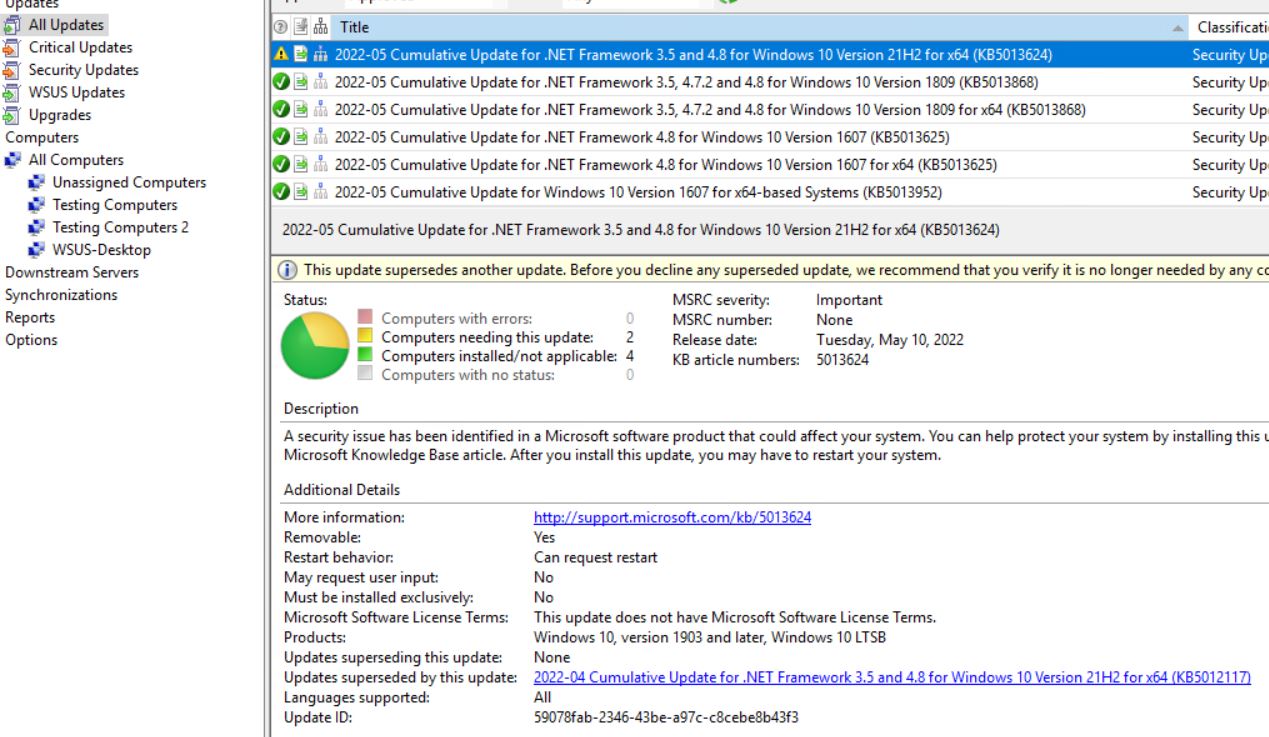
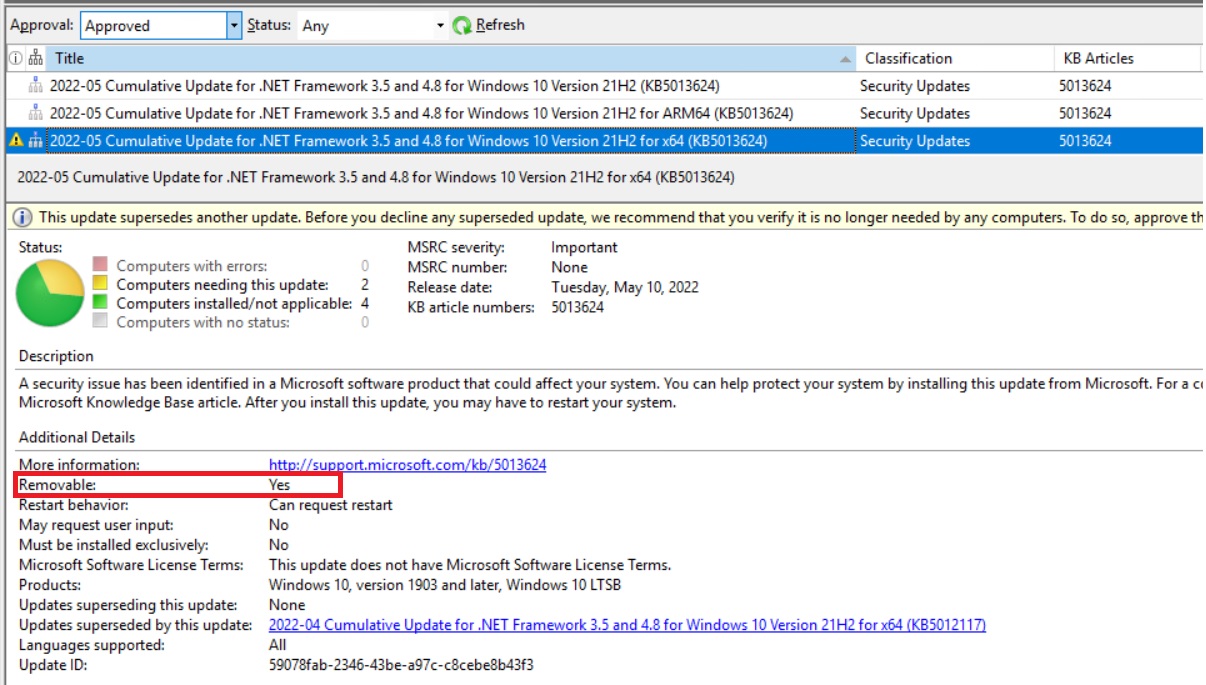
- Update ID of this patch I found in WSUS
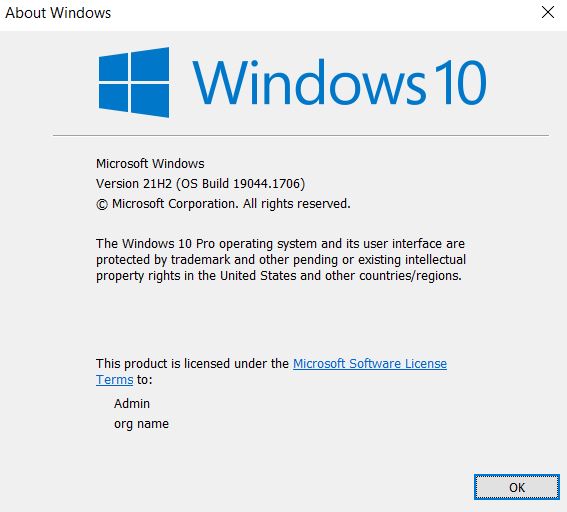
- Windows 10 version
-
Kind Regards
This browser is no longer supported.
Upgrade to Microsoft Edge to take advantage of the latest features, security updates, and technical support.
' cx='32' cy='32' r='32' /%3E%3Ctext x='50%25' y='55%25' dominant-baseline='middle' text-anchor='middle' fill='%23FFF' %3EAR%3C/text%3E%3C/svg%3E)
In our environment, it is using Windows 10 21H2.
There is a issue when I tried to use "approve for removal" of WSUS to uninstall the windows update patch.
I checked that the patch is allowed to remove. At least I can manually uninstall the patch from Add/ Remove.
After applied "approval for removal" setting on WSUS, I did a Windows Update manually on client PC in order to get the patch removal task.
Unfortunately, nothing uninstall even restarted the PC.
I checked the Windows Update Log, there are some errors:
6180 13756 DownloadManager FAILED [80246007] Could not find a locked revision for the child of the update 59078FAB-2346-43BE-A97C-C8CEBE8B43F3.200
7304 8368 ComApi FAILED [80246007] ISusInternal:: IsCommitRequired
7304 16348 ComApi Download call complete (succeeded = 0, succeeded with errors = 0, failed = 1, cancelled = 0, unaccounted = 0)
7304 16348 ComApi ClientId = MoUpdateOrchestrator: Exit code = 0x00000000; Call error code = 0x80240022
7304 16348 ComApi * END * Download ClientId = MoUpdateOrchestrator
6180 14620 Agent WU client calls back to download call {295D28AD-7578-4A76-99DC-5CAD08DA0F13} with code Call complete and error 0x80240017
7304 1904 ComApi Download call complete (succeeded = 0, succeeded with errors = 0, failed = 1, cancelled = 0, unaccounted = 0)
Hello Rita,
More information provide to you.
Kind Regards
Hello Rita,
Thanks for your quick response and follow up.
Attached are the Windows Update log today. As the log file is too large, I separated into 2 files. Please combine it for investigation.
Within the log, there are 2 events that occurred, first one was I powered on the PC, second one was "check for updates" manually.
Same as before, , the update patch installed again today after the device powered on this morning.
Besides, I just re-confirmed that "approved for removal" is applied to the computer group.

Kind regards 3: /api/attachments/209756-kb5013624-updatehistory.jpg?platform=QnA
209851-windowsupdate1.log209750-windowsupdate2.log
Hello Rita,
I forgot to provide the patch installation record.
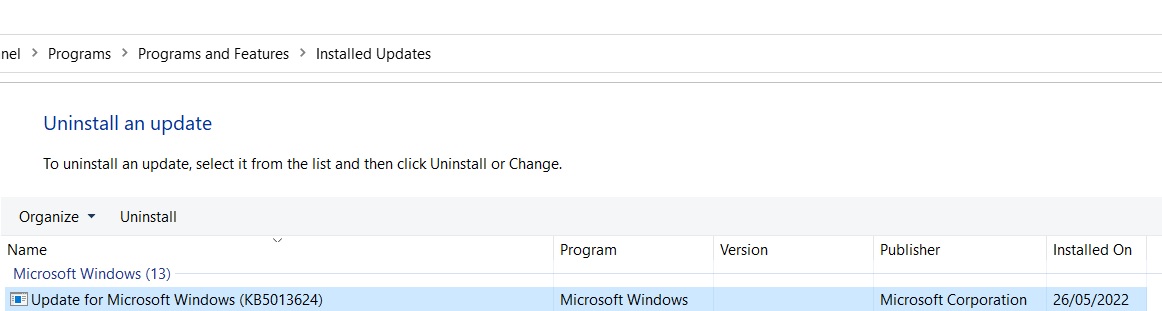
I found something strange.
The "Approved for removal policy" is assigning to that PC, I didn't cancel the policy.
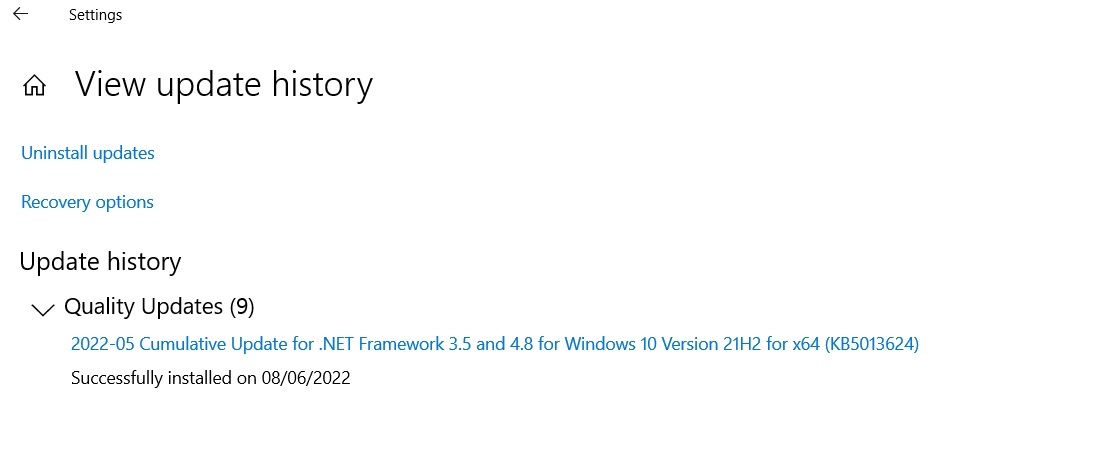
In problem windows 10 PC, I checked the "Settings --> Windows Update -> View update history", I found that every time when I power on the computer next day, the patch update date will be changed to next day.
Unfortunately, when I check the installed patch in "Programs and Feature --> Installed Update", the patch is still on the list and the installation data is the data I installed the patch long time ago.
Thank you
' cx='32' cy='32' r='32' /%3E%3Ctext x='50%25' y='55%25' dominant-baseline='middle' text-anchor='middle' fill='%23FFF' %3ERH%3C/text%3E%3C/svg%3E)
Hi sir,
In problem windows 10 PC, I checked the "Settings --> Windows Update -> View update history", I found that every time when I power on the computer next day, the patch update date will be changed to next day.
It seems that the update has been installed again after the device restart and power on. It is so weird. Would you mind sharing the windowsupdate.log of the affected device for me to research further? Also I will test it further in my lab.
Thanks for your time and cooperation.
Regards,
Rita
Hello Rita,
Thanks for your follow up.
The patch is KB5013624 and the removable option is Yes.
Thank you
Hello Sir,
Thanks for your posting on Q&A.
According to your description of the case, please help to comfirm whether the update is removeable on the WSUS console and has been installed successfully on the devices. This option is available only if the update is already installed and supports removal.
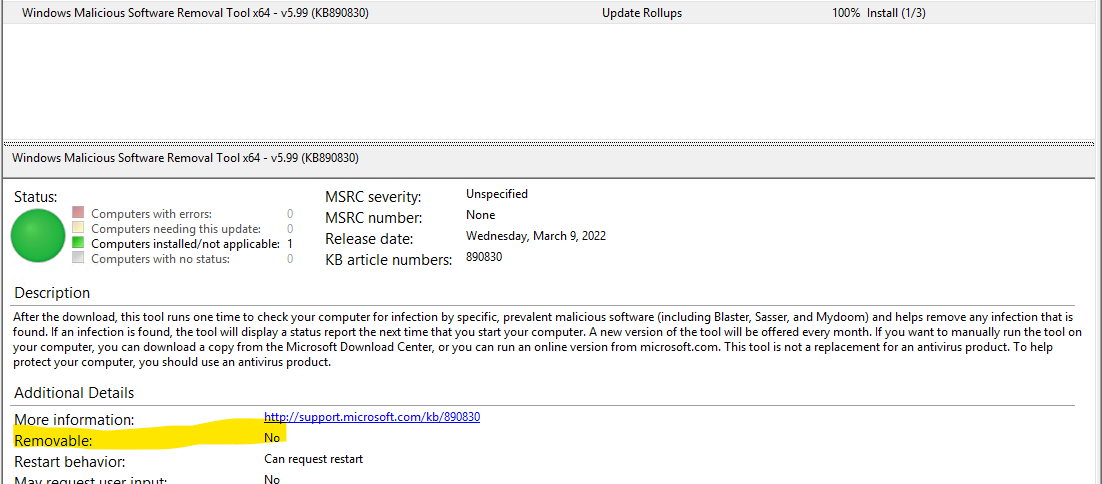
What is the KB number of the update you want to remove and why you want to remove it? I would like to test it in my lab and check whether it is same phenomenon in my lab.
Thanks for your cooperation.
Best regards,
Rita
If the answer is the right solution, please click "Accept Answer" and kindly upvote it. If you have extra questions about this answer, please click "Comment".
Note: Please follow the steps in our documentation to enable e-mail notifications if you want to receive the related email notification for this thread.