Share via

Remove specific set of days (i.e. every Friday) from recurring meetings

Anonymous
2020-06-28T12:05:42+00:00

At work I have a calender invite for daily SCRUM standups and standdowns (one recurring meeting: all days of the workweek).

My problem comes from the fact that I do not work on Fridays. Because of this I would like to be able to remove these meetings on -every- Friday.

I export my work Outlook calendar to my personal Google calendar but now I have to delete all these meetings manually every time.

How can I remove the Friday occurance of these meetings?

I've thought about declining the whole invite and creating a personal recurring item on Mo-Thu in my own calendar, but the original is tied to a Teams meeting that allows us to actually attend it.

Outlook | Windows | Classic Outlook for Windows | For home

Locked Question. This question was migrated from the Microsoft Support Community. You can vote on whether it's helpful, but you can't add comments or replies or follow the question.

0 comments No comments

3 answers

Sort by: Most helpful
  1. Anonymous
    2020-06-30T06:23:05+00:00

    Hello Celestral,

    Sorry for my misunderstanding. As you are not the meeting organizer, it is not feasible to manage it like my first reply. Given the situation, you have to manually Decline the events on each Friday so that it will be removed from your calendar.

    Sorry for many inconvenience it caused. However, this is the only workaround currently. I would like to invite your to submit your feedback in the Microsoft 365 UserVoice forum for feedback.

    Your understanding and cooperation would be highly appreciated.

    Regards,

    Rick

    10+ people found this answer helpful.
    0 comments No comments
  2. Anonymous
    2020-06-29T09:32:11+00:00

    Hello Rick,

    I do actually want to change the events in Outlook, not in Google, because that saves me times after the export, so thank you for providing a possible solution, unfortunately it doesn't seem to work for me.

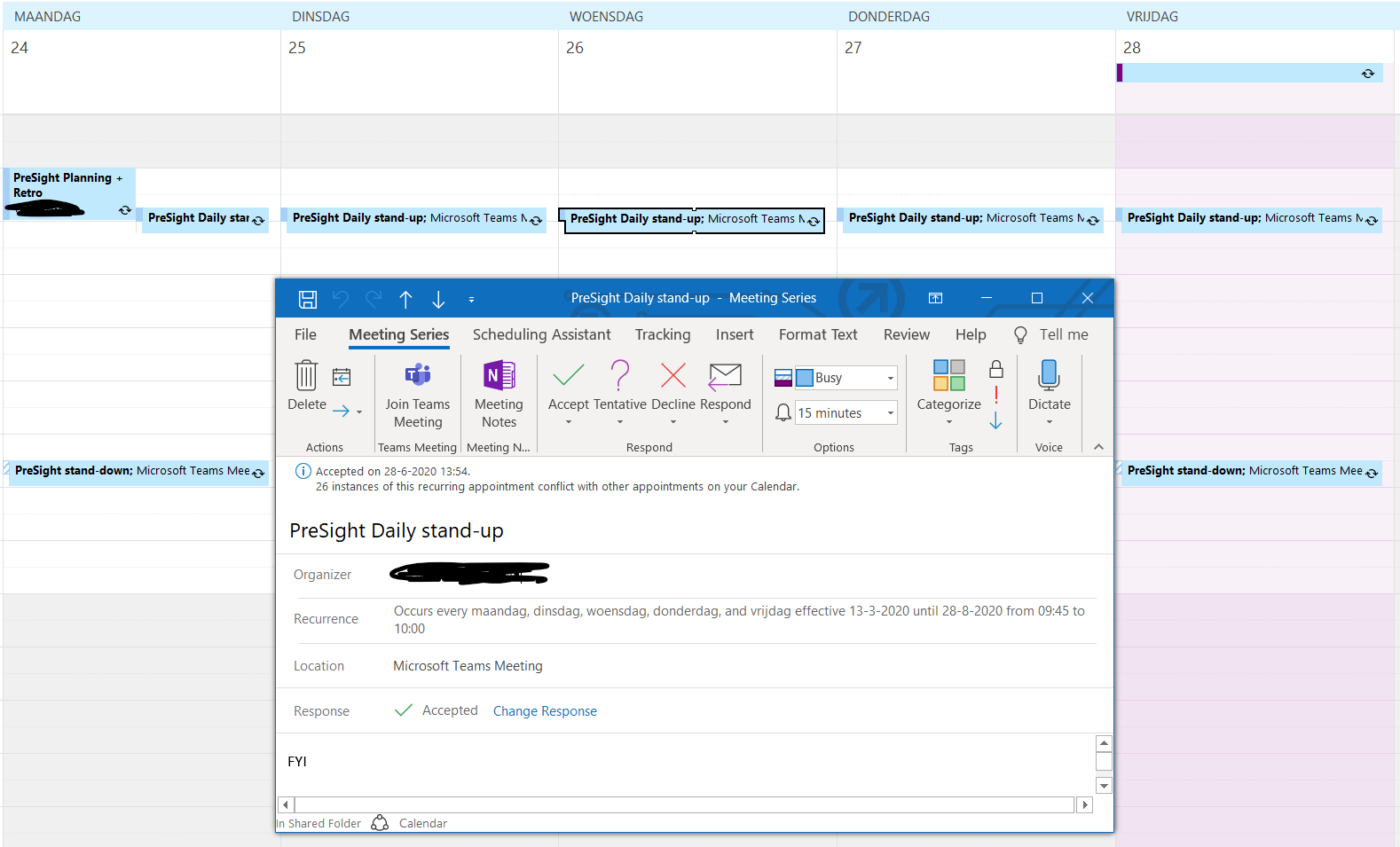
    I do not have the option for "Edit", but I do have "Open->Open Occurence/Open Series". Unfortunately I do not see the option for changing the weekdays in here. As I have stated above it is an invite I have received, I am not the owner of the meeting if that changes anything.

    Here is a clearer recap since I think my initial story probably missed some details:

    The team manager sends one huge daily mo-fri standup series and mo-fri daily standdown series to entire team with an online meeting invite.

    I do not work on Fridays.

    I can only accept or decline the whole series.

    I do not want the Friday meetings exported to my personal Google Calendar because I don't want my off-days to be cluttered with work.

    This means I need the Friday meetings removed from my Outlook (before export).

    Please let me know how I can manage this.

    If there is any way to accept Mo-Thu in the series and decline Fridays in the series that would also be great. I assume there is a way to do this since this is probably a very common scenario, I just haven't been able to find it yet.

    Thank you!
    10+ people found this answer helpful.
    0 comments No comments
  3. Anonymous
    2020-06-28T23:27:14+00:00

    Hello Celestral_,

    It seems that you want to edit the recurring meetings via your personal Google calendar right? If my understanding is correct, it’s not feasible to manage all events in this series via Google calendar.

    However, as a workaround, you can go to your work Outlook calendar, right click on the recurring meeting and select Edit -> All events in the series -> remove Friday from the meetings. After it is saved, export and import the calendar to your personal Google calendar again.


    Hope it helps!

    Regards,

    Rick

    4 people found this answer helpful.
    0 comments No comments