Share via

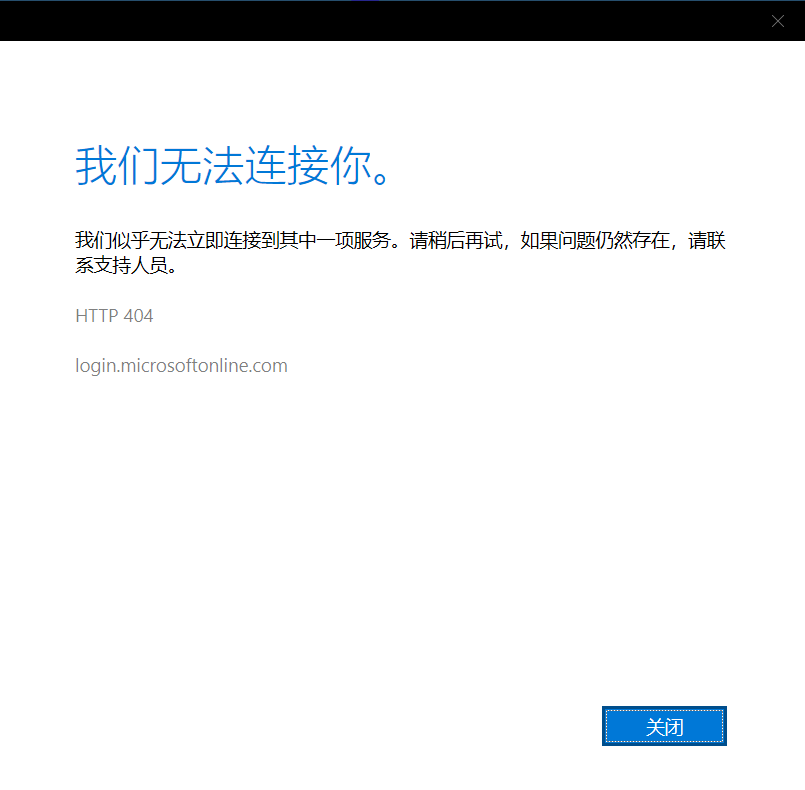
VS 2022 community prompt a connection error when launching

William Liu 556 Reputation points
2022-06-15T00:25:52.547+00:00

It`s been there more than one month that the Visual Studio 2022 community keeps prompting a connection error when I launched it. This issues keeps happenning every time after launching the VS. The VS seems works well but this behavior is quite annoying.

Could you kindly let me know how to fix it? Thanks!

Developer technologies | Visual Studio | Other

A family of Microsoft suites of integrated development tools for building applications for Windows, the web, mobile devices and many other platforms. Miscellaneous topics that do not fit into specific categories.

Answer accepted by question author

Anna Xiu-MSFT 31,201 Reputation points Microsoft External Staff
2022-06-15T03:33:28.657+00:00

Hello, could you please check if this issue happens in other programs of this machines?
Please go to File > Account Settings and sign out your account.
Then, close running VS instances and open Visual Studio Installer to update your VS2022 to the latest version.
Relaunching your VS and sign into your account or a new Microsoft account to check again.

Besides, please check if your Internet connection is fine or not.

Was this answer helpful?

1 person found this answer helpful.

0 additional answers

Sort by: Most helpful

Your answer

Answers can be marked as 'Accepted' by the question author and 'Recommended' by moderators, which helps users know the answer solved the author's problem.