Share via

SMTP port failure since Monday, forces 465 instead of said 587 SSL

Anonymous
2022-05-20T04:30:51+00:00

Hello,

I think this started around Monday or Tuesday this week.

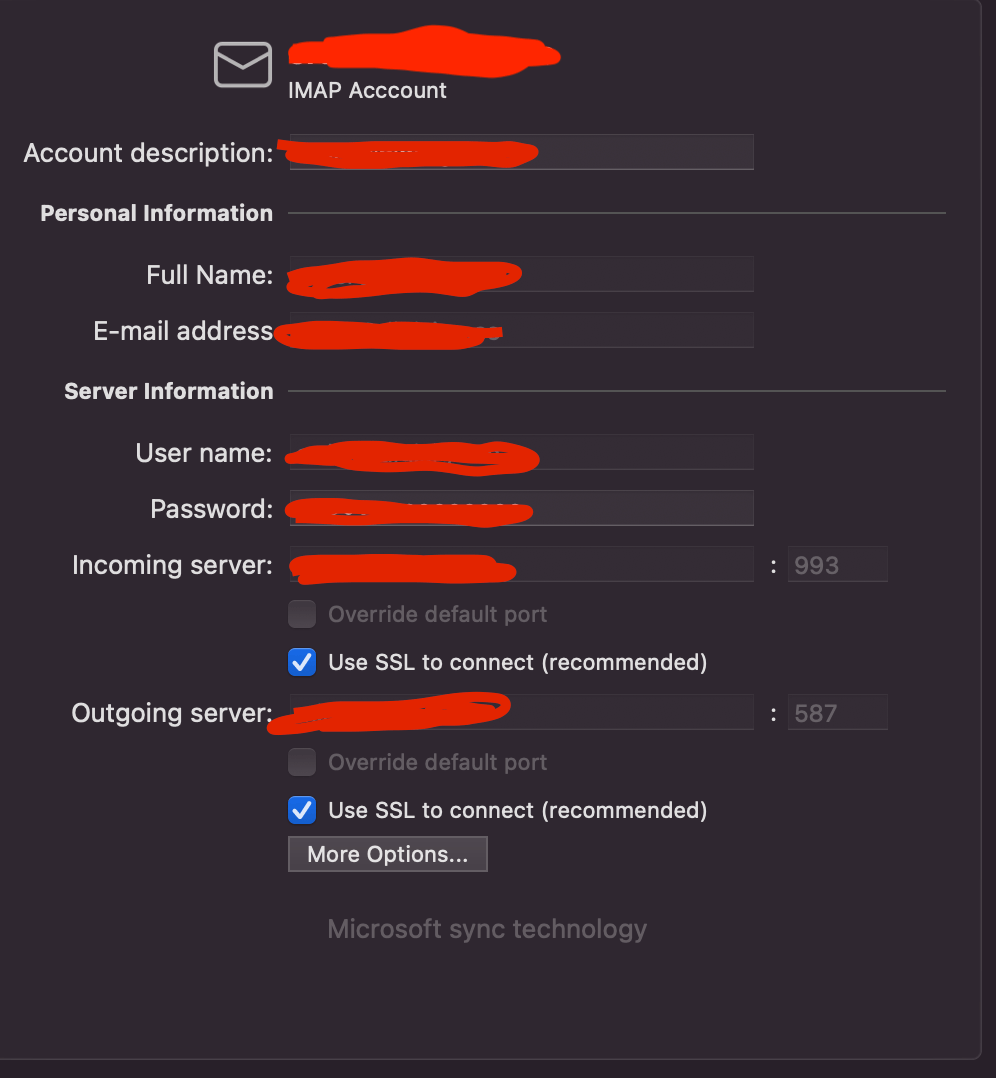
I use our own company SMTP-server and it uses port 587 SSL, and now nobody that uses Outlook for Mac can send emails with this setup.

We get this error;

"Technical details

SmtpConnectionFailedTransientException: Failed to connect to SMTP Server 'our.company.smtp' Port '465'. --> Couldn't connect to the SMTP server with address our.company.smtp --> A connection attempt failed because the connected party did not properly respond after a period of time, or established connection failed because connected host has failed to respond ip.adress:465 Failure code: 7d59"   

In the account configuration it says I'm using SSL and port 587, but it still use 465?

I'm getting a feeling that this might be a bug, have there been any updates around Monday 2022-05-16?

I've also tried to remove the account and set it up again, but to no success.

Sidenote, the port configuration is locked, the only way to change it is to remove and set it up again, weird..

Another weird note, the failure response email comes around 3 hours after i try to send the mail.
Outlook | MacOS | Legacy Outlook for Mac | For home

Locked Question. This question was migrated from the Microsoft Support Community. You can vote on whether it's helpful, but you can't add comments or replies or follow the question.

0 comments No comments

16 answers

Sort by: Most helpful
  1. Anonymous
    2022-07-08T22:00:42+00:00

    Apparently this problem is not unique to me. After spending several hours on the phone today with Spectrum, Microsoft and Apple I have found a solution - I will delete Outlook and start using Apple Mail., Microsoft tech support was absolutely no help when I called; they said it was a Spectrum problem, not Microsoft

    Now it's no longer my problem!!!

    3 people found this answer helpful.
    0 comments No comments
  2. Anonymous
    2022-05-20T11:31:29+00:00

    We're running Outlook V16.61 (22050700)

    Everyone is affected.

    3 people found this answer helpful.
    0 comments No comments
  3. Anonymous
    2022-07-09T18:10:12+00:00

    We're not using Spectrum, so it is definitely Microsofts problem. It was working before so they've must been doing something...

    2 people found this answer helpful.
    0 comments No comments
  4. Anonymous
    2022-07-12T23:36:02+00:00

    Oh how I loathe technology. Microsoft kept whining at me to "try the new outlook for Mac" it then mentioned something about for IMAP accounts needing to use some type of proxy service through Microsoft for IMAP / POP accounts with this new fangled outlook. Ever since then I've never been able to send an email and every time I look into it all of the posts I see don't seem to have a resolution and this dates back to 2021 from what I can see.

    So does anyone have an actual solution other than switching back to the old one? Does Microsoft have a reason for this? Enough people must be using Office for Mac with IMAP accounts that this can't possibly be a bug that's been in the software for a year?

    This is pure BS from Microsoft. From what I can tell when it auto pulls the settings first off, it sets incoming correctly to mail.domain.com but incorrectly thinks its smtp.domain.com for outbound. Both should be mail, so apparently though there's no way in the new outlook to edit server settings. So I deleted the account and updated both correctly to mail.domain.com it adds the account.

    However now it refuses to send the mail at all and keeps it in the outbox.

    Before it was getting a bounce back from Microsoft saying that it failed to connect as the OP mentioned which is correct in my case because smtp.domain is invalid.

    But now outlook refuses to use mail.domain and just keeps it in the outbox.

    I know my settings are correct and I manage the mail server, it worked fine for years in old outlook. It wasn't until this BS cloud service Microsoft is forcing us to use that it became an issue.

    So anyone got ideas

    1 person found this answer helpful.
    0 comments No comments
  5. Anonymous
    2022-07-08T16:21:21+00:00

    I am having the same problem, using Outlook (v16.62) on a MacBook Pro. My server is Spectrum. I called Spectrum, and they said to call Microsoft. I called Microsoft, and they said call Spectrum. My error message is the same, and it adds that the error code is 5513.

    1 person found this answer helpful.
    0 comments No comments