Dear alnila
Good day! Thank you for posting to Microsoft Community. We are happy to help you!
According to your description, please kindly delete the OOF rules and the OOF rules templates from the mailbox. Then, re-enable the OOF feature, and test the behavior. To do this, follow these steps.
You do not have to back up the OOF message when you follow these steps.
- In the main window of MFCMapi, select Session, and then select Logon and Display Store Table to open the mailbox.
- Expand the root container and the top of the information store.
- Delete the OOF rules. To do this, follow these steps:
- Right-click Inbox, and then select Display Rules Table.
- If the OOF feature is disabled, an OOF rule is listed in the rules table together with the following rule name:
MSFT: TDX OOF Rules
- If the OOF feature is enabled, two different OOF rules are listed in the rules table. Which rules are listed depends on whether the rule is enabled only internally or both internally and externally. For example, consider the following screenshot:

- If the OOF templates are corrupted or malformed, those OOF templates are listed in the rules table. You can see other entries if the user has other rules enabled.
- Right-click the OOF rules, and then select Delete.
Note
Do not delete any OOF rules except those that are referenced.
3. Close the Rules Table window.
4. Delete the OOF templates. To do this, follow these steps:
- Right-click **Inbox**, and then select **Open Associated Contents Table**.
- Scroll to the right side, and then expand the **Message Class** column.
- To sort the items, select the **Message Class** column.
- Look for the items whose **Message Class** is either of the following values:

    - IPM.Note.Rules.ExternalOofTemplate.Microsoft
    - IPM.Note.Rules.OofTemplate.Microsoft
For example, consider the following screenshot:

- Right-click the items that belong to one of those two message classes, and then select Delete Message.
Do not delete any items except those are referenced.

- In the Delete Item dialog box, select Permanent delete passing DELETE_HARD_DELETE (unrecoverable) under Deletion style, and then select OK.

- Disable and then re-enable the OOF feature by using the following commands:
Set-MailboxAutoReplyConfiguration \<identity> -AutoReplyState Disabled
Set-MailboxAutoReplyConfiguration \<identity> -AutoReplyState Enabled
- Check whether the OOF feature works as expected and the symptoms no longer occur.
In addition please kindly try to set OOF in OWA(outlook web app) and check whether it have the same error , just try to check the following screenshots:
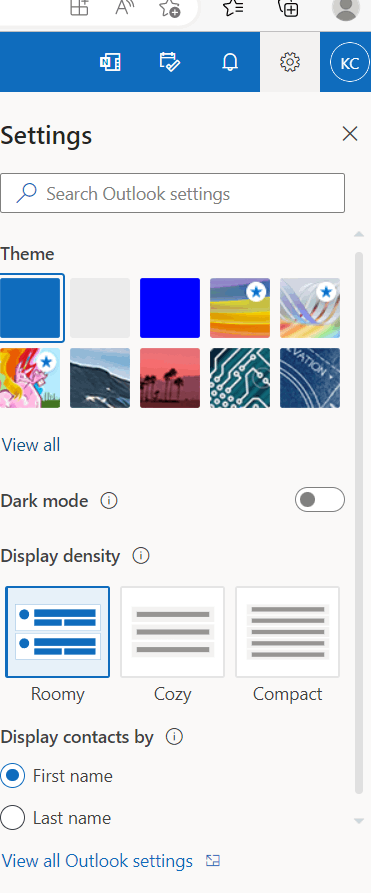
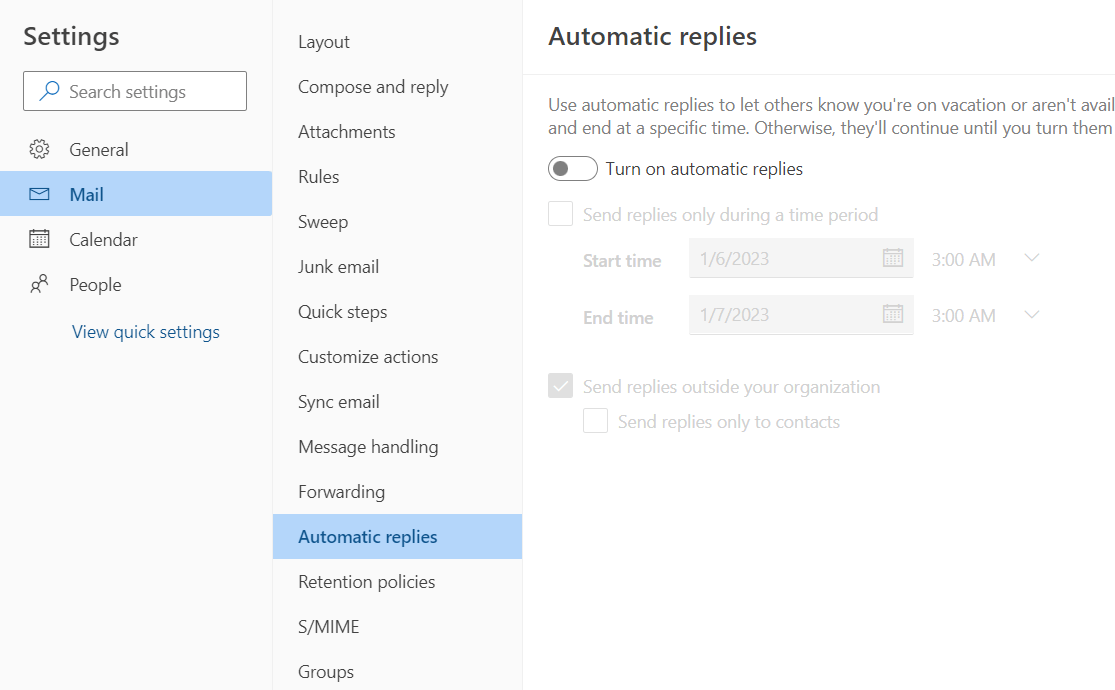
Thanks in advance for your understanding! Your patience and cooperation will be highly appreciated. Hope you all the best! Happy new year to you!
Sincerely,
Kerry Chen | Microsoft Community Moderator
' cx='32' cy='32' r='32' /%3E%3Ctext x='50%25' y='55%25' dominant-baseline='middle' text-anchor='middle' fill='%23FFF' %3EA%3C/text%3E%3C/svg%3E)
