Developer technologies | C#
An object-oriented and type-safe programming language that has its roots in the C family of languages and includes support for component-oriented programming.
This browser is no longer supported.
Upgrade to Microsoft Edge to take advantage of the latest features, security updates, and technical support.
' cx='32' cy='32' r='32' /%3E%3Ctext x='50%25' y='55%25' dominant-baseline='middle' text-anchor='middle' fill='%23FFF' %3EAS%3C/text%3E%3C/svg%3E)
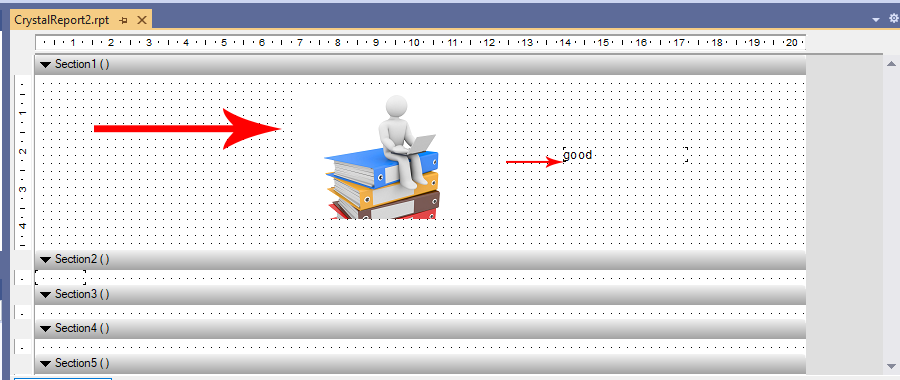
I have a report using Crystal Report, I select a specific position of an image within the report and add a default image to the Picture tool.
What I want is to change the image inside the image box with the code. Use the following method to change the text inside the text box on the report.
What is the way to change the image??
crystalreport.CrystalReport1 crv = new crystalreport.CrystalReport1();
TextObject TextEedit;
                    TextEedit = (TextObject)crv.ReportDefinition.ReportObjects["Text1"];
                    TextEedit.Text = "good";
An object-oriented and type-safe programming language that has its roots in the C family of languages and includes support for component-oriented programming.
Answer accepted by question author

Maybe you can see the Solution 2 from Image display in a crystal report