Hello Erin! My name is Janbaz, and I am an Independent Advisor.
I'm sorry to hear you're having this problem, and I hope I can assist you to find a satisfactory solution.
The messages and emails that arrives in your mailbox when your storage was full will bounced back to the sender with a mailbox full error message.
You can't recover those messages and emails because they were not actually delivered to your email box.
In that case, you will need to request to send it once again.
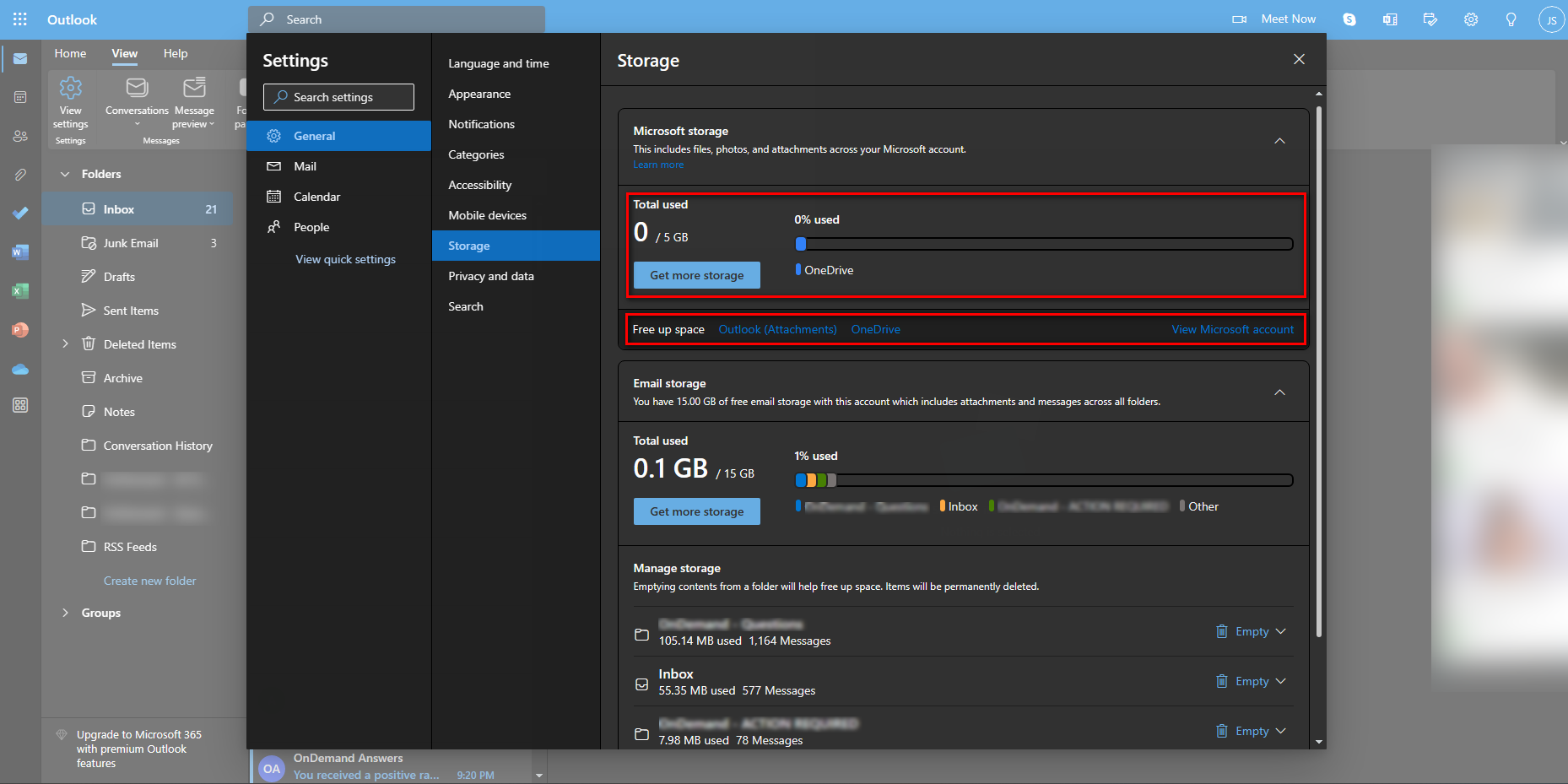
If either your Outlook.com mailbox or your OneDrive storage is full, you cannot send or receive new emails. please check your OneDrive storage on the link below to see how much space you have.
Your OneDrive storage is different from your email storage.
I have attached a screenshot where you can look to.
I recommend you use a laptop and web browser in order to free up space from your OneDrive storage.
Outlook Storage
https://outlook.live.com/mail/0/options/general...
You can delete the message and attachments from your OneDrive that took a lot of your mail storage, and you don't need them.
How does Microsoft storage work?
https://support.microsoft.com/en-us/office/how-...
To know more, about "changes to Microsoft 365 email features and storage"
https://support.microsoft.com/en-us/office/chan...
Please let me know if this doesn't work or if you need further assistance.
Disclaimer: This is a public user-to-user community forum. None of us here work for Microsoft and it is beyond our capability to assist directly with the account or login-related issues.
Warm Regards,
Janbaz
' cx='32' cy='32' r='32' /%3E%3Ctext x='50%25' y='55%25' dominant-baseline='middle' text-anchor='middle' fill='%23FFF' %3EA%3C/text%3E%3C/svg%3E)

' cx='32' cy='32' r='32' /%3E%3Ctext x='50%25' y='55%25' dominant-baseline='middle' text-anchor='middle' fill='%23FFF' %3ER6%3C/text%3E%3C/svg%3E)