Hello DCliff_768,Good morning!Thank you for publishing in Microsoft Community. We are happy to help you.Based on the description you have shared; we understand that you want to see what time an email was actually sent versus when it was delivered.It's important to know the type of account you're using because each account has a different process and a different support category.What type of account is affected? is Outlook.com account, Hotmail account, or professional/educational account.However, to see what time an email was actually sent versus when it was delivered. Please follow the step below:
1- collect the message header of the affected email. Go to the Outlook desktop recipient inbox double click on the email, File < properties copy all the internet headers, and then paste it in the message headers analyzer. Message Header Analyzer (mha.azurewebsites.net) and click on analyzer you will see the result
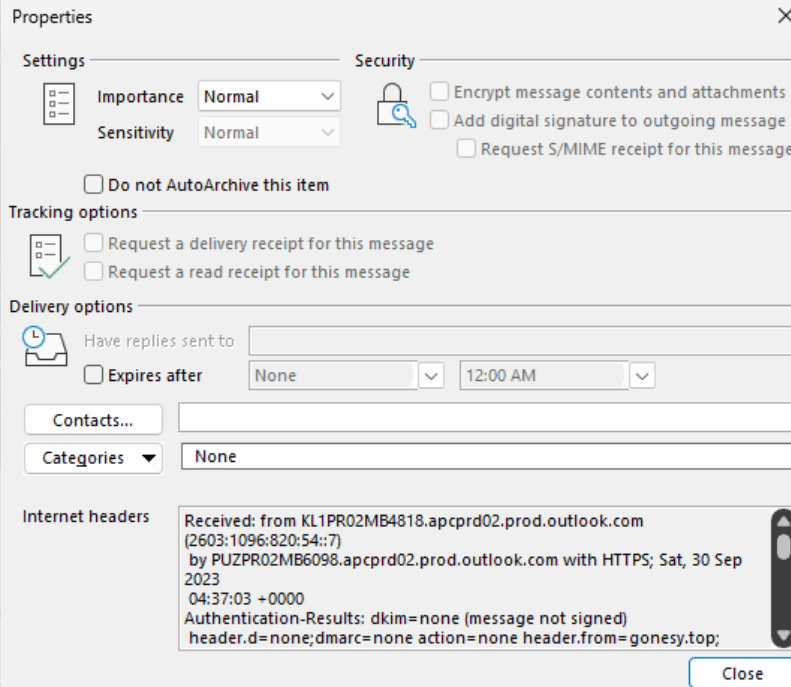
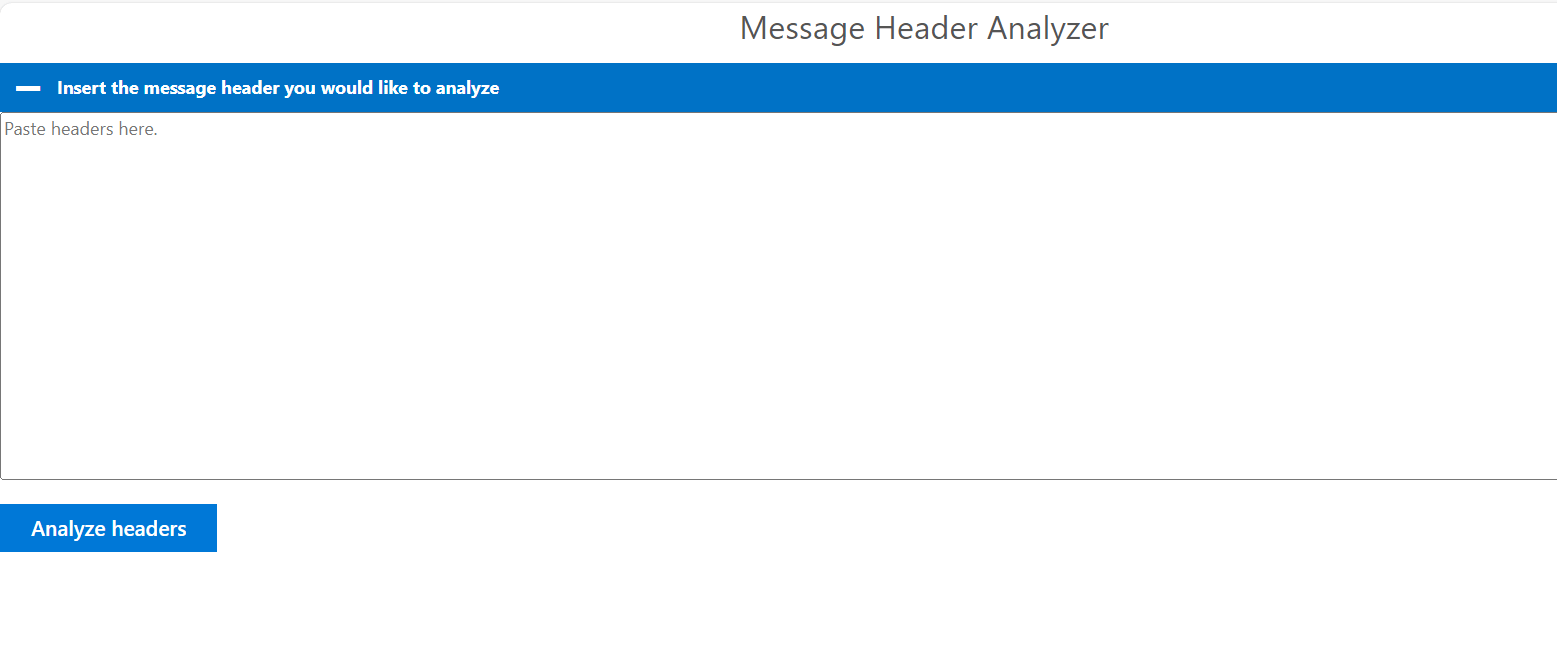
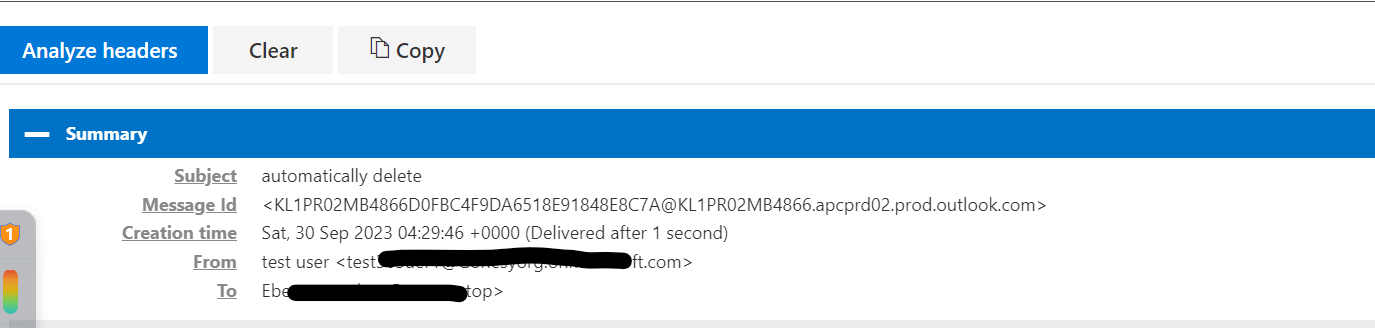
You will the time the message has been sent and the time the email reaches the recipient's mailbox.
You can share the results I can check if there is a delay issue also
2- You can also contact your Admin he will run the message trace and give more details about what you are looking for. Reference: Message trace in the new EAC in Exchange Online | Microsoft Learn
We look forward to your reply. This requested information will help us narrow down the scenario and find the right troubleshooting. We will continue to assist you based on the information you provide. I sincerely appreciate your patience and cooperation.SincerelyEben Ezer Tres | Microsoft Community Moderator
' cx='32' cy='32' r='32' /%3E%3Ctext x='50%25' y='55%25' dominant-baseline='middle' text-anchor='middle' fill='%23FFF' %3EA%3C/text%3E%3C/svg%3E)
