Microsoft Security | Intune | Configuration Manager | Other
Other Configuration Manager-related features and issues

This browser is no longer supported.
Upgrade to Microsoft Edge to take advantage of the latest features, security updates, and technical support.
' cx='32' cy='32' r='32' /%3E%3Ctext x='50%25' y='55%25' dominant-baseline='middle' text-anchor='middle' fill='%23FFF' %3EAT%3C/text%3E%3C/svg%3E)
Hi,
I seek some assistance in setting up a new hardware class for Physical display monitors in the devices used in our domain, which may be utilized for hardware inventory by SCCM. We wish for the following details related to the monitors to be enumerated in the new class:
DeviceID:
DiagonalSize:
Manufacturer:
ManufacturingMonth :
ManufacturingYear :
Name :
SerialNumber :
ComputerName :
Upon Googling this issue, I came across a post (https://exar.ch/collecting-monitor-serial-numbers-with-sccm), but was unsure if the script was devoid of any vulnerabilities and was safe to run, since we have a highly restrictive environment with running/using PS Scripts.
Kindly advise.
Other Configuration Manager-related features and issues

Since it is a script you can review it to see what it does. There are also 3rd party tools that will collect this and more details about a monitor and add the results to cm.
@Garth , I are looking for option that does not involve any 3rd party tools.
Is there any possibility of using the 'wmic desktopmonitor' command using cmd (though i am not sure if there is a parameter to resolve the serial number of the display unit).
Win32_desktopmonitor is not reliable at all. Here are a a blog and video on how unreliable Win32_desktopmonitor is.
https://www.recastsoftware.com/resources/mir-vs-win32_desktopmonitor/
https://www.youtube.com/watch?v=eNCE7qZF1sU
Even Today, my desktop has three monitors on it but Win32_desktopmonitor only see one. See screenshots below.
Also keep in mind that I do work for Recast Software too. BTW MIR is now part of Endpoint Insight.
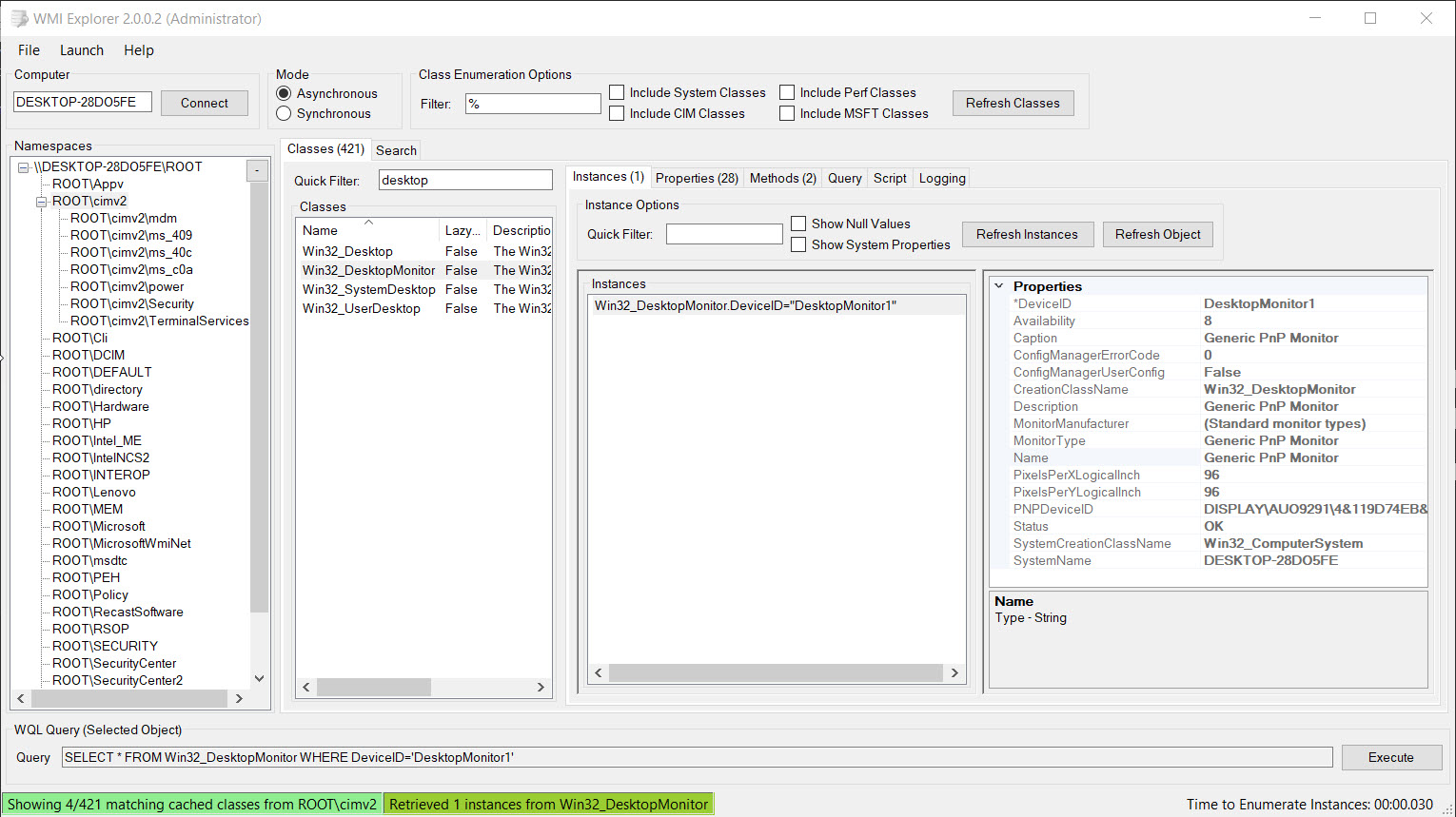
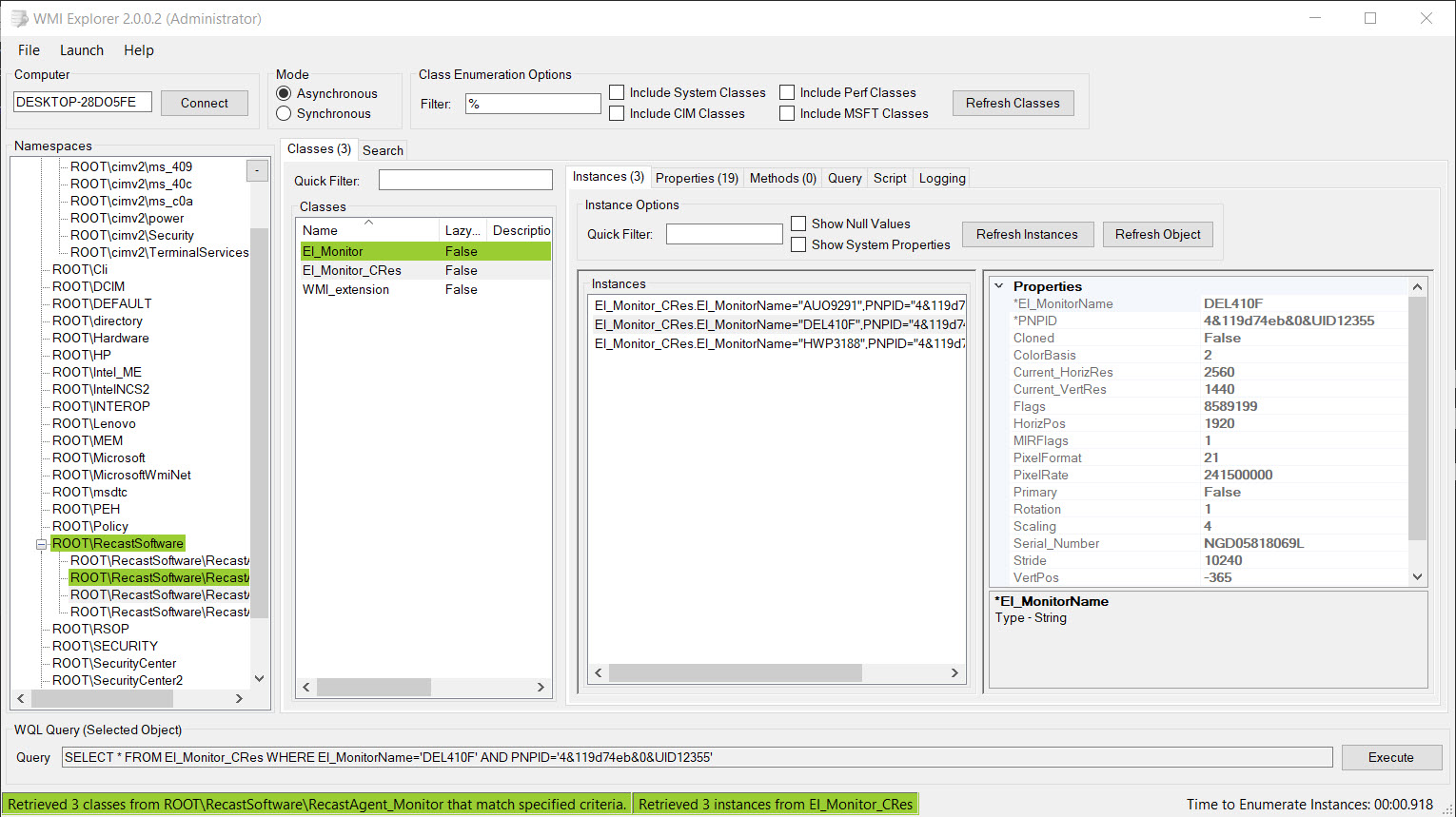
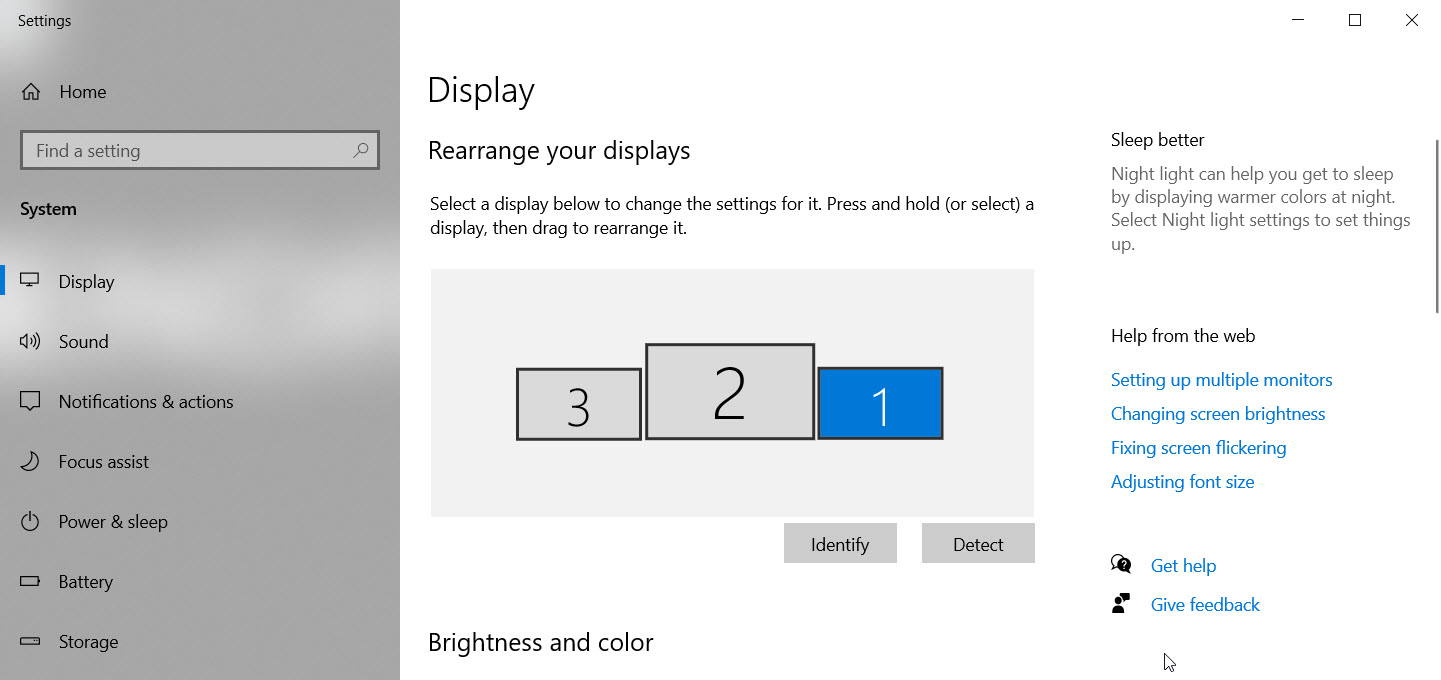

If you want the serial number, but have no budget, and don't really want to do a script + Mof edit (which could also work), do this. 1 import in Default Client Settings, and enable. Wait. Run that really fun sql query once you have data to get "SerNumConverted"
It may not always be perfect, but you can 'usually get' the serial number from it. It just takes a really interesting SQL query to extract that info.

Hi, @AlbinThomas-2164
Thank you for posting in Microsoft Q&A forum.
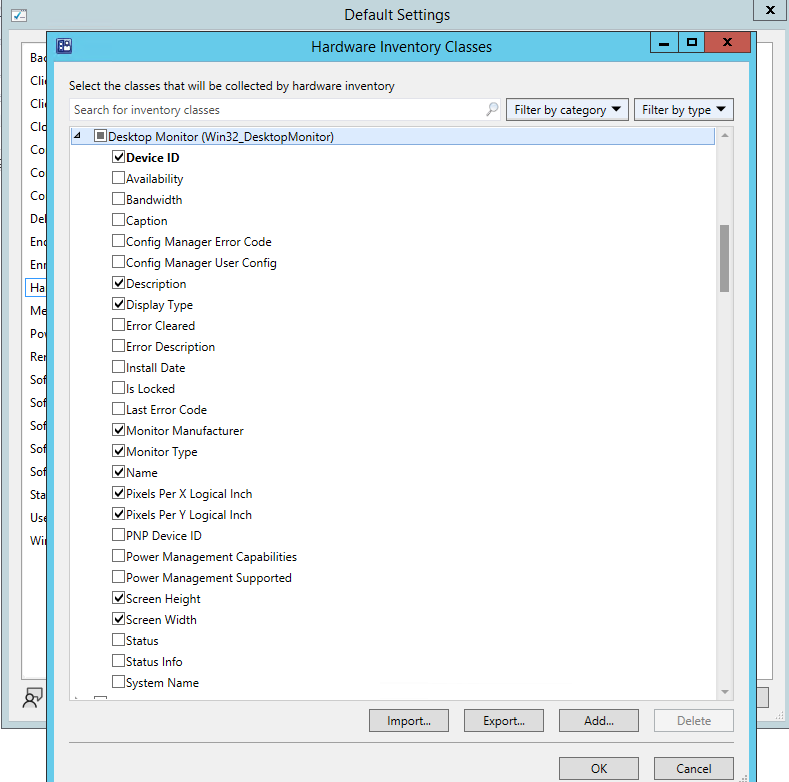
SCCM collects the monitors info by default, we can check the info we want to collect and we can use SQL query to query the info with our requirement.
If the answer is the right solution, please click "Accept Answer" and kindly upvote it. If you have extra questions about this answer, please click "Comment".
Note: Please follow the steps in our documentation to enable e-mail notifications if you want to receive the related email notification for this thread.
But it does not list the serial number of the detected monitor.
Also, what would the SQL query look like?
All the SQL view details are listed within the docs. https://learn.microsoft.com/en-us/mem/configmgr/develop/core/understand/sqlviews/hardware-inventory-views-configuration-manager#v_gs_desktop_monitor
But again, it is unreliable.