Share via

New Outlook - how to remove grouping by today/yesterday/last month etc

Anonymous
2024-06-13T08:57:32+00:00

Existing answers on here for how to ungroup by date no longer apply in new versions of Outlook. I can't even find anywhere that tells me what version number of Outlook I have - suffice to say it's a brand new laptop received yesterday with outlook preinstalled.

To refer across to the Microsoft support pages I have exactly the issue shown here, but none of the 3 options detailed to remove this pointless grouping is now available to me. How do I ungroup items so that valuable screen space isn't wasted on grouping headers that are unnecessary?

Any feedback appreciated.

Outlook | Windows | New Outlook for Windows | For home

Locked Question. This question was migrated from the Microsoft Support Community. You can vote on whether it's helpful, but you can't add comments or replies or follow the question.

0 comments No comments

7 answers

Sort by: Most helpful
  1. Anonymous
    2024-06-13T11:12:01+00:00

    Hi Eleni,

    It does actually exist, so it is fully available in Outlook. It just turns out Microsoft decided to move it somewhere else without any instructions on how to find it.

    To turn off the date groupings within the inbox :

    1. Go to Settings (either in the ribbon click "View settings", or in the top right corner of Outlook click the 'gear' icon).
    2. Click on Email (not Mail as I kept being told which doesn't exist).
    3. Click on Layout.
    4. Scroll down almost to the bottom to the section titled "Date headers" - click "Don't show date headers in message list".

    Not sure why the terminology had to change, and the move in where to find how to select this option is so hidden, but that's Microsoft for you.

    Kind regards

    Tom

    80+ people found this answer helpful.
    0 comments No comments
  2. Anonymous
    2024-09-12T15:59:59+00:00

    Hi Tony!

    Thanks for helping my find that setting. Just a quick clarification.

    It must be an issue of versions. I have version 1.2024.903.200 and my option is "Mail" as opposed to " eMail".

    9 people found this answer helpful.
    0 comments No comments
  3. Anonymous
    2024-06-14T07:11:38+00:00

    Dear TomReusch,

    Thank you for the clarification and the detailed information on the issue. We will surely submit your findings and request to the product team.

    I am glad your issue has been clarified. If this does not trouble do you mind giving feedback, this will also help other users facing the same issue to identify this thread.

    If you need any further clarification or further help on this issue please let me know I will be happy to assist.

    Thank you for your time and understanding. Stay safe and healthy. Have a good day!

    Best regards,

    Eleni | Microsoft Community Moderator

    2 people found this answer helpful.
    0 comments No comments
  4. Anonymous
    2024-06-13T10:54:30+00:00

    Dear TomReusch,

    Good day! 
    Thank you for posting to the Microsoft Community. We are happy to assist you.

    After thorough research and consultations, it has been concluded that the feature you are inquiring about is not yet available in the new Outlook. However, thank you so much for bringing this to our attention, your suggestion is constructive and I believe it could make the use of Outlook even better. We will surely raise your concerns with our Product Development Team and hopefully, this can be included in future updates. Please note new Outlook is still in active development, right now twenty-five features are in development and fifteen more have started to be rolled out. To check for upcoming features you can check Microsoft 365 Roadmap | Microsoft 365.

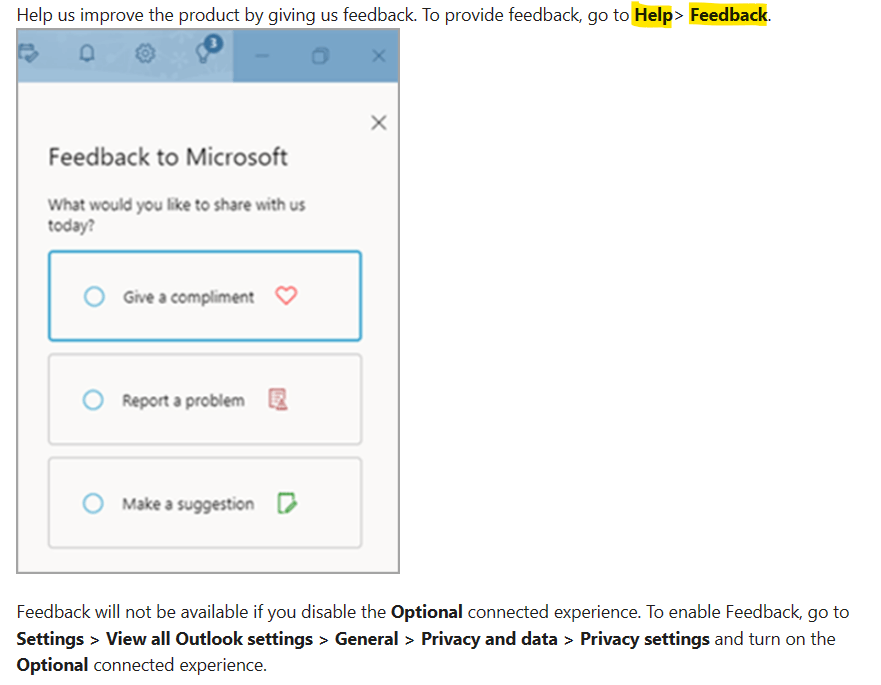
    In the meantime, we sincerely recommend you post your concern as an idea to our Outlook in-app feedback site Contact support and provide feedback within the new Outlook for Windows - Microsoft Support
    Image

    Our Product Development Team is committed to enhancing the customer experience by continually examining suggestions to include in the design and development of future
    product upgrades based on your suggestions. Hopefully, your suggestion will help many users in the future.

    Note: to know your version, About Office: What version of Office am I using? - Microsoft Support and What version of Outlook do I have? - Microsoft Support.

    Thank you for your time and understanding. For other questions, feel free to add your post to the Microsoft Community team.

    Stay safe and healthy. Have a good day!

    Sincerely,

    Microsoft Community Moderator.

    2 people found this answer helpful.
    0 comments No comments
  5. Anonymous
    2024-06-13T08:58:04+00:00
    1 person found this answer helpful.
    0 comments No comments