' cx='32' cy='32' r='32' /%3E%3Ctext x='50%25' y='55%25' dominant-baseline='middle' text-anchor='middle' fill='%23FFF' %3EA%3C/text%3E%3C/svg%3E)

Dear Mike Sanford - Affinity Construction,
Greetings!
Thanks for reaching out to this community.
Based on your description, I understand your query about how to add a signature at the end of emails using Outlook for Android.
Upon tests on my end, you may kindly try add a signature by below steps:
- Click profile picture at top left of the app.
- Click Settings button (gear icon in the left panel).
- Go to Quick Settings > Signatures.
- Then you can edit the signature there. You can try the editing bar below and turn on Per Account Signature option if you want.
- Based on my knowledge and experiences, the signature is automatically attached when you creates a new message. You can delete it when composing the message. To disable it permanently, deletes the content from the above signature settings.
Furthermore, if you have any further concerns upon this query, you may also try to Get in-app help for Outlook for iOS and Android - Microsoft Support
Outlook for Android
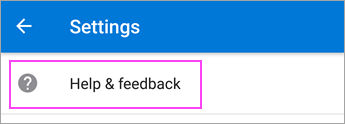
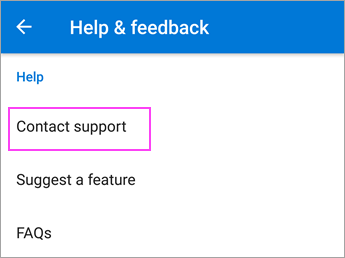
Go to Settings > Help & Feedback > Contact Support.

Thank you in advance for your understanding! Your patience and cooperation will be greatly appreciated. I hope all the best!