When composing a new email, looking on the ribbon at the "Editor" button, I click it then click "customize you editor" within it there are checkboxes for many grammar options, and amongst them is "Capitalization"..
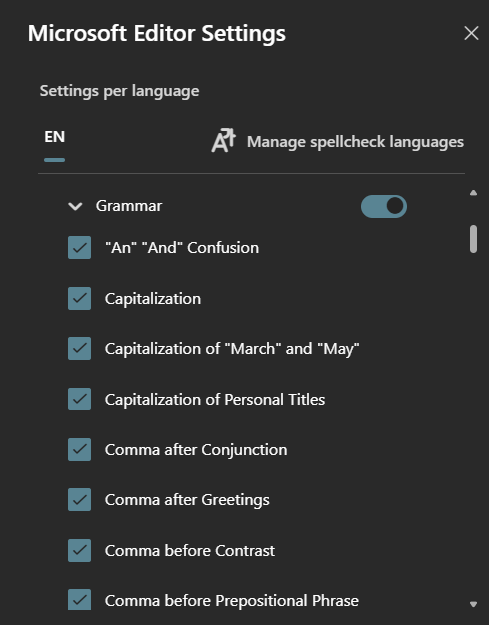
It is unchecked by default, annoyingly checking it seems to not do anything?? In fact, I'm not sure any of the grammar options do anything?? The editor shows 0 grammar suggestions even though I have text filled with grammatical errors on purpose..
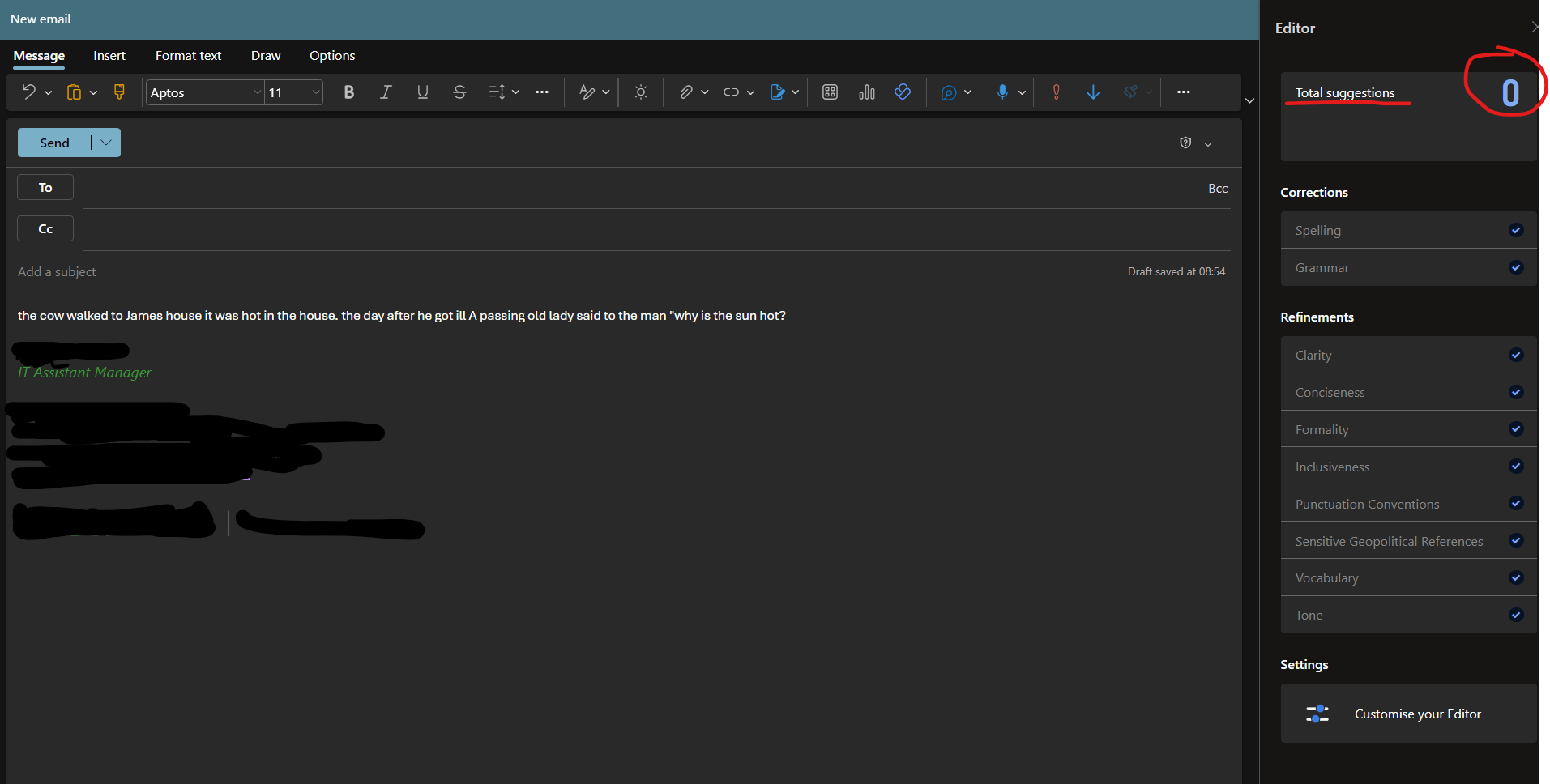
What is going on here? It should be automatically fixing these errors or at the very least blue underlining them. Instead, it doesn't even seem to be seeing the errors, I'm not sure its functioning at all.
All my users are moving back to the old outlook because they miss auto capitalization of opening words and after full stop, names and places, i to I, basic functionality that has been part of Outlook and competing email clients for many years now.
and before it is mentioned using Sentencing Case in the format ribbon is not a good enough work around unless it can be set as default (unless I am missing something, it cant.) Users shouldn't have to highlight and format text to make it a sentence when 99.9% of emails sent will be wanting to be a sentence and use that formatting, it's just dumb to have these extra steps.
Back on point, TL;DR, the "Editor" does not seem to work and shows 0 Grammar suggestions even when I have clearly made grammatical errors that need correcting.
One last point, there are many threads regarding auto-capitalization being missing from NEW Outlook, some have over a hundred replies, and one is closing in on 400(!) people "having the same issue", spanning well over 6 months now, as I said most of my users won't use the NEW Outlook and have switched back, as the old one does auto-capitalize and frankly works better in many other regards too. This is really rubbish tbh.
' cx='32' cy='32' r='32' /%3E%3Ctext x='50%25' y='55%25' dominant-baseline='middle' text-anchor='middle' fill='%23FFF' %3EA%3C/text%3E%3C/svg%3E)

' cx='32' cy='32' r='32' /%3E%3Ctext x='50%25' y='55%25' dominant-baseline='middle' text-anchor='middle' fill='%23FFF' %3EZ%3C/text%3E%3C/svg%3E)