Dear Elliot Lewis,
Welcome to Microsoft Community,
I am sorry to hear that you received a spam that seems to be sent from yourself and I would like to help you out.
There are two possibilities: Your account was hacked or the spammer spoofed the mail source. To tell if your account was compromised, please use this link to see recent activities on your Microsoft account. If someone tried to sign in, it will show up in the activity log. If there are no unusual logins. Then these emails are phishing emails.
Check the recent sign-in activity for your Microsoft account - Microsoft Support
Since Outlook does not allow blocking of your own address, and a hacker may have spoofed the source e-mail as your address. Therefore, simply right-click and report or block may doesn't stop them.
The solution is to check the message source and find the spammer's real address and IP and then block manually or report them.
You can access your email in outlook.live.com, follow three dots on the top right: View - [View Email Source] and search for
[X-Sender-IP] and [X-SID-PRA] followed by the actual IP and sending email address.
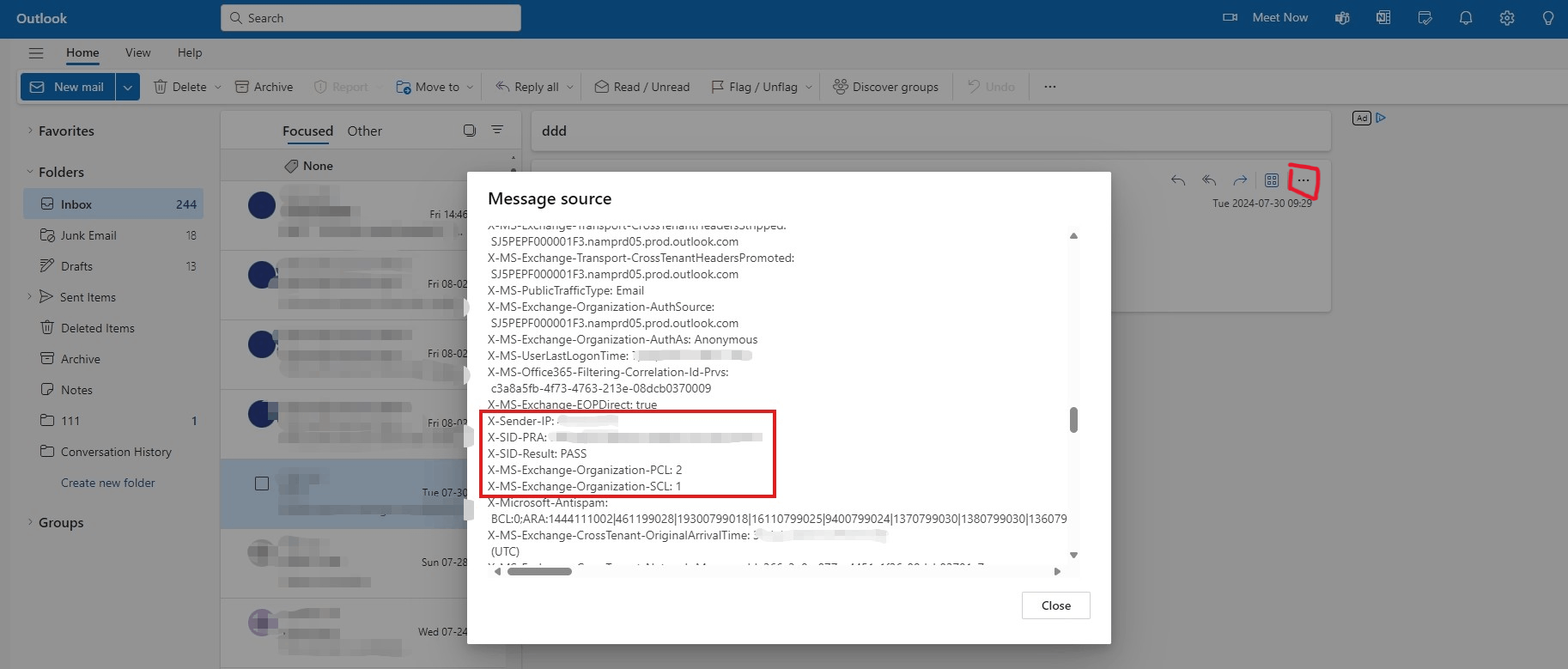
After finding the hackers' real mail addresses, you can manually block them: [Settings]-[Mail]-[Junk email].
You can also refer to this article: View internet message headers in Outlook - Microsoft Support
These emails are likely to be from the same person, which means you don't need to repeat the process multiple times.
If the spam is originated from Microsoft domain, you could report the address to abuse@microsoft.com or report spam: MSRC reporting portal
You can also report this address to a third-party anti-spam organization Building Trust and Safety on the Internet | Spamhaus.
Disclaimer: Microsoft does not provide any assurances and/or warranties, implied or otherwise, and is not responsible for any information you receive from linked third-party sites or any technology-related materials.
Please contact our community support team if there are any updates on this issue or if you are still unsure, we are always here to help.
Best Regards,
Stan - MSFT | Microsoft Community Support Specialist
' cx='32' cy='32' r='32' /%3E%3Ctext x='50%25' y='55%25' dominant-baseline='middle' text-anchor='middle' fill='%23FFF' %3EA%3C/text%3E%3C/svg%3E)
