Share via

Quick access toolbar (QAT) disappeared in Outlook

Anonymous
2025-05-02T07:15:30+00:00

It is missing from the main Outlook windows (Mail, Calendar, Tasks, etc.):

and I can only see it in the 'compose email' window:
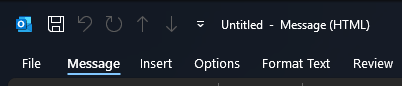
Right-clicking in that zone doesn't bring up the menu to configure QAT:
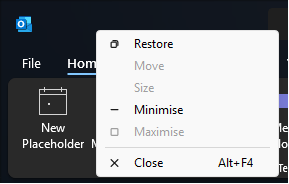
which it does in 'compose email':
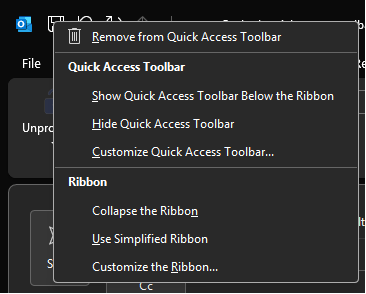
I can configure the QAT in File → Options → Quick Access Toolbar, but it doesn't actually bring the QAT back. In that menu, I also tried resetting it:

to no avail.

I've restarted my computer, and it didn't fix it.

Version:

I've recently upgraded the system to Windows 11 (24H2, build 26100.3775, no new updates pending), but the QAT disappeared not immediately after the Win11 upgrade, but a few days later.

Our company also uses Egress plugin (v24.04.1773), but we always have and it never caused any issues.

QATs are fine in other apps (PowerPoint, Excel, Word).

If anyone has any idea how to restore it, I'd be very grateful.

Thanks,
Andrzej

[Moderator note: thread moved from Office to the Outlook forum]

Outlook | Windows | Classic Outlook for Windows | For home

Locked Question. This question was migrated from the Microsoft Support Community. You can vote on whether it's helpful, but you can't add comments or replies or follow the question.

0 comments No comments

Answer accepted by question author

  1. Stefan Blom 339.2K Reputation points MVP Volunteer Moderator
    2025-05-05T16:21:54+00:00

    In the full, desktop version of Outlook for Windows, click File > Options > Quick Access Toolbar. Click to select the option "Show Quick Access Toolbar." You can also choose a Toolbar Position. By default, "Above Ribbon" is selected, but there will be room for more buttons if you choose the "Below Ribbon" option instead.

    Image

    P.S. I moved the entire thread to the Outlook forum.

    1 person found this answer helpful.
    0 comments No comments

6 additional answers

Sort by: Most helpful
  1. Deleted

    This answer has been deleted due to a violation of our Code of Conduct. The answer was manually reported or identified through automated detection before action was taken. Please refer to our Code of Conduct for more information.


    Comments have been turned off. Learn more

  2. Anonymous
    2025-05-02T10:47:15+00:00

    Where can I find the o365/Office forum? 🤨

    0 comments No comments
  3. Anonymous
    2025-05-02T10:44:58+00:00

    Hey,

    sorry for posting in the wrong forum, I'll repost in the right one.

    But to your point, in the way I have my layout configured, the QAT should appear to the left of the search bar, which it actually does in your screenshot too:

    Red arrow point to what in my Outlook is just empty space

    0 comments No comments
  4. Anonymous
    2025-05-02T07:27:42+00:00

    Your Q belongs in the o365/Office group and not this outlook.com group (Blame MS Marketting for the confusion)

    o365 Updates internally and not via win update

    In MS Outlook the "QAT" appears to the left of the OL window

    0 comments No comments